Working With Phone Hybrids • 145
©2008 Axia Audio — Rev. 3.0
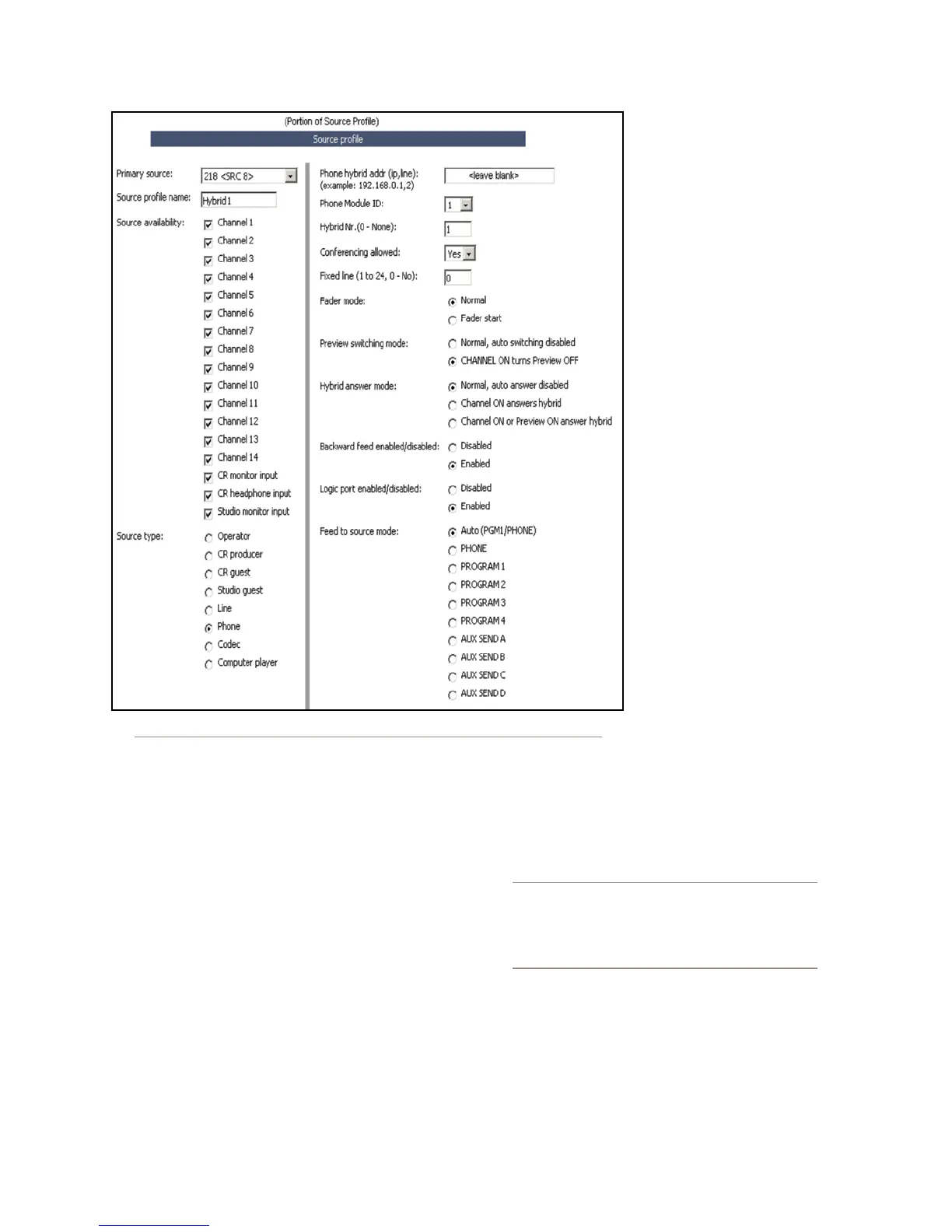
web page. Choose the “Primary Source” audio chan-
nel that you entered in the Analog Node. Give it an
Element source name, such as “Hybrid 1”, and select
“Phone” for Source Type.
The Source Profile for the hybrid should be filled in
as follows:
It is not necessary to enter the Phone Hybrid IP
address here, since you have already done it globally.
Leave this field blank.
The Phone Module ID field lets you select from the
multiple phone modules that you may have installed.
Normally, you will have just one, so select 1 from the
drop-down box.
For Hybrid Nr. select the hybrid that corresponds
to the Primary Source audio you selected above.
The TWOx12 has two hybrids, so enter either 1 or
•
•
•
2 here.
Conferencing Allowed
lets you decide if you want
to permit locked-on lines for
“button mash” conferencing.
Unless you specifically wish
to prohibit this type of con-
ferencing, select Yes from
the drop-down box.
Fixed Line lets you assign a
line permanently to a specif-
ic fader channel, emulating a
dedicated hybrid. (Normally
this is used with a 4-Phone
Fader Module so that its the
“Hold” button would control
the phone hybrid dedicated
to that fader. It can be used
with one of the Call Control-
ler’s two faders, but will limit
operational flexibility.)
The other fields in the
Source Profile page are non-
phone specific, and may he
configured as you wish. (See
Chapter Two, “Configuring
Inputs”, for more details on
these options.
Remember that the Telos TWOx12 contains two hy-
brids, so you need to repeat this procedure to create an-
other source profile for the second hybrid.
Important Note: The TWOx12 has an optional
internal mix-minus cross-connect feature. Since
Element provides this function automatically,
you should disable this feature in TWOx12 to
prevent unexpected results.
You’ll now need to load the hybrid sources onto the
fader channels. This can be done either manually, or
automatically using Show Profiles. Naturally, we rec-
ommend that you make this assignment in each Show
Profile which will use the phone system, since leaving
manual assignment to air talent is asking for trouble!
•
•
Figure D-3: A Phone Hybrid Source Prole



 To Next Page