2-12 Human-Machine Interface DECS-200
7. SYSTEM PARAMETERS. Display and setting of system parameters. This menu item consists of nine
sub-branches:
• Generator Data
• Field Data
• Transformers
• Configuration
• Output Contacts
• Traverse Rates
• Pre-position Modes
• Startup
• Tracking
8. GENERAL SETTINGS. Display and setting of communication setting parameters and LCD contrast.
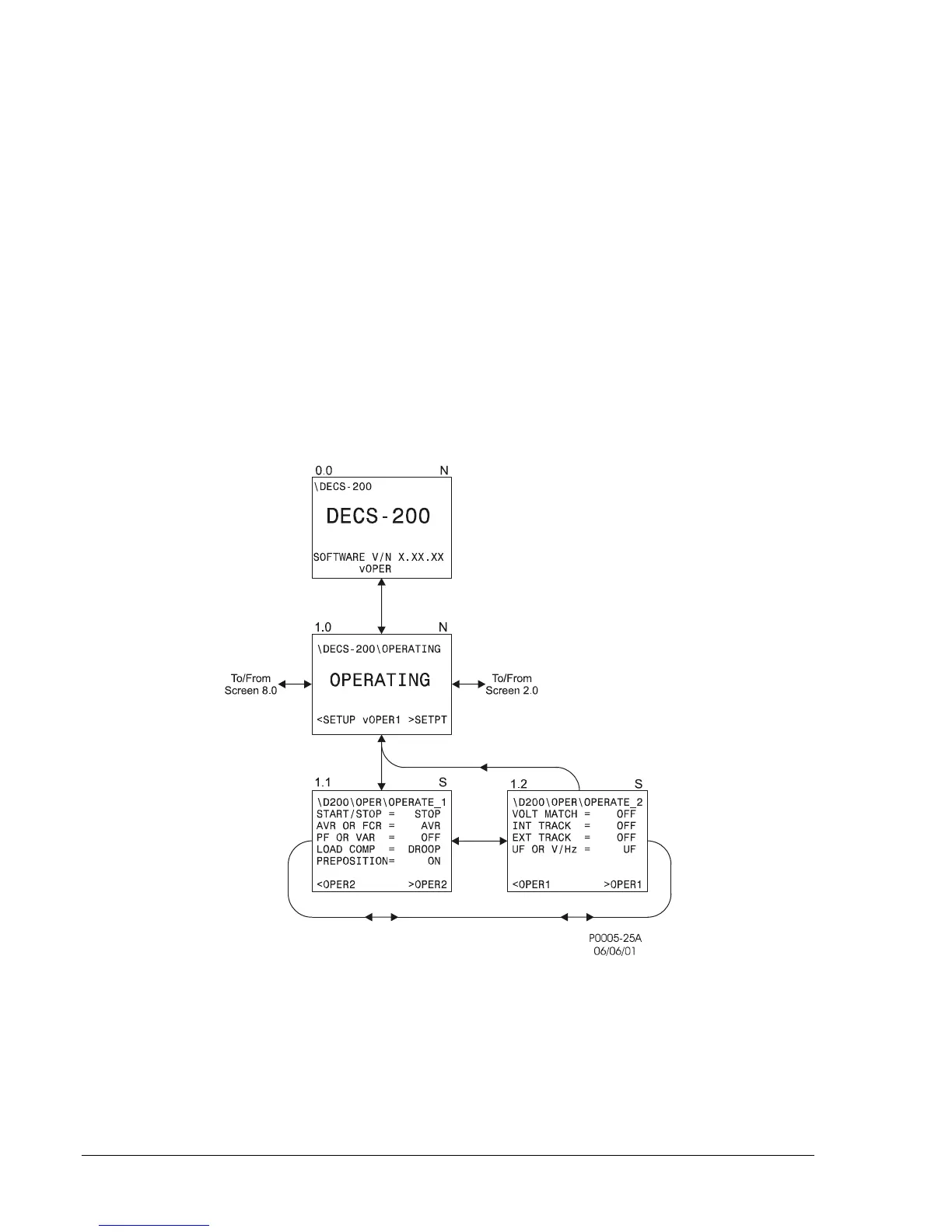
Figures 2-2 through 2-11 illustrate all branches in the menu tree. In Figures 2-2 through 2-11, the upper
left corner of each screen displays a one, two or three digit number with decimal points between each
digit. These numbers are reference numbers to the screens in the menu tree. A letter at the upper right
corner (G, S, and N) indicates the security access level (global, setpoint and not applicable) required to
edit that screen.
Figure 2-2.Operating Menu Branch



 To Next Page