32 pro+ Surface Instruction for Use (209196 REV 8)
CENTRELLA Smart+ Bed
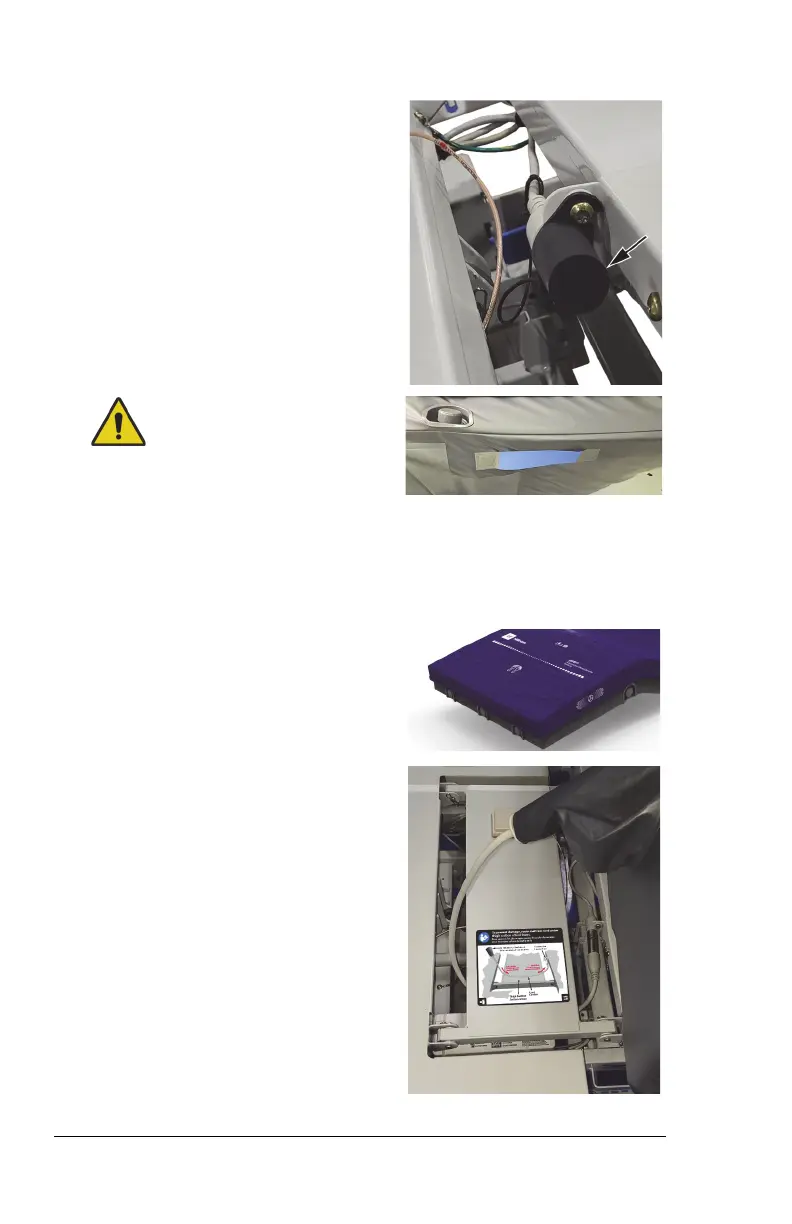
10. If the cover is installed over the
cable connector that is between
the thigh and foot sections of the
bed, loosen the screw, do not
remove it, then turn the cover to
remove it.
Warning—The surface weighs
approximately 50 lb (22.7 kg). Lift
and move the surface with the
handles. Do not twist, and seek
assistance when necessary. Failure
to do so could cause injury or
equipment damage.
11. Use the pro+ surface handles on
the bottom of the surface, to lift
and install the surface on the bed.
Make sure the logo side is up and at
the foot end of the bed.
12. Fold one end of the surface over
the other, route the surface cable
between the seat and thigh
sections of the bed. Then route the
surface cable beneath the thigh
section of the bed.
13. Connect the surface cable to the
connection cable that is between
the thigh and foot sections.












 To Next Page