pro+ Surface Instruction for Use (209196 REV 8) 33
CENTRELLA Smart+ Bed
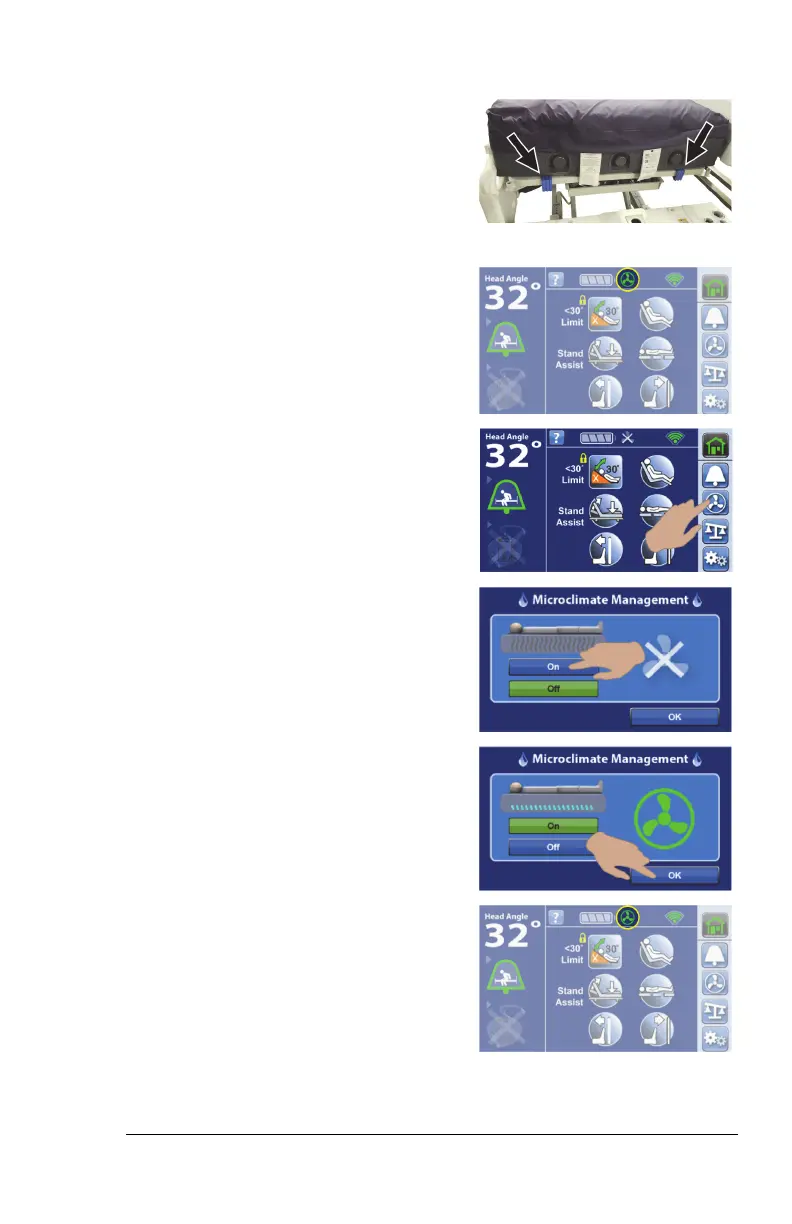
14. Unfold the surface and attach the
surface hooks to the head end of
the bed.
15. Plug the bed into AC power.
16. Make sure the green MCM status
indicator (fan) shows at the top of
the GCI screen. If the indicator does
not show, do as follows:
a. Press the MCM status indicator
menu control.
b. Press On.
c. Press OK.
d. At the Home screen, make sure
the green MCM indicator
shows.












 To Next Page