54 pro+ Surface Instruction for Use (209196 REV 8)
VERSACARE Bed—pro+ Surface Installation Instructions
29. Repeat Step 27 and Step 28 at the head end of the bed.
30. Plug the surface power cord into AC power.
31. Put the bed in the flat position.
Warning—Keep cords out of the patient area or injury could occur.
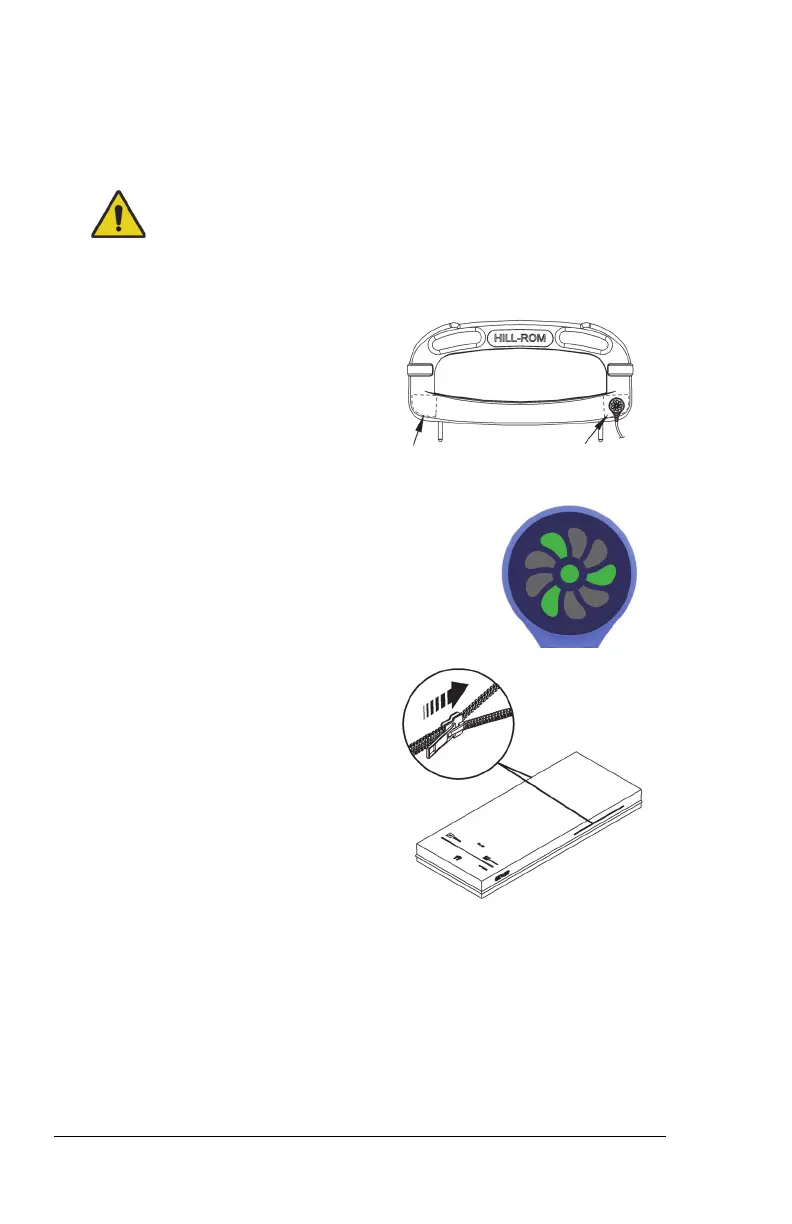
32. Attach the magnetized status
indicator to its mount on the
footboard. Make sure to store the
excess cord away from the patient
area.
33. Make sure the status indicator is green.
For more information about the indicator
light, see “Status Indicator Light” on page 56.
34. If applicable, make sure the x-ray
sleeve zipper is closed on both
sides of the surface.
35. Make sure the bed is plugged into AC power.












 To Next Page