93
Chapter 19 - Reports
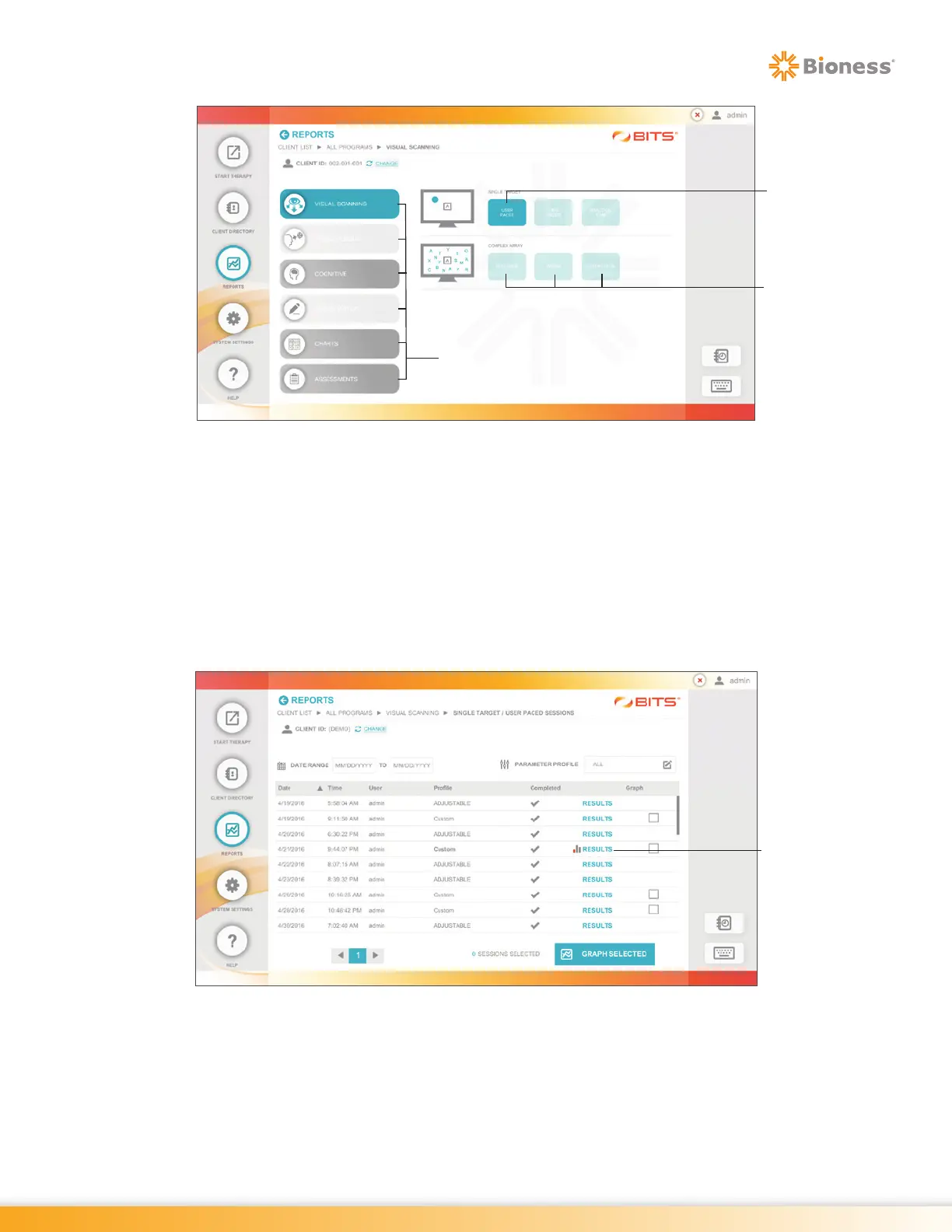
Figure 19-5: Reports Category Screen, Example
3. Press a Therapy Category Button to display the therapy groups and therapy programs found in the
selected category. See Figure 19-5. The buttons for each Therapy Program containing Session
Results will also be darker in color than Therapy Programs without Session Results
4. Press the desired Therapy Program Button to view the Session Results.
5. The Sessions Results List Screen will open displaying the Therapy Sessions performed, see Figure
19-6. Select a Therapy Session by pressing the row containing the date and time for the desired
Therapy Session.
Figure 19-6: Example of the Sessions Results List Screen
6. The Session Results Screen will open. See Figure 19-7.
Report
Categories
Session
Results Exist
(dark button
example)
Session Results
Do Not Exist
(light button
example)
Results



 To Next Page