39
Chapter 6 - Start Therapy
Setting up the Platform Sensor
To calibrate the Sensor on the Platform, position the Platform in front of the display screen in the desired
location.
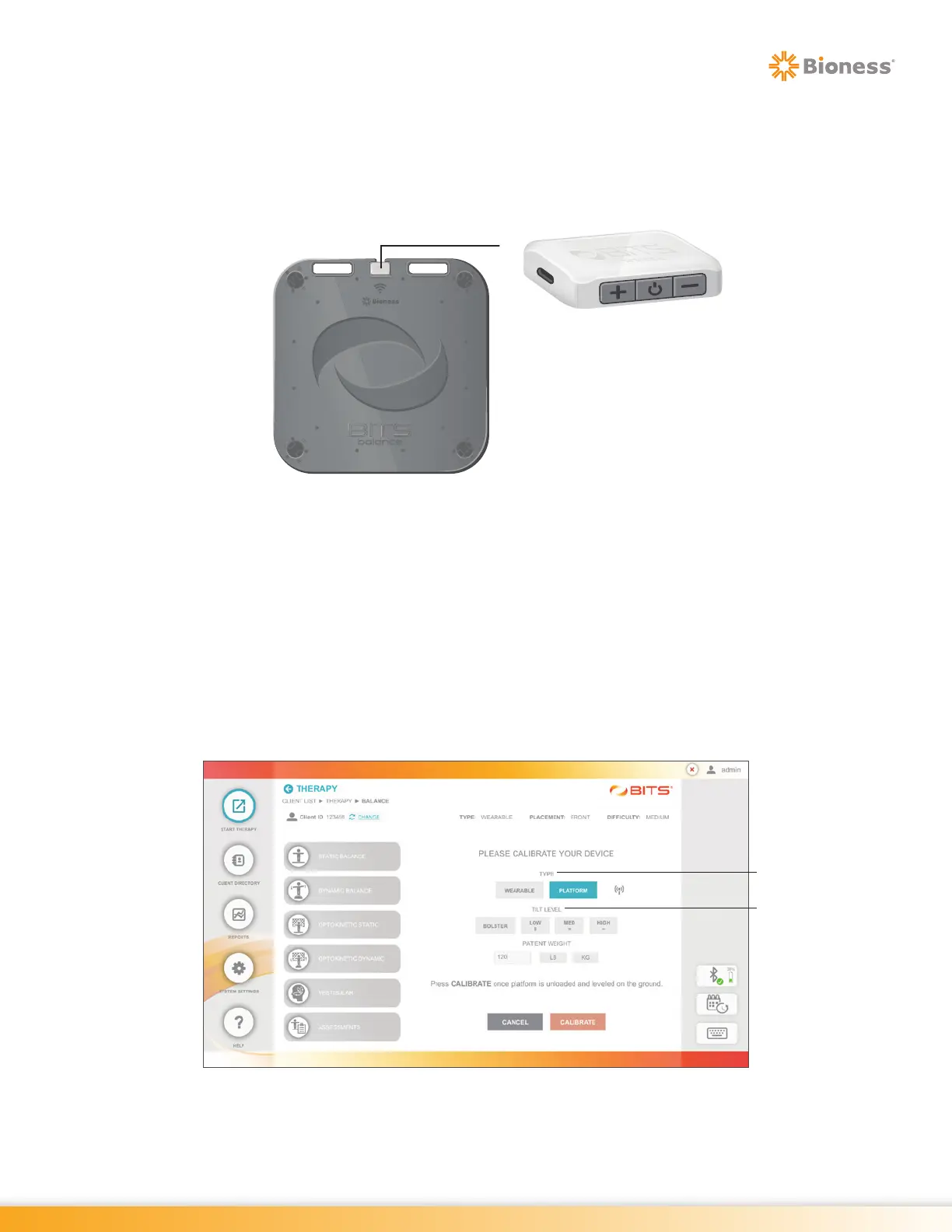
1. Attach the Sensor to the Platform with the Sensor buttons facing the screen. See Figure 6-7.
Figure 6-7: Sensor Placement - Platform
2. Ensure Platform is unloaded and on level ground.
3. From the Home Screen, press the Start Therapy Button. See Figure 6-1.
4. Press the Visibility Icon, see Figure 5-5, to make the client list visible on the display screen.
5. Select the correct client from the list. See Figure 6-2.
6. Select the Balance Therapy Category button (if a Sensor is not connected/paired, refer to Sensor Device
Settings section in Chapter 4.)
7. Select ‘Platform’ from the Type options, then select the appropriate tilt level. See Figure 6-8.
Figure 6-8: Sensor Calibration for Platform
Type
Tilt Level



 To Next Page