45
Chapter 6 - Start Therapy
Results Screen
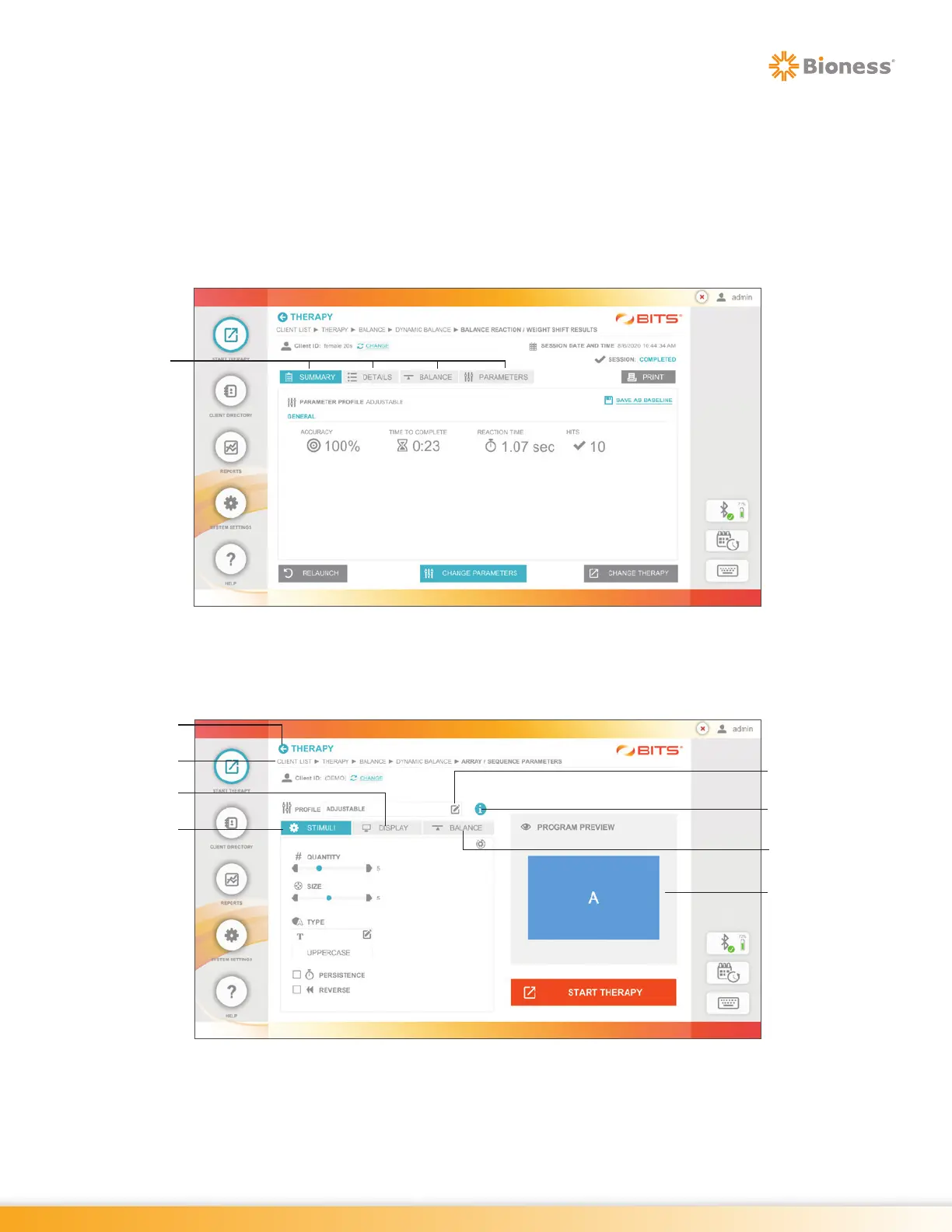
The Results Screen will appear at the end of each therapy program session. The Results Screen captures
performance results from the therapy program session and displays this information as both a summary
and detailed report. This information is stored to the client's file in the Reports Module and can be accessed
at a later time.
For most therapy programs the Results Screen has five tabs, see Figure 6-16. Refer to Chapter 18 in this
guide for details on Results.
Figure 6-16: Example of a Results Screen
Screen Navigation
Figure 6-17: Sample of Screen Navigation
Stimuli Tab
Information Icon
Parameter
Profiles
Display Tab
Back Arrow
Breadcrumbs
Balance Tab
Program Preview
Results
Screen
Tabs



 To Next Page