8
Clinician's Guide
4. Push the portable stand from the side with both hands on the tower. See Figure 3-1.
5. Move the stand to the new location and lock the wheel casters.
6. Reposition the display screen to the desired height.
7. Reconnect the power cord to the wall socket.
Moving the Balance Platform
Warning: Make sure the Balance Platform is placed in a secured location when not in use to avoid
tripping hazards.
To move the Platform:
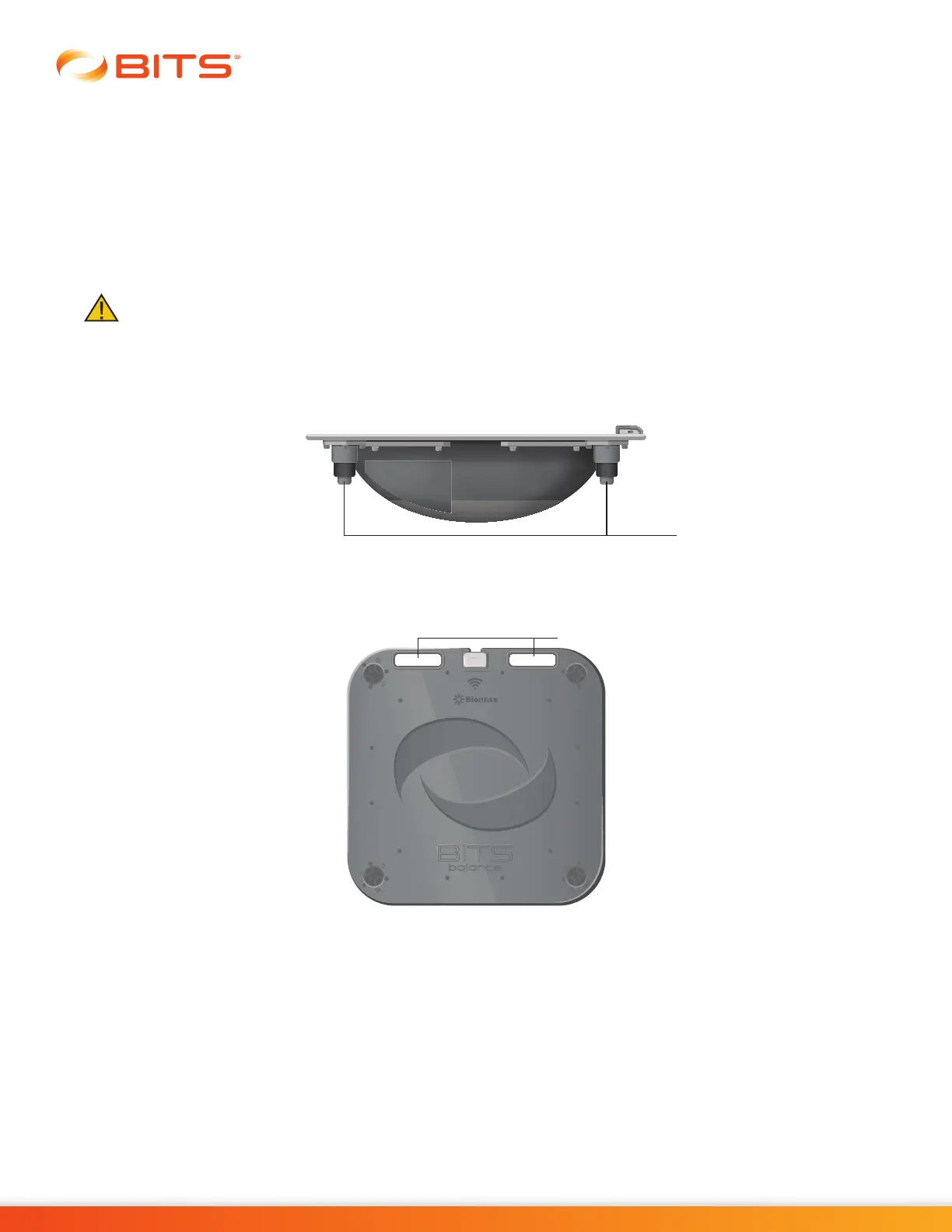
1. Ensure Platform feet are retracted all the way up and are not in an extended position. See Figure 3-2.
Figure 3-2: Platform feet position
2. Lift the Platform using the handles provided. See Figure 3-3.
Figure 3-3: Handles for lifting the Platform
3. Place the Platform in the desired location.
Platform Feet
Platform Handles



 To Next Page