9
Chapter 3 - The System
Charging the Sensors
Warning: Sensor should not be in use while charging.
To charge the Sensor:
1. Plug charging block and cable provided by Bioness into a wall outlet.
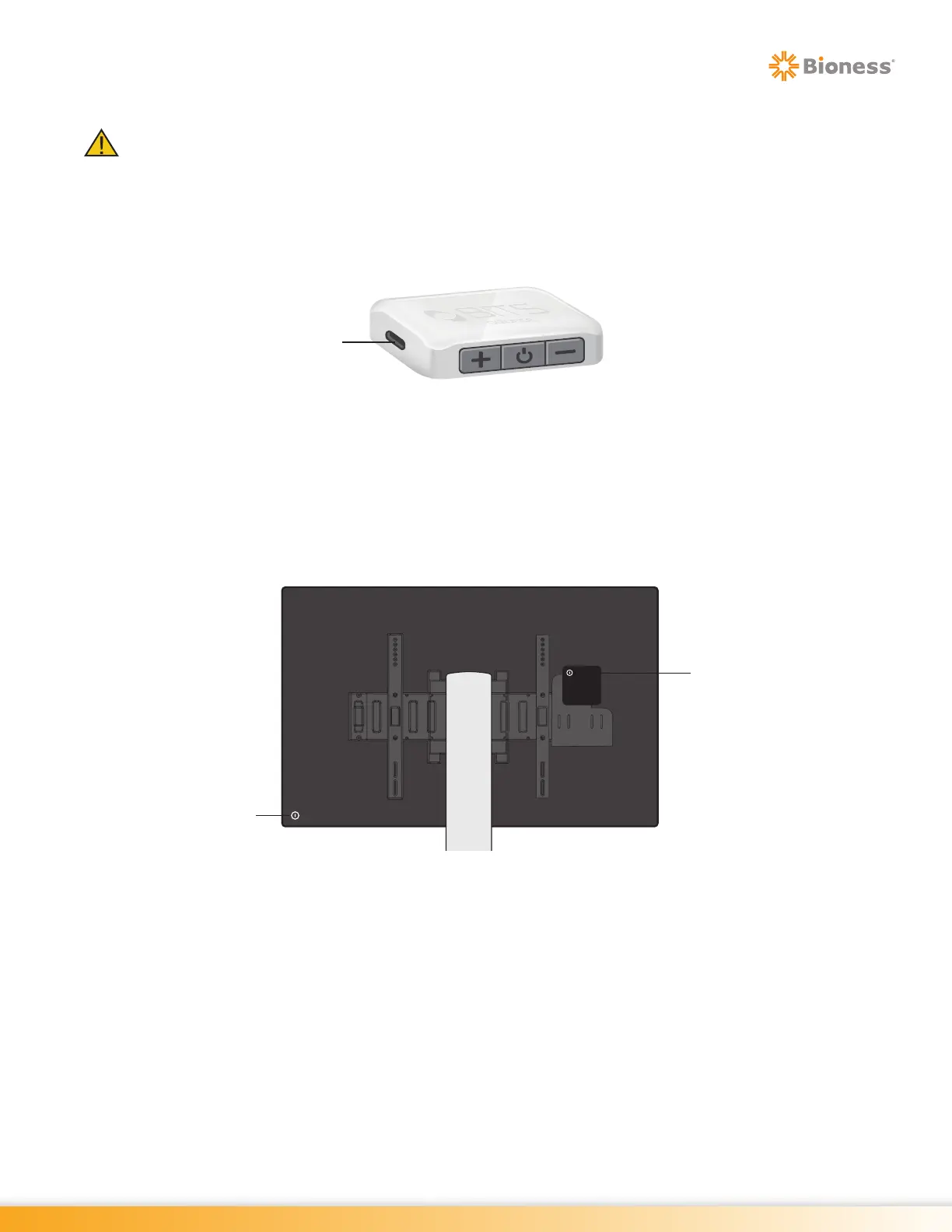
2. Connect charging cable with Sensor. See Figure 3-4.
Figure 3-4: Charging the Sensor
Turning the System On
1. Press the On/Off Button on the back of the touchscreen display. See Figure 3-5.
2. Press the On/Off Button on the computer. The computer is mounted on the back of the touchscreen
display. See Figure 3-5.
Figure 3-5: Location of On/Off Buttons (Example Shown for Reference Only)
3. After Windows has loaded and the Start Screen appears, touch the middle of the display screen and
slide up with finger to reveal the Windows Login Screen. See Figure 3-6.
4. Use the keyboard to enter your password. Press the Enter Arrow Button. See Figure 3-6. Password
will be supplied by the administrator.
5. Press the desktop icon on the touchscreen display.
Computer
On/Off Button
Touchscreen
On/Off Button
Charging Port



 To Next Page