21
Chapter 4 - Introduction to BITS Software Navigation
Switching between Sensors
1. Select the Bluetooth Icon on screen
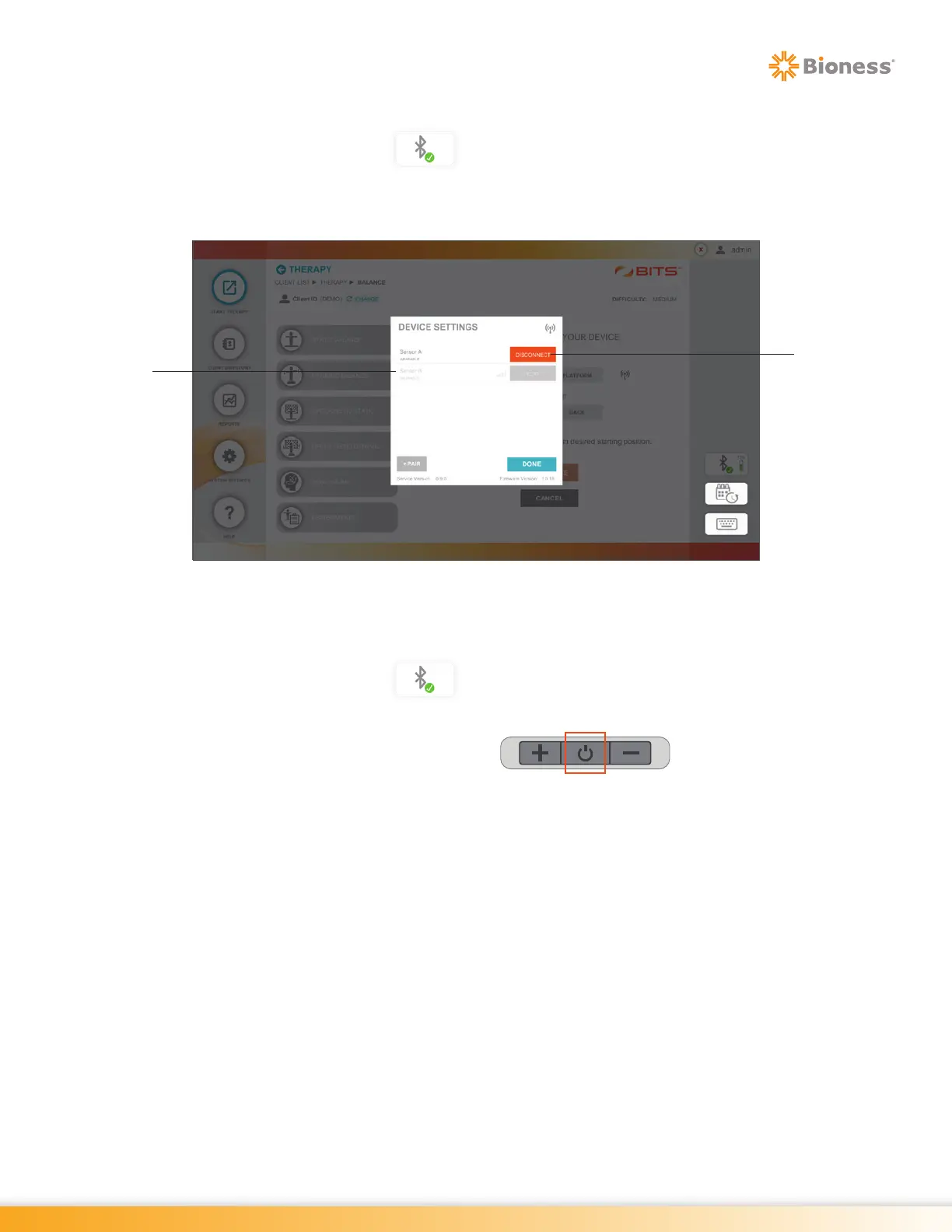
2. In the Device Settings menu, select Disconnect for the active Sensor. See Figure 4-6.
3. Select the Sensor name for the Sensor user wants to activate. See Figure 4-6.
Figure 4-6: Switching between Sensors
Disconnecting the Sensor
1. Select the Bluetooth Icon on screen
2. In the Device Settings menu, select Disconnect for the active Sensor. See Figure 4-6.
3. Turn the Sensor off by holding the Power Button for two seconds until an
audible sounds is heard and power button is no longer flashing green.
Sensor Name
Disconnect



 To Next Page