36
Clinician's Guide
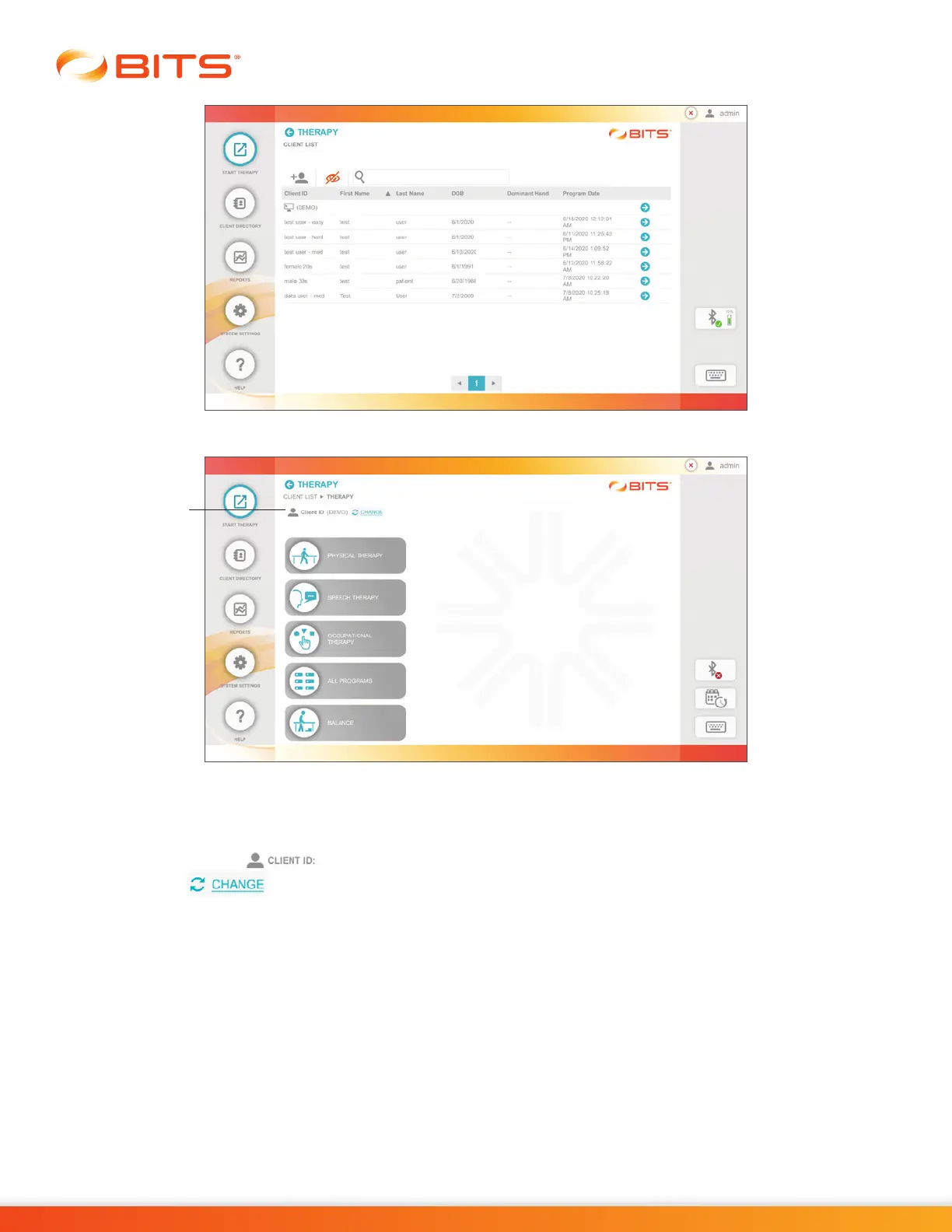
Figure 6-2: Client List Screen
Figure 6-3: Discipline Menu Screen
Once a client has been selected, their Client ID will appear in the top portion of the display screen next
to the Client ID Icon . See Figure 6-3. If needed, the user can change client by selecting the
Change Icon . This will open the Client List Screen, refer to Chapter 5 in this guide for more
information.
Preparing the Client for Balance Therapy
Wearing the Motion Sensor
Wrap the chest Strap with the Sensor attached around the client’s chest, ensuring a snug but
comfortable fit. Sensor can be placed around the chest in a front or back orientation with the buttons
facing down. See Figure 6-4. The Sensor can also be attached to the single-use Adhesive Patch
provided. Once Sensor has been attached to the patch, simply peel the clear plastic from the back and
stick the patch with Sensor on the client's clothing. Patch can be placed on the front or back.
Client ID Icon



 To Next Page