37
Chapter 6 - Start Therapy
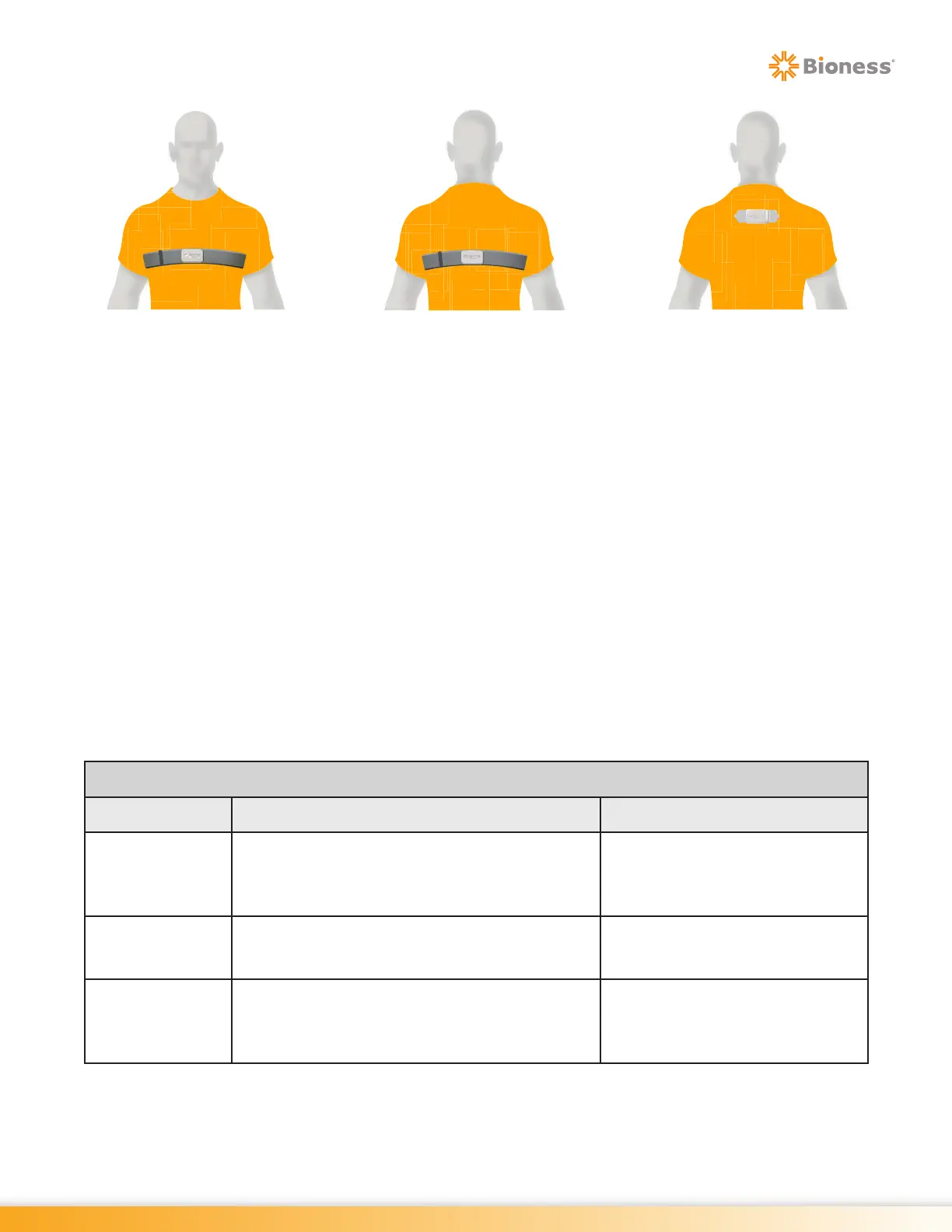
Figure 6-4: Sensor Placement – Chest Strap and Adhesive Patch
Setting up the Wearable Sensor
To calibrate the wearable Sensor, instruct the client to stand or sit in the position in which the client will
rehabilitate in front of the screen and follow the steps below:
1. From the Home Screen, press the Start Therapy Button. See Figure 6-1.
2. Press the Visibility Icon, see Figure 5-5, to make the Client List visible on the display screen.
3. Select the correct client from the list. See Figure 6-2
4. Select the Balance Therapy Category button (if a Sensor is not connected/paired, refer to Sensor
Device Settings section in Chapter 4).
5. Select ‘Wearable’ from the Type options, then select Placement (Front or Back) and then press
‘Calibrate’. Ensure client is in the desired stance for rehabilitation. See Figure 6-5.
6. Select the Wearable Balance Therapy Difficulty level for the client depending on the client’s
functional level. To change the difficulty level, go to the client's profile in Client Directory. Refer to
Chapter 5 for detailed steps. See Figure 6-6.
Wearable Difficulty
Difficulty Level Static Balance Dynamic Balance
Easy
Requires a significant amount of movement
by client to move outside of the Balance Point
making it easier to eliminate stimuli while
maintaining balance in the Balance Point.
Requires a minimal amount
of movement by client to reach
target stimuli.
Medium
Requires a medium amount of movement by
client to move outside of the Balance Point.
Requires a medium amount
of movement by client to reach
target stimuli.
Hard
Requires a minimal amount of movement by
client to move outside of the Balance Point
making it difficult to eliminate stimuli while
maintaining balance in the Balance Point.
Requires a significant amount
of movement by client to reach
target stimuli.
Front Orientation Back Orientation Adhesive Patch



 To Next Page