40
Clinician's Guide
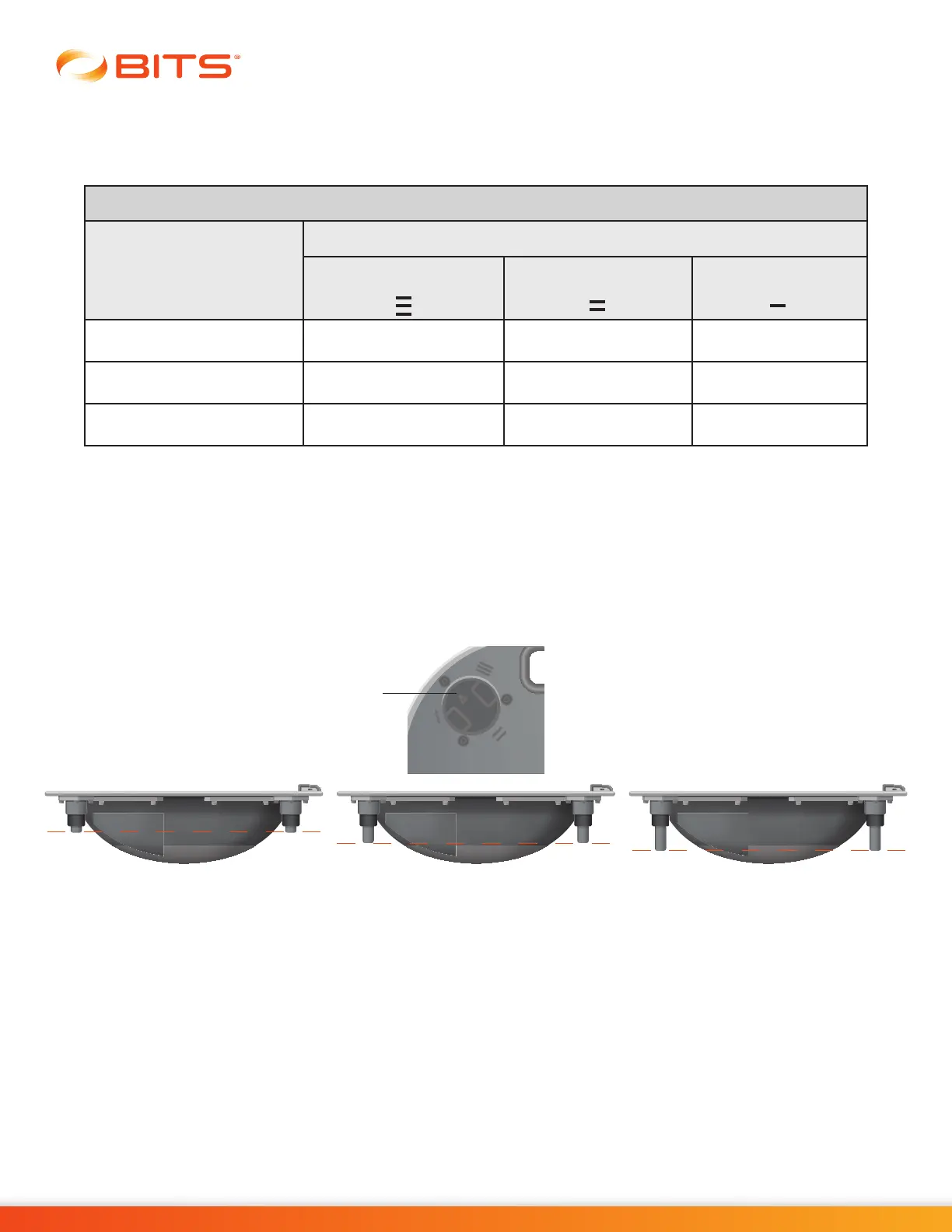
7a: If Tilt Level Low, Medium or High is selected, ensure the tilt level corresponds to the position
of the feet on the Platform
7b: Depending on the tilt selected, user can select Platform Balance Therapy Difficulty Level.
Adjusting Platform Tilt
The Platform feet can be manually adjusted by user to increase or decrease the level of tilt available on
the Platform.
To extend the feet, place fingers around the adjustment knob, pull up and rotate the knob to the right until
the knob is placed into the next opening. Repeat this step to fully extend the feet. With feet fully extended,
the Platform will allow the least amount of tilt. See Figure 6-9.
Figure 6-9: Adjust Platform Tilt
To retract the feet, place fingers around the adjustment knob, pull up and rotate the knob to the left until
the knob is placed into the next opening. Repeat this step to fully retract the feet. With feet fully retracted,
the Platform will allow the maximum amount of tilt.
To stabilize the Platform when client is stepping on:
1. Place Stabilizer Block(s) under the Balance Platform in preferred location between the Platform
feet.
2. Assist patient in stepping on the Platform.
3. Once client is stabilized on the Platform, remove the stabilizing block(s).
Adjustment
Knob
Platform Difficulty
Difficulty Level
Tilt Levels
Low:
Maximum Feet Extension
Medium:
Medium Feet Exension
High:
No Feet Extension
Easy X X X
Medium X X
Hard X



 To Next Page