108
Clinician's Guide
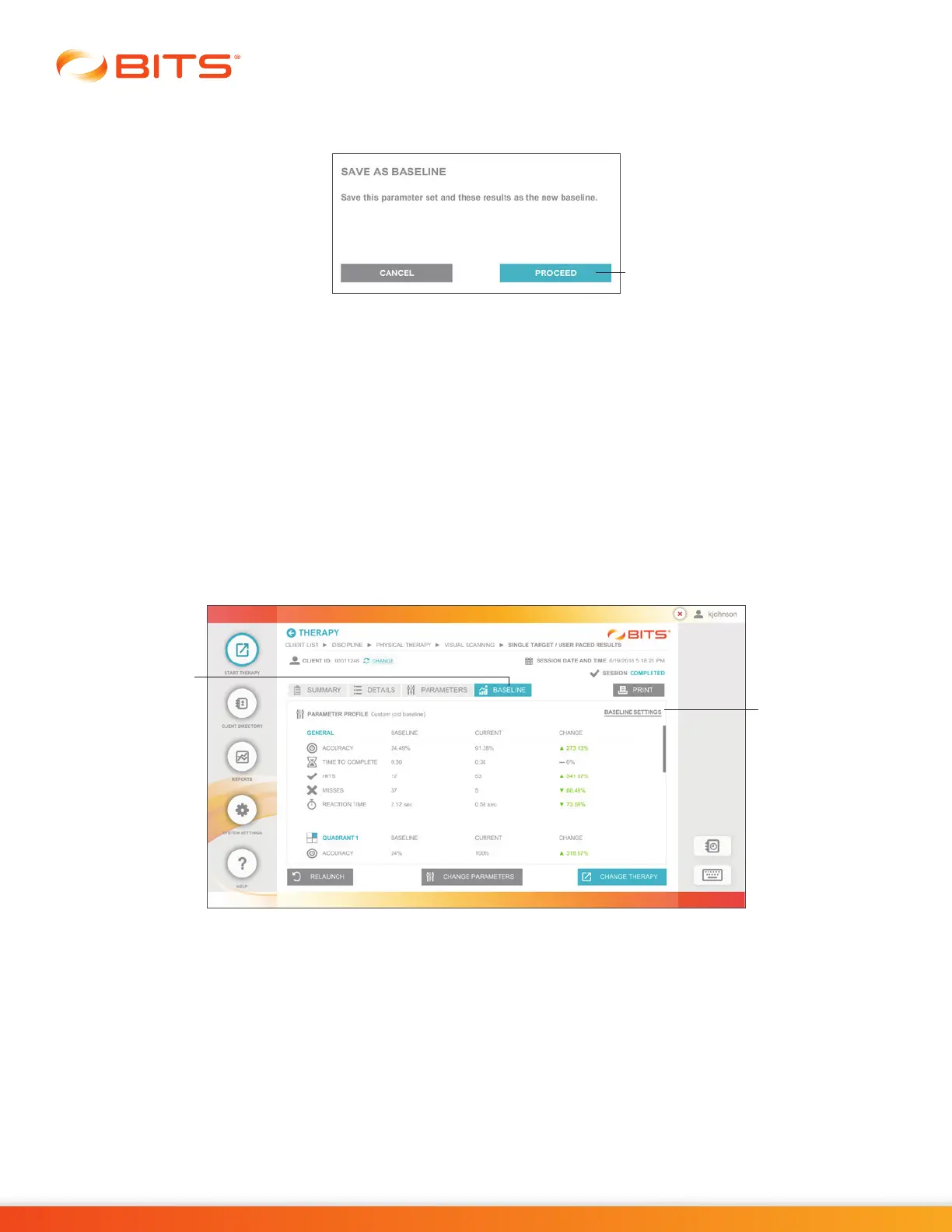
2. The Save As Baseline dialog window will open displaying the text, “Save this parameter set and
these results as the new baseline". Press the Proceed Button. See Figure 19-21.
Figure 19-21: Save As Baseline Pop Up Window
Overwriting a Baseline Session
After a Baseline Profile has been created, the user may want to Save a new Therapy Session as the
Baseline Profile for that Parameter and overwrite the current one. This situation may occur when the
clinician determines that the Session Results are not a true representation of the client’s baseline condition
or performance.
To Overwrite a Baseline Session:
1. From the Therapy Program Results Screen, select the Baseline Tab to view the Baseline Results.
Figure 19-22.
2. Press the text "Baseline Settings". See Figure 19-22.
Figure 19-22: Results Screen, Baseline Tab and Baseline Settings
Baseline
Settings
Baseline
Tab
Proceed Button



 To Next Page