20
Clinician's Guide
Pairing a Sensor
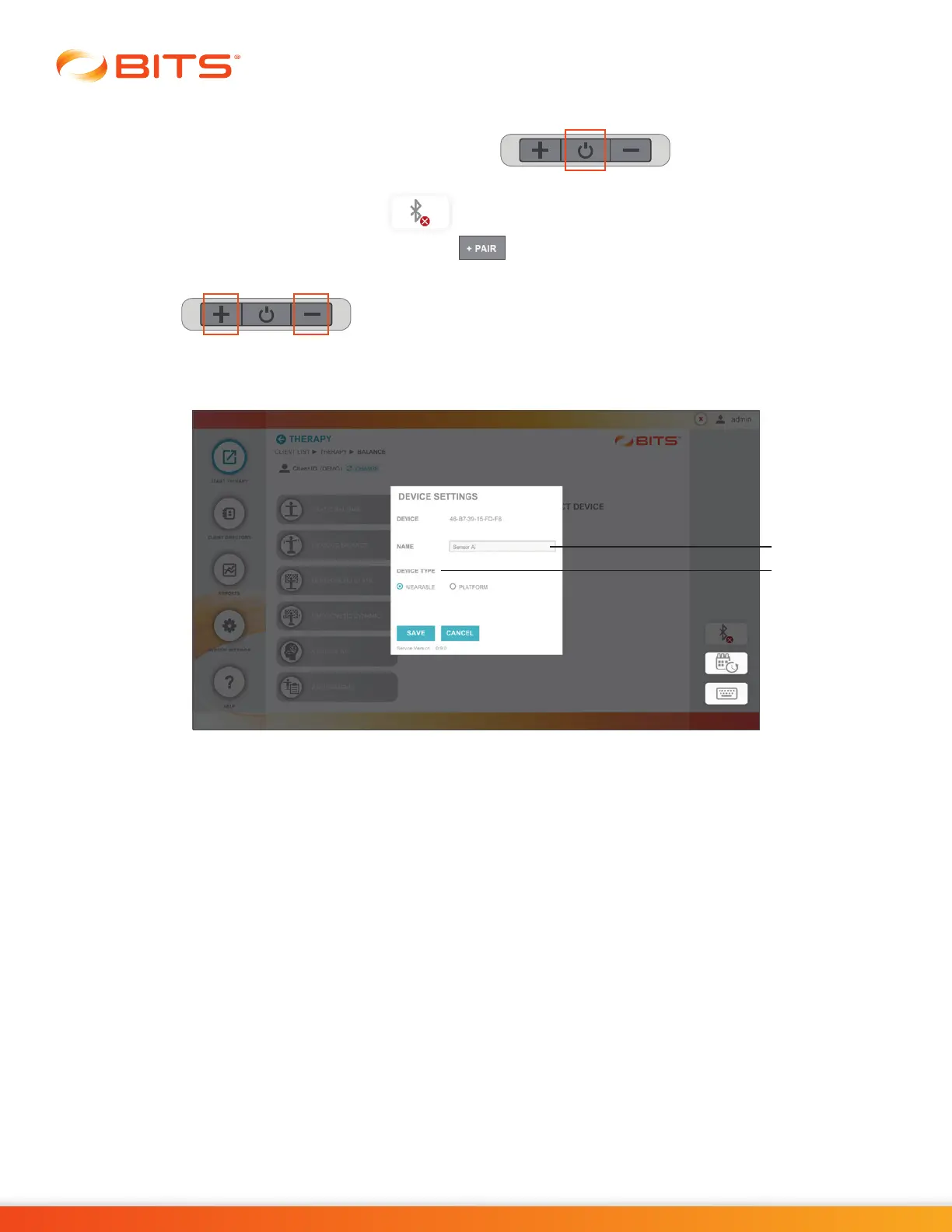
1. Turn the Sensor on by holding the Power Button for two seconds until an
audible sound is heard and power button is flashing green.
2. Select the Bluetooth Icon on screen
3. Select the Pair Icon in Device Settings menu
4. Press and hold the + and - buttons on Sensor, simultaneously (A blue flashing light will appear on the
Sensor)
5. Enter a Name for the Sensor and select whether this Sensor will be used with the wearable Chest
Strap or attached to the Platform. See Figure 4-5.
Figure 4-5: Pairing the Sensor
6. Select Save.
7. Follow steps 1-6 to pair additional Sensors. User can pair all available Sensors, however only one
Sensor can be active at a time.
Name
Device Type



 To Next Page