19
Chapter 4 - Introduction to BITS Software Navigation
To access the Therapy Categories and Therapy Programs:
Note: A Sensor must be paired to access Balance Therapy Programs. Refer to Pairing a Sensor section
in this chapter.
1. From the Discipline Menu, select the appropriate discipline. See Figure 4-2.
2.
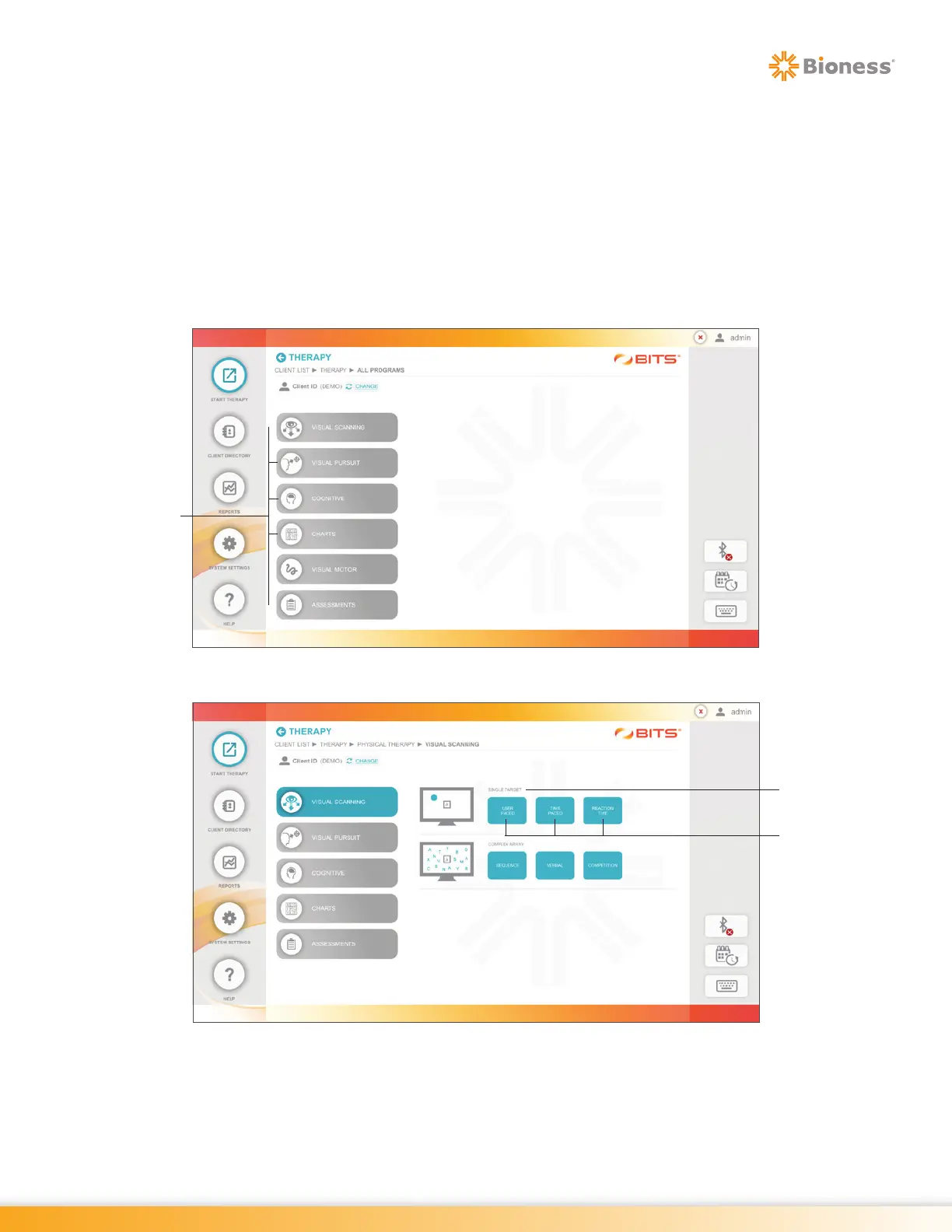
The Therapy Category Menu will open displaying the available therapy categories found in the selected
discipline. See Figure 4-3.
3. Press a Therapy Category Button to display the program groups and therapy programs found in the
selected category. See Figure 4-4.
Figure 4-3: Therapy Category Menu
Figure 4-4: Visual Scanning Therapy Category with Program Groups and Therapy Programs
4. To select a therapy program, press one of the blue program buttons. See Figure 4-4.
Therapy
Categories
Program
Group
Therapy
Programs



 To Next Page