41
Chapter 6 - Start Therapy
Parameter Screen
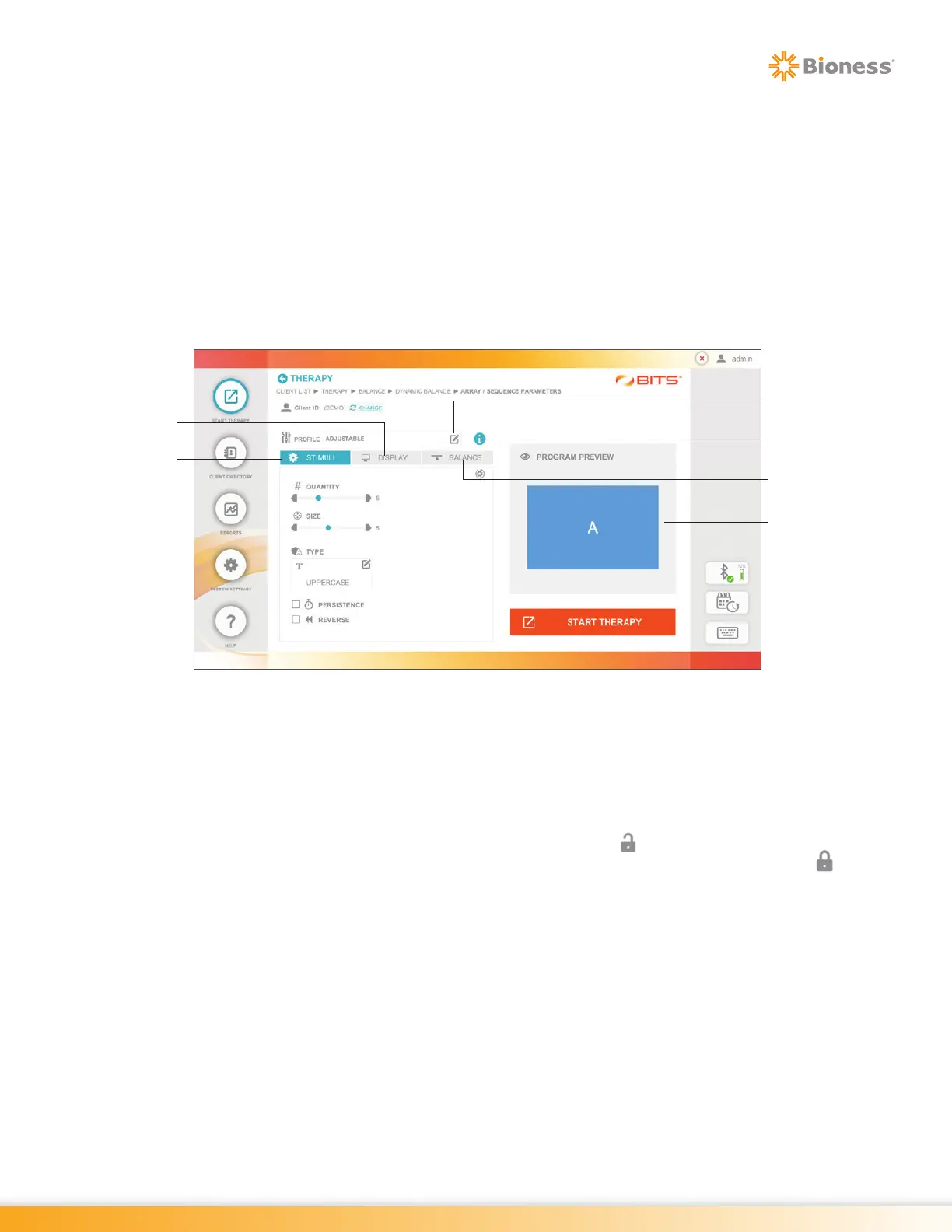
The Parameter Screen is the first screen that appears after a Therapy Program has been selected. The
therapy program parameters control how each program will display content and how the client will interact
with the active program. The Parameter Screen contains the available parameter settings for each therapy
program.
The Parameter Screen is divided into three tabs: Stimuli Tab, Display Tab and Balance Tab. The Balance
Tab is only available in the Balance Therapy Category. The Program Preview window displays how the
selected stimuli will appear on the display screen. See Figure 6-10. Refer to Chapter 7 for definitions
of individual parameters. Each Parameter Screen includes an information icon which provides quick
information about the therapy program.
Figure 6-10: Example of Parameter Screen
Parameter Profile
Program Parameters can be adjusted and customized to suit the unique needs of each client; however,
using a predefined Parameter Profile is a quick way to start using the program. Parameter Profiles include
parameter sets with increasing levels of difficulty: Level 1 (easy), Level 2 (medium), and Level 3 (hard).
In the Adjustable Parameter Profile, parameter settings are unlocked allowing the user to adjust all
parameters. In Level 1, Level 2, and Level 3 Parameter Profiles parameter settings are locked and
cannot be adjusted within that Parameter Profile. To unlock the parameter settings in Level 1, Level 2, or
Level 3, press the Lock Icon. This will change the Parameter Profile to Adjustable and allow the user to
adjust the parameters.
The first time a Therapy Program is opened with a new client, it will open the Parameter Screen with default
adjustable parameter settings. If a therapy program has been run previously with a client, the Parameter
Screen will always open with the last used Adjustable Parameter Profile settings.
Stimuli Tab
Information Icon
Parameter
Profiles
Display Tab
Balance Tab
Program Preview



 To Next Page