33
Chapter 5 - Client Directory
Archiving a Client
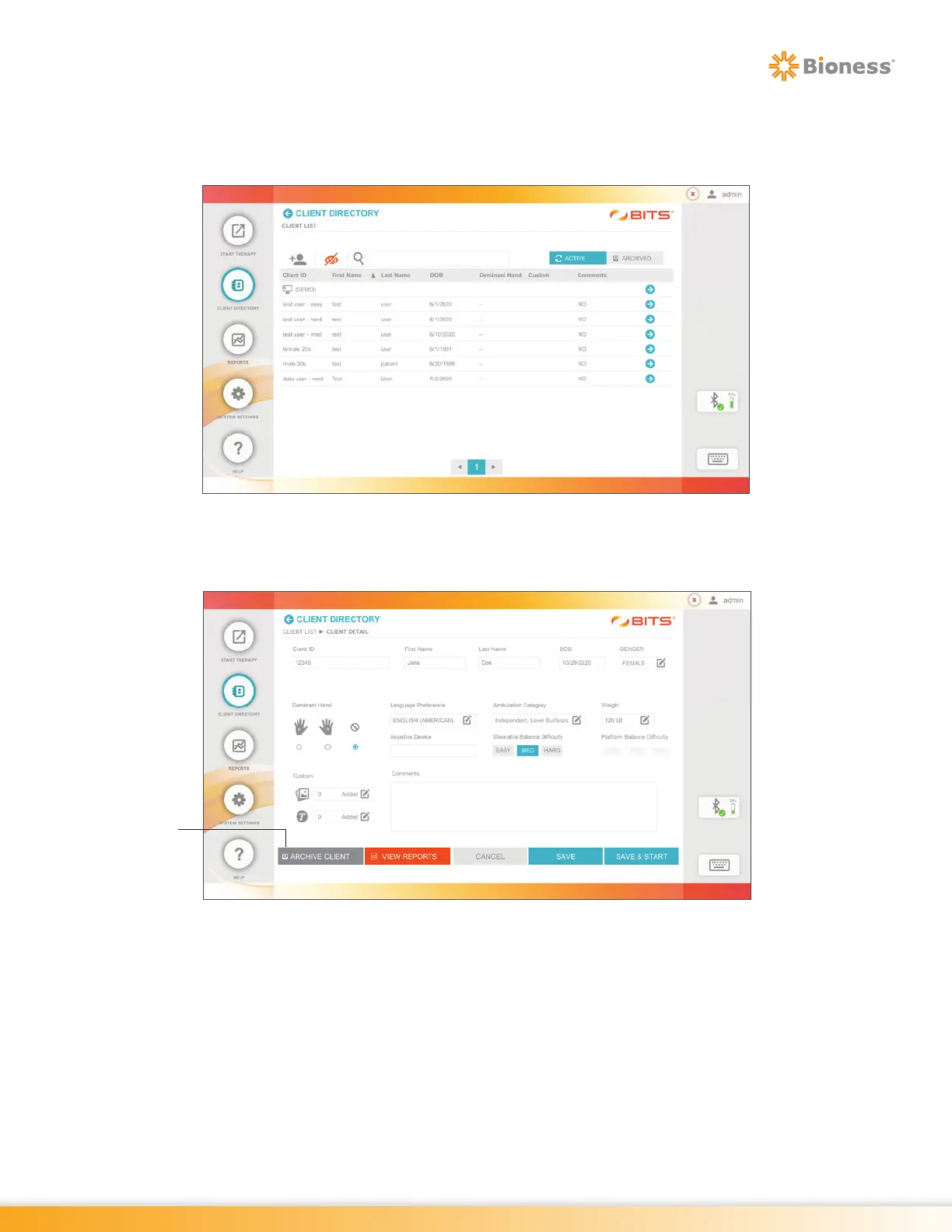
1. From the Client List Screen, select the desired client by pressing the row with the client's name. See
Figure 5-11.
Figure 5-11: Client List Screen
2. The Client Detail Screen will open. Press the Archive client Button. See Figure 5-12.
Figure 5-12: Changing Client Status using client Detail Screen
Archive
Client
Button



 To Next Page