34
Clinician's Guide
Activating an Archived Client
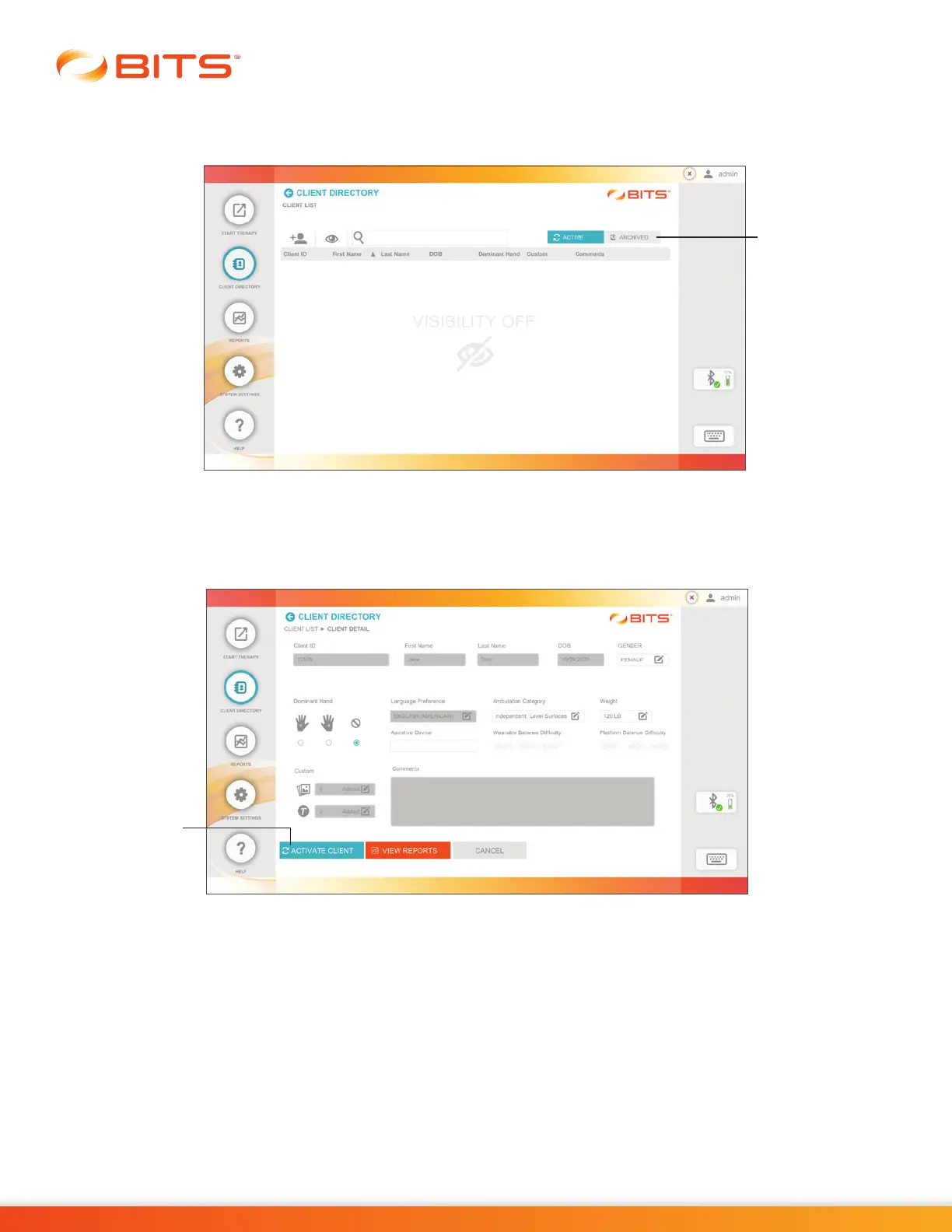
1. From the Client List Screen, press the Archived Tab. See Figure 5-13.
Figure 5-13: Archived Client List
2.
The archived Client List will appear. Select the desired client by pressing the row with the client's name.
3. The Client Detail Screen will open. Press the Activate Client Button, see Figure 5-14.
Figure 5-14: Client Detail Screen, Activating Client
4. The Client Detail Screen will refresh. Press the Save or Save & Start Button.
Archived
Client Tab
Activate
Client
Button



 To Next Page