107
Chapter 19 - Reports
Therapy Categories Program Groups Therapy Programs
Charts Letter Charts
• Static
• Motion
• Multiple
Assessments Visual Scanning & Motor Reaction
Table 19-1: Programs without the Baseline Comparison Feature
Creating a Baseline Profile
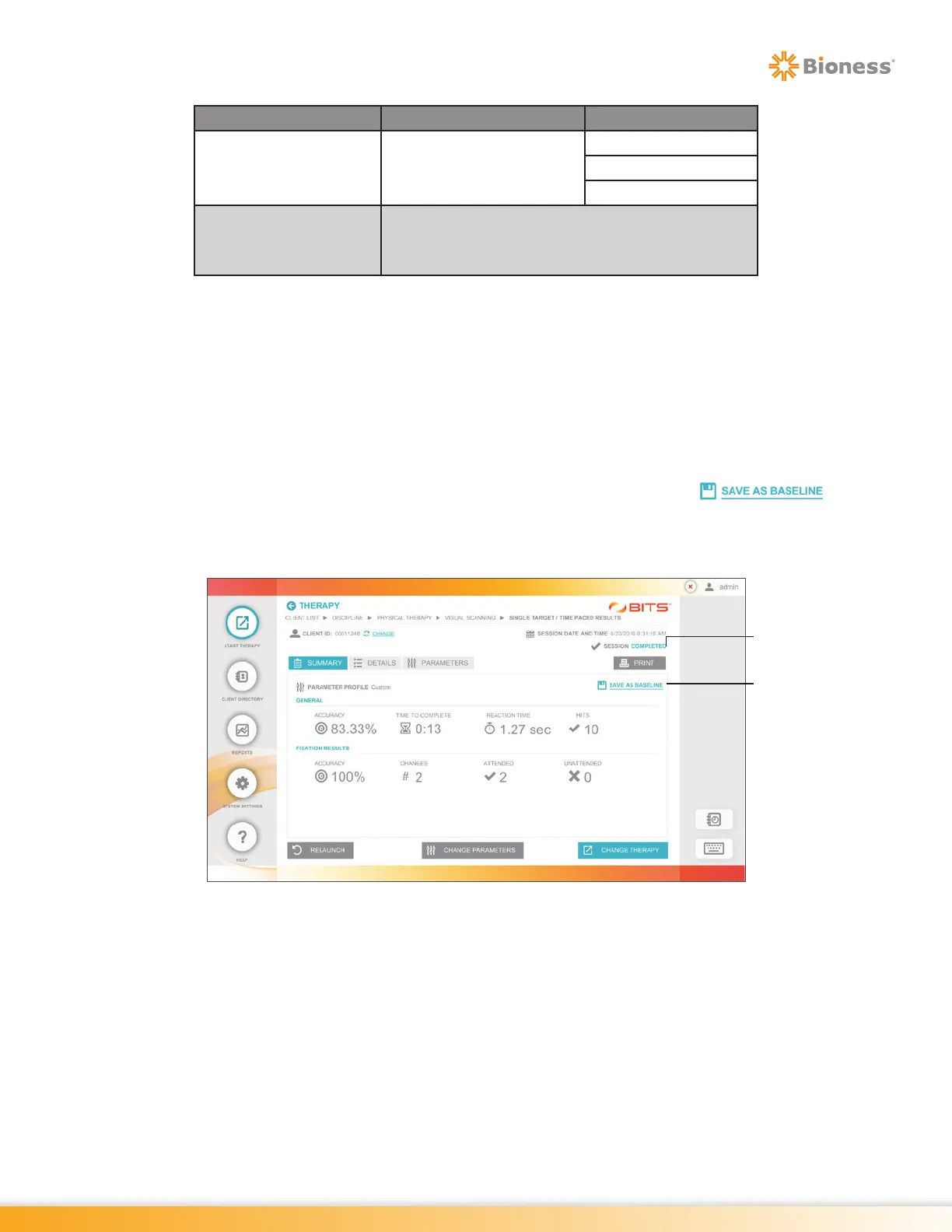
Baselines Sessions are saved following the completion of a Therapy Session. Only Completed Therapy
Sessions may be saved as a Baseline. Upon arriving at the Results Screen, the Save As Baseline Icon
will be displayed, see Figure 19-20.
To Create a Baseline Profile:
1. From the Therapy Program Results Screen, press the Save As Baseline Icon . See
Figure 19-20.
Note: If this icon is not visible in the Results Screen, the Therapy Program is not capable of Saving a
Baseline Session.
Figure 19-20: Therapy Program Results Screen
Save As
Baseline Icon
Session
Completed
Icon



 To Next Page