96
Clinician's Guide
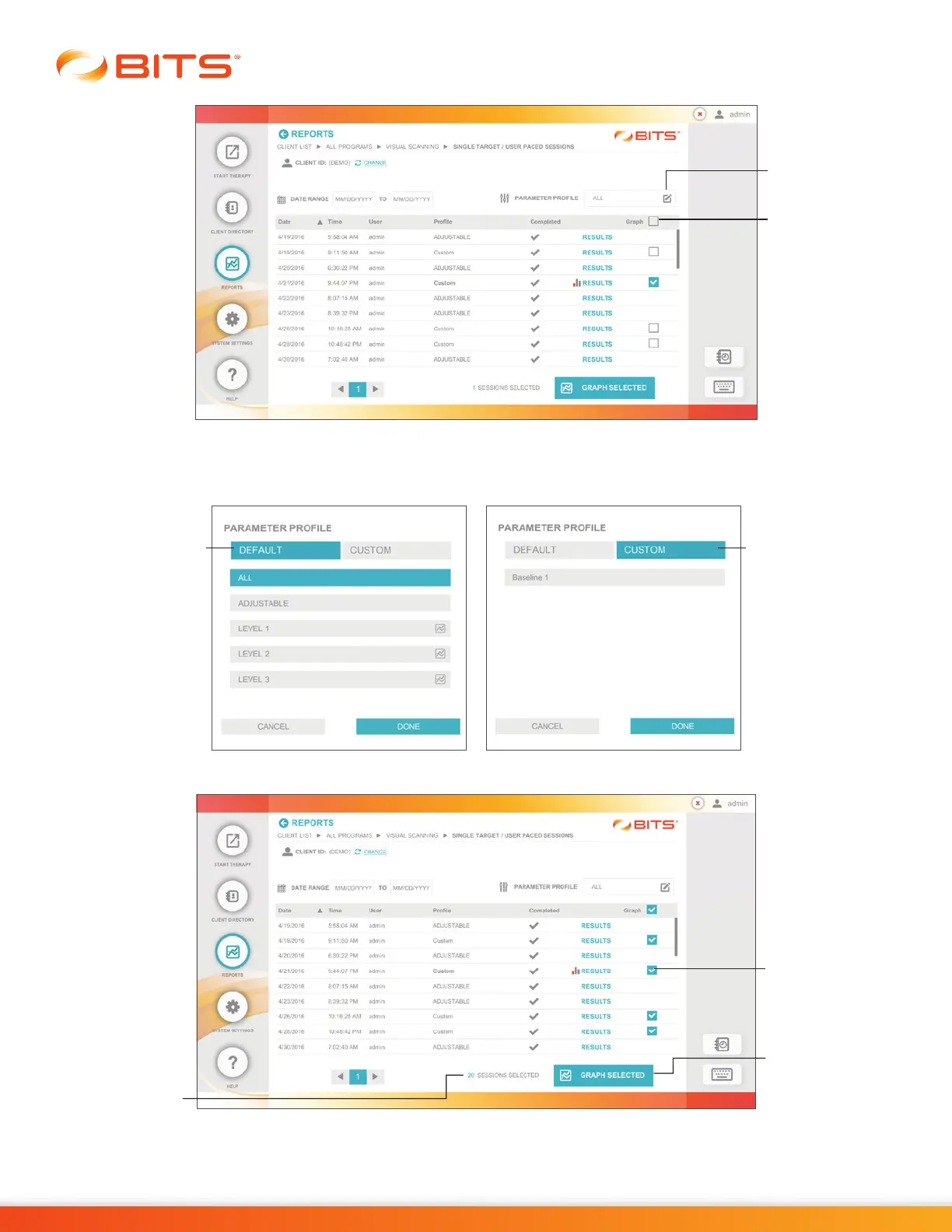
Figure 19-10: Reports, Session Results List Screen
Note: The Sessions Results List can also be filtered by Default or Custom Parameter Profiles by pressing
the Parameter Profile Icon. See Figure 19-11.
Figure 19-11: Parameter Profile Pop Up Window
Figure 19-12: Reports, Filtered Session Results List Screen
Graph
Selected
Button
Number of
Sessions
Check
Boxes
Custom Tab
Default Tab
Parameter
Profile Icon
Graph All



 To Next Page