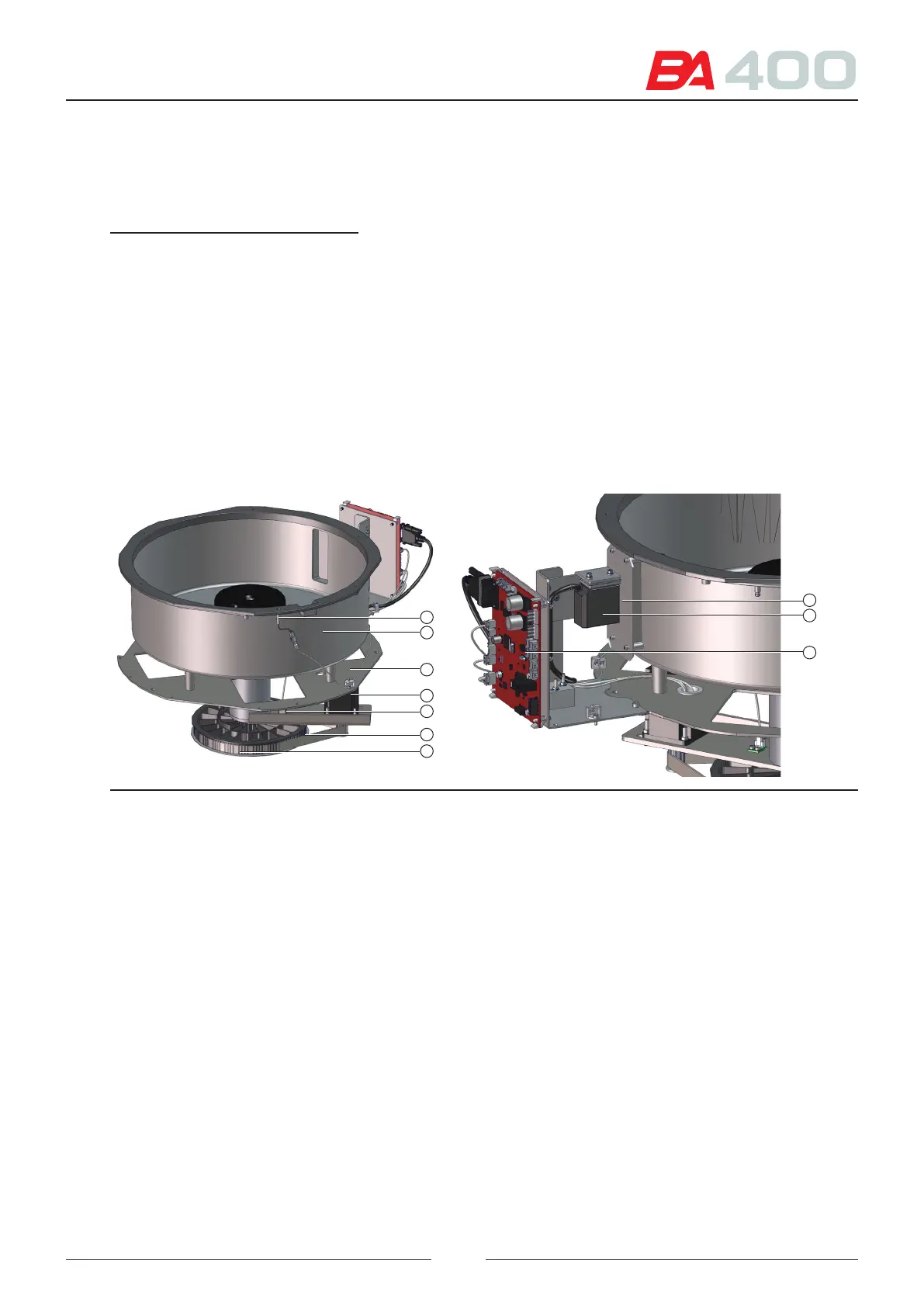
e start-up sensor (12) ensures the initial position of the sample rotor by means of a tab on the pulley.
e vessel exterior is protected by a cover (1). A Hall eect sensor (8) indicates that the cover is on the analyser.
References of gures 3.1, 3.2 and 3.3:
1 – Sample rotor cover
2 – Adapters for tube and sample well
3 – Sample rotor
4 – Rotor assembly
5 – Rotor anchoring button
6 – Rotor positioning device
7 – Rotor ball-shaped anchorages
8 – Cover sensor
9 – Rotor vessel
10 – Rotor assembly support
11 – Rotor circular movement motor
12 – Rotor start-up sensor
13 – Transmission belt
14 – Pulley
15 – Barcode reader protective window
16 – Barcode reader
17 – CIIM00052 electronic board
18 – Set screw for angular orientation of barcode reader
19 – Set screw for adjusting the barcode reader height
20 – Set screw for barcode reader proximity adjustment
15
16
17
8
9
10
11
12
13
14
Figure 3.2 Detail of sample rotor assembly
e barcode reader (16) is secured by a support to the subassembly structure. It is positioned at the correct height
for the light to correctly illuminate the tubes placed in the rotor.
ere is a protective window to isolate the reader from the exterior.
e barcode reader position can be adjusted using mechanical means.
See chapter 6 for applying the service programme and reader adjustment, and Figure 3.3.
• To adjust the angular orientation, loosen the screws (18) and move the reader with your hand until you obtain
a correct reading. Tighten the screws (18).
• To adjust the reader height, loosen the screws (19) and move the reader upward or downward with your hand.
Once the readings are correct, tighten the screws (19).
• To adjust the reader proximity, loosen the screws (20) and move the reader forward or backward with your
hand. Once the readings are correct, tighten the screws (20).
19



 To Next Page