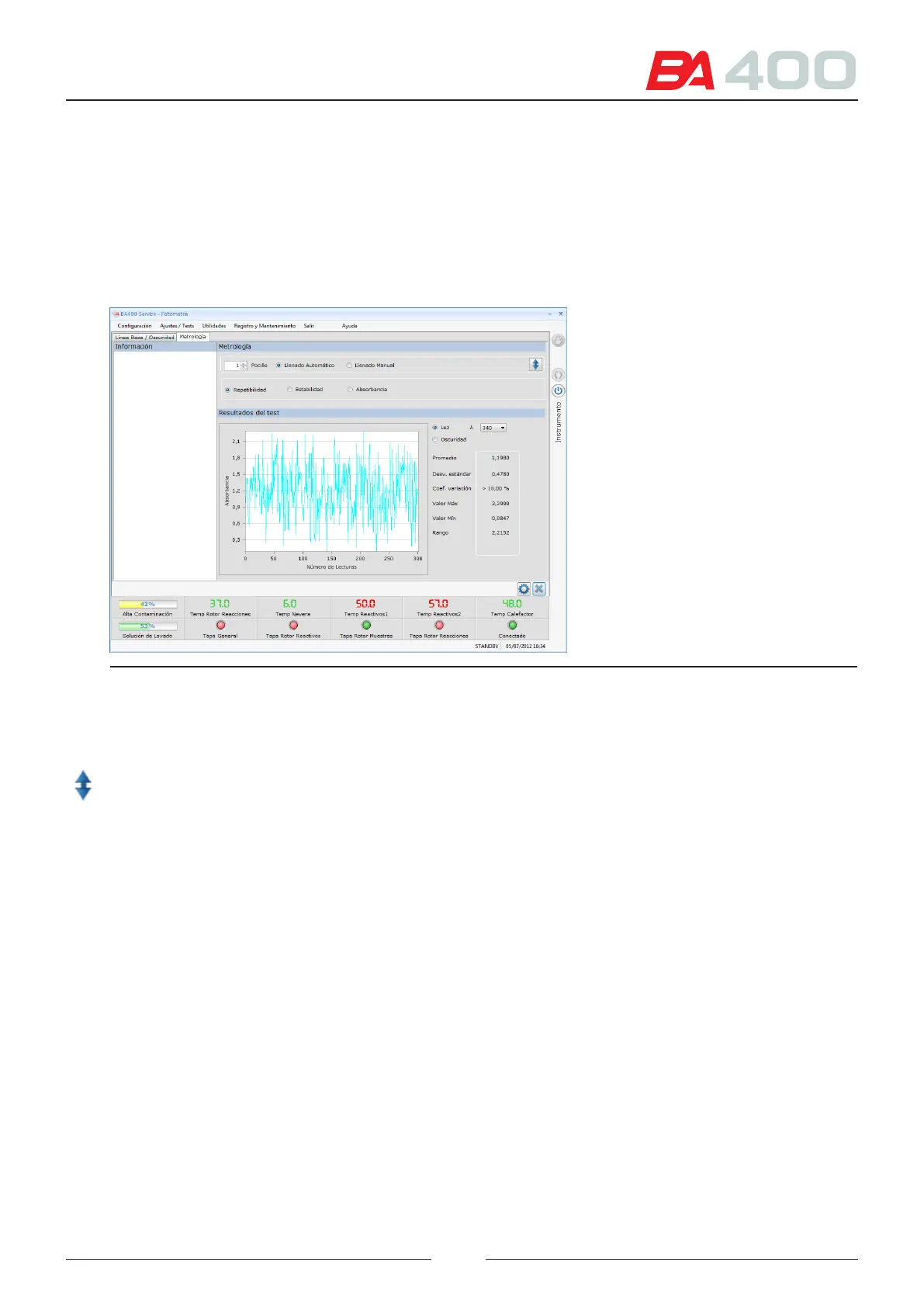
6.5.2.2. Metrology
is option is used to check the analyser photometry status. See Figure 6.15.
e following checks can be made:
• Repeatabilty of the readings.
• Stabiliity of the readings.
• Absorbance reading.
Figure 6.17 Photometric verication screen.
To make a verication the rotor must be lled with distilled water. is can be performed by the analyser or the
user can do it manually.
1. Select the rotor lling mode and the well where the readings will be made
2. Press the icon for raising or lowering the wash station in order to remove or insert a rotor.
3. If you want to measure the absorbance of a specic reagent or uid, select the manuall lling option. Dispense
the uid to be measured into a well. In the screen, select the well where the uid was dispensed.
4. Select the type of measurement to be made.
5. Press the adjustment button to start the measuring process.
Repeatability
is verication takes measurements in all the wavelengths for 3 minutes. It is used to verify the repeatability of
the photometric system readings
After taking the measurements it shows the following parameters for each wavelength:
• Mean
• Standard deviation of all measurements
• Coecient of variation (CV)
• Maximim absorbance
• Minimum absorbance
See chapter AIII ranges accepted for parameters.
79



 To Next Page