Reagent 1 and 2 arms
Adjustment position Description
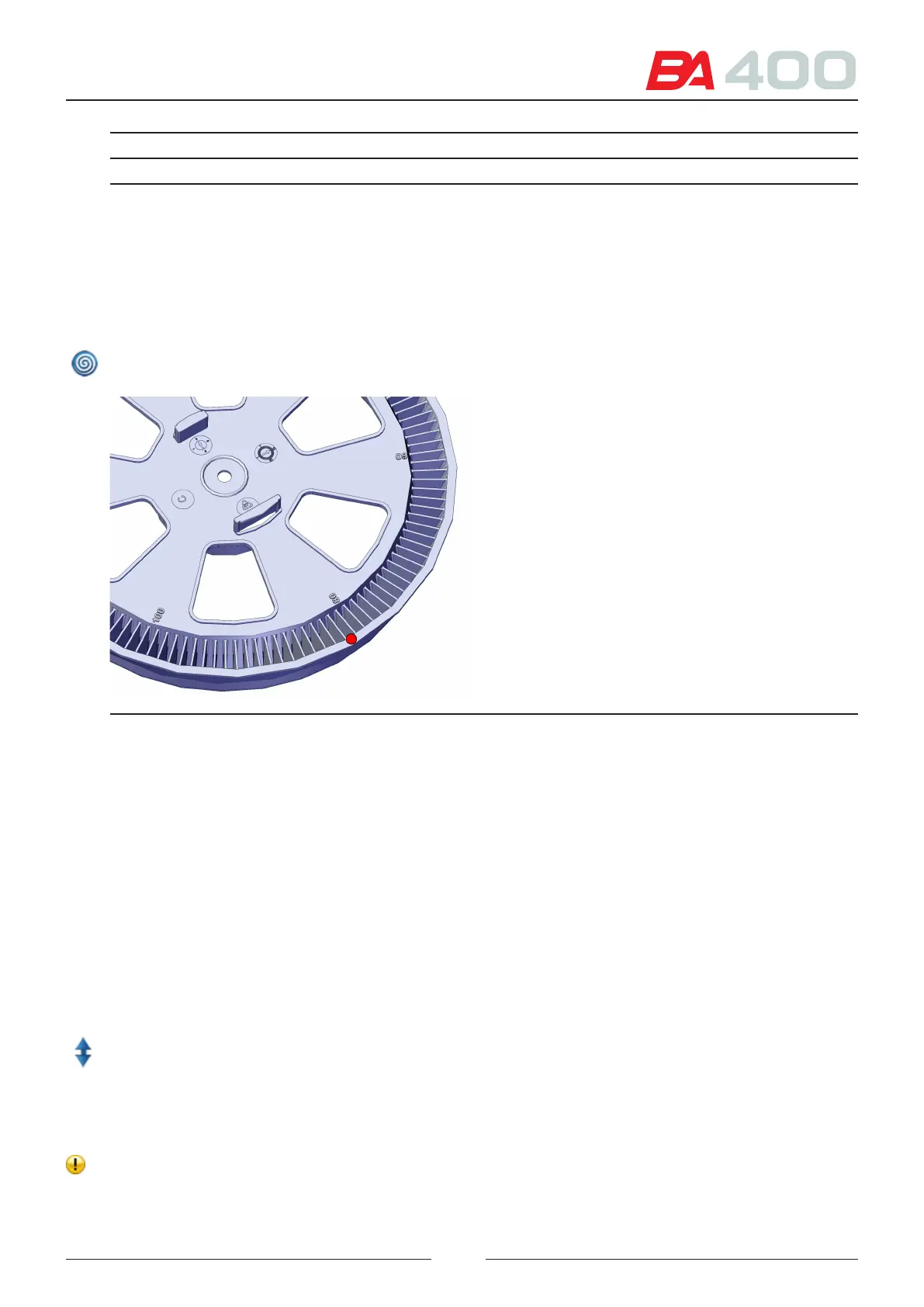
Dispensation Adjustment of the stirring point in the reaction rotor
Z Ref. Adjustment of the reference position for lowering the tip in the reaction rotor. To
facilitate the adjustment, the reference is the rotor surface.
See Figure 6.12
Washing Adjusting the position of the stirrer in the wash station.
Parking Adjustment of the arm parking positioning.
Icon appearing when stirring arms 1 and 2 are selected. When it is pressed the stirring rotation is activated and
deactivated. In this way, it can be veried whether the stirrer is touching the rotor while in operation.
Figure 6.14 Z ref. adjustment point
6.5.2. Photometry
is menu is used to verify the led currents and for photometric verications. e currents are adjusted every time
a baseline is performed
6.5.2.1. Baseline and darkness current
is screen is used to adjust the currents for each led. See Figure 6.13.
To make the adjustment, a well must be lled with distilled water. e well can be lled automatically by the ana-
lyser or manually by the user.
1. To do this, select the desired option (1) and choose the number of the well to be lled.
2. Press the icon for raising or lowering the wash station in order to remove or insert a rotor.
3. Press the adjust button to start the current adjustment process for each led. is is an automatic process that
changes the led current, using both photodiodes (main and reference) to make the reading. e objective is to
ensure that the number of counts of the photodiode with the most light succeed is close to 900,000 without
the other photodiode becoming saturated.
4. After making the automatic adjustment, the results are displayed. e required currents for each wavelength
are shown in the position (2) on the screen. All values outside the pre-established ranges will be marked with
a warning symbol.
77



 To Next Page