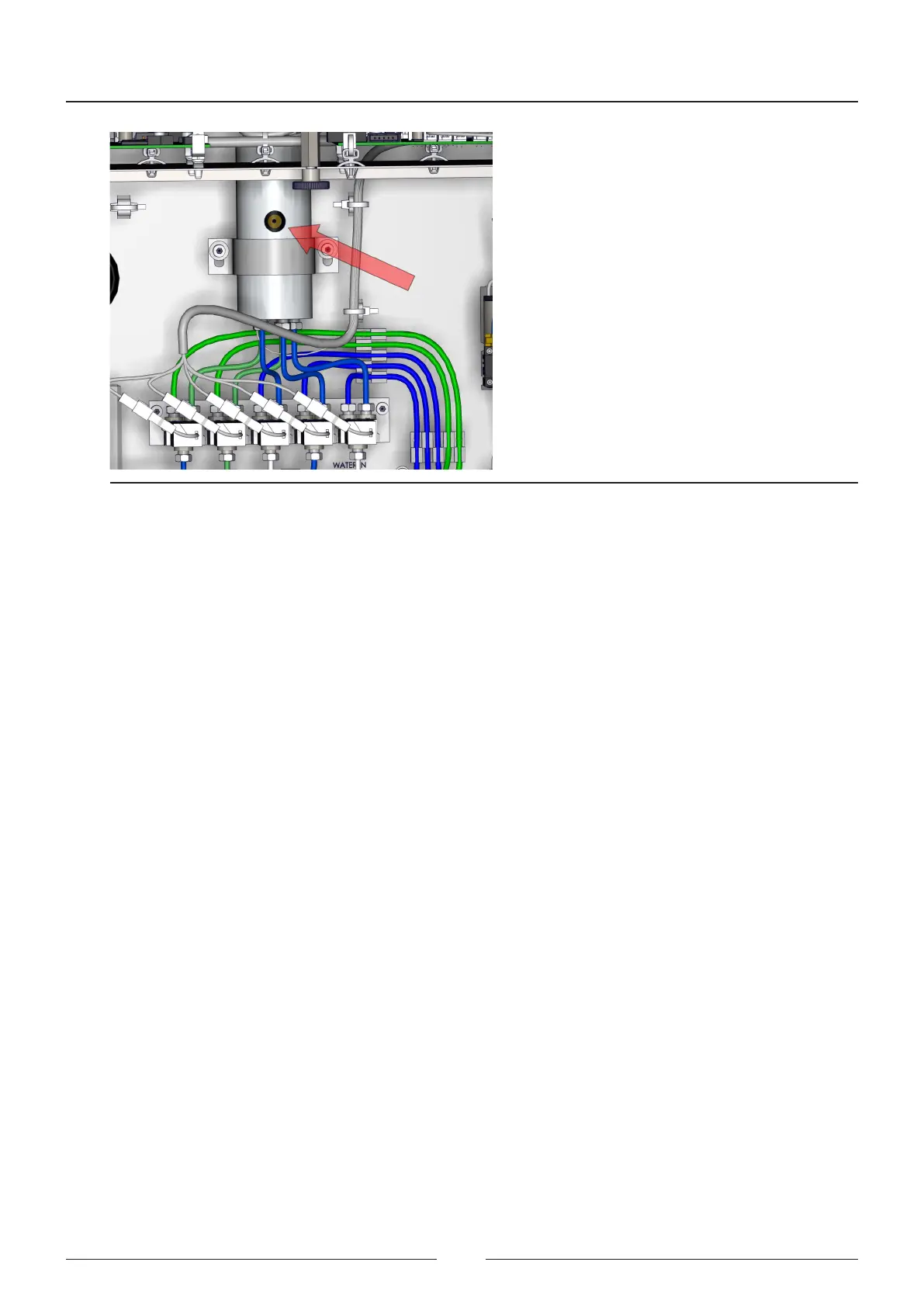
Figure 6.22 Point for measuring the wash station heater temperature
6.5.5.2. Adjusting the reaction rotor thermostatting
To perform the sample and reagent reactions correctly, the reaction rotor must be at a stable temperature. e reac-
tion rotor thermostatting adjustment is made in this screen.
See Figure 6.21
Follow the steps to execute the adjustment process:
1. Press the adjustment button of section 1 to execute a uidic conditioning of the system. is conditioning
operation takes about 5 minutes. e rotor can be lled automatically or manually.
2. Place the thermometer sensor in each of the 4 reaction rotor measuring points.
Consult Figure 6.22 to see the measuring points.
3. Enter the vale of the temperature measured with the thermometer at each point in each of the boxes of section 2.
4. Press the adjustment button of section 3 to change the regulation system password if the value measured is out
of the ranges.
Consult AIII to see the accepted ranges in adjusting the reaction rotor.
5. Save the adjustment value.
Service Manual
84



 To Next Page