6.7. Recording and maintenance
6.7.1. Historical reports
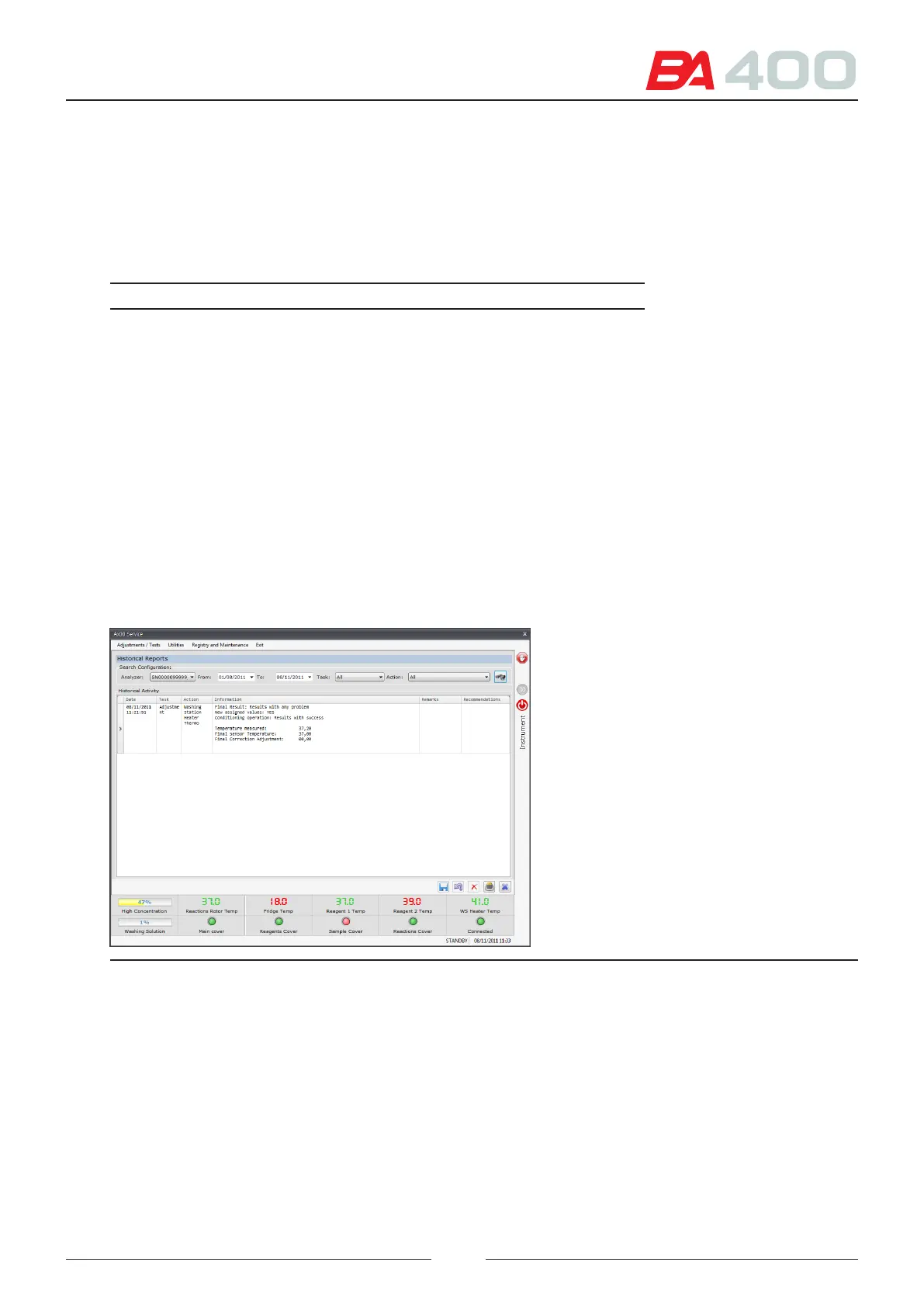
is screen is used to consult all the actions performed with the service programme.
All the actions performed are memorised in a database. To consult the actions, select the lter elds and press search.
Filter Description
Analyser serial
number
Enter the serial number of the analyser for which the
actions are to be consulted
Date Enter the date range through which you want to lter
the actions
Tasks Select one of the possible tasks: All, Adjustments, test
or utilities
Actions A list of actions will appear, depending on the chosen
task. In the event that many actions have been
performed, it is used to view only the chosen action.
After selecting the lter elds, the programme displays a table with the ltered information.
e user can enter text in the comments column to make a remark about the selection action. Click the inside of
the comments box to enter the text. When you have nished, press the save or undo button.
IF you want to delete a historical action, select the action and press the delete button.
Figure 6.31 Historical information screen
6.7.2. TAS report
is screen allows you to write a report for the technical service.
Press the “save TASreport” button and a copy of the historical action database will be made automatically.
e le generated is located in the following folder:
c:\Program Files (x86)\BA400\BA400 Service\SATReports\
It also allows you to delete old TAS Reports.
91



 To Next Page