Element Name Description
Range Permitted range Indicates the permitted range of the units displayed.
Steps Units Indicates the magnitude units. ey are usually steps.
Initial position Moves the mechanical element to its initial position.
x1 Unit increments Makes the increments one by one
x10 Increments by
tens
Makes the increments by tens
x100 Increments by
hundreds
Makes the increments by hundreds
Left steps Executes a mechanical movement to the left, one, ten or one hundred steps,
depending on the above selection.
Right steps Executes a mechanical movement to the right, one, ten or one hundred steps,
depending on the above selection.
Upward steps Executes a mechanical movement upward, one, ten or one hundred steps,
depending on the above selection.
Downward steps Executes a mechanical movement downward, one, ten or one hundred steps,
depending on the above selection.
Accept value Executes an absolute movement. A numerical value can be entered directly in
the box and then the movement is excuted by pressing this button.
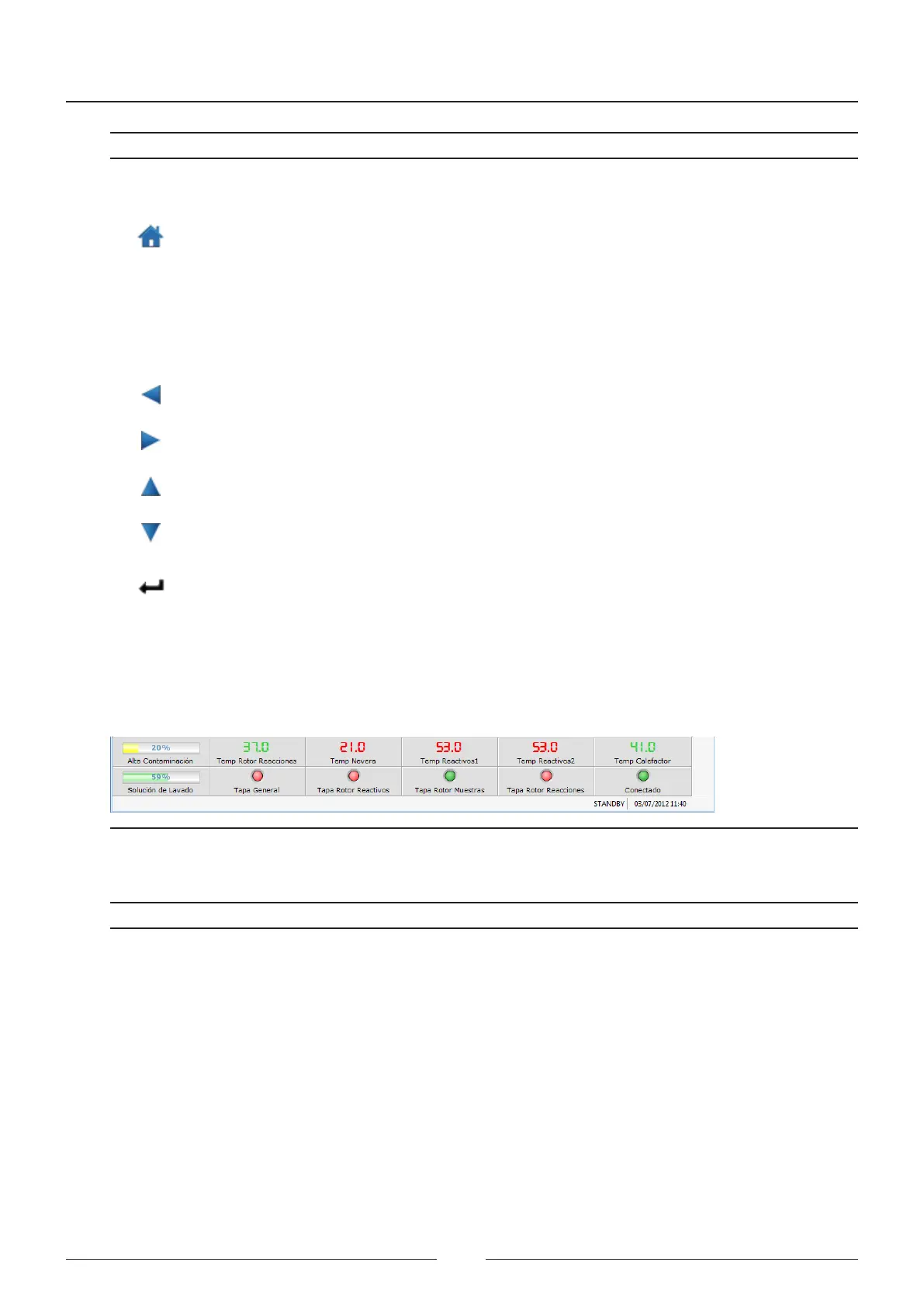
6.1.4. Description of the status icons
Information about the analyser appears constantly at the bottom of the screen. See Figure 6.2
Figure 6.4 Status icons
e following chart shows the meaning of each element:
Element Description
High concentration bottle
level
Indicates the high concentration waste bottle level
Reaction rotor temperature Shows the reaction rotor temperature
Fridge temperature Shows the fridge temperature
Reagent 1 temperature Shows the temperature of the reagent 1 arm
Reagent 2 temperature Shows the temperature of the reagent 2 arm
Wash station heater
temperature
Shows the wash station heater temperature
New washing solution bottle Indicates the washing solution bottle level
Main cover Indicaets the status of the main cover of the analyser
Reagent cover Indicates the status of the reagent cover
Service Manual
68



 To Next Page