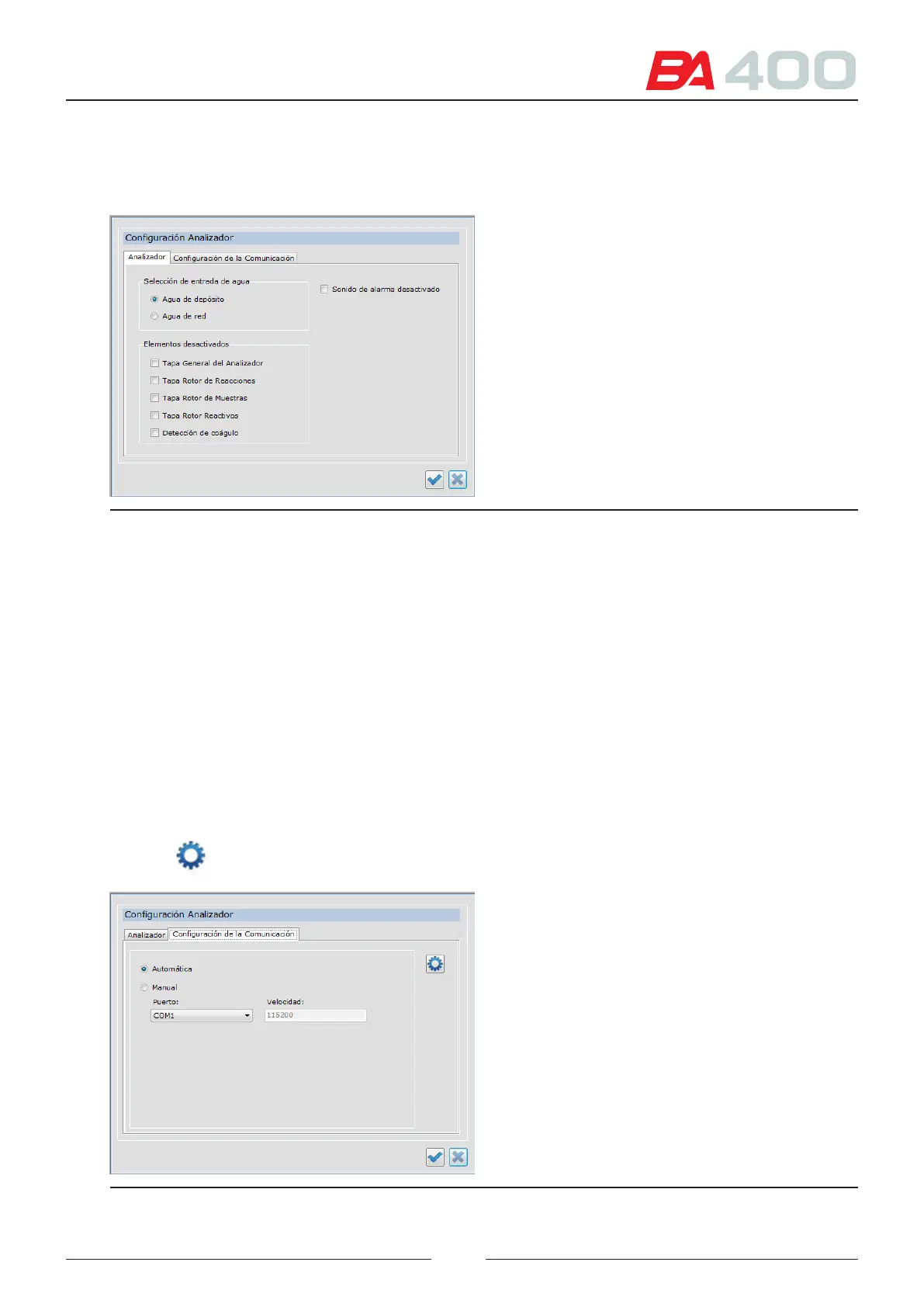
• Reagent rotor cover
• Clot sensor
Figure 6.6 Analyser setup screen
6.4.2. Communications
Enables the conguration of the communication channel between the service programme and the analyser. Select
one of the following options:
Automatic: Select this option and the programme will automatically search for the computer output port for
communicating with the analyser.
Manual: Select this option for the port to be selected manually.
Type of connection: In the manual mode, select the type of connection you want
• RS-232 — you should normally select the COM1 port
• USB — you should normally select the USB1 port
Press the button to ensure that the communications are functioning properly.
Figure 6.7 Communication setup screen
71



 To Next Page