1
2
3
4
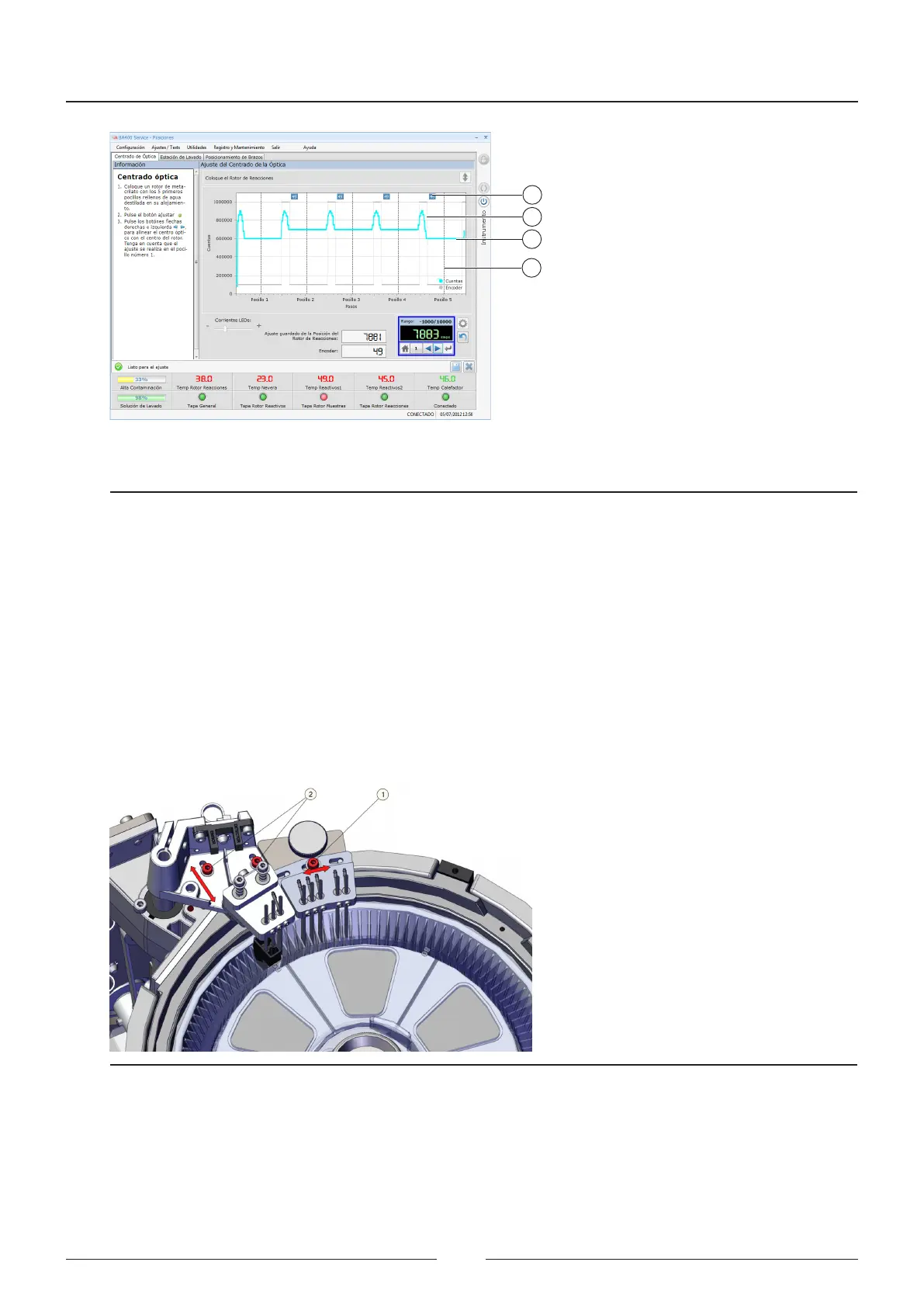
1 – Encoder steps
2 – Encoder reading
3 – Rotor optical reading
4 – Encoder ring adjustment
Figure 6.10 Wash station adjustment screen.
6.5.1.2. Wash station adjustment
is function is used to adjust the height of the wash station. e wash station centring must be manually adjusted
beforehand.
Manual adjustment of the wash station positioning:
e manual adjustment process has two separate movements; vertical and horizontal. Each one is set using dierent
screws.
Figure 6.11 Wash station adjustment
1. Loosen the screw (1) anchoring the wash station in the vertical direction.
2. Move the wash station head until the tips are not touching the sides of the rotor.
3. Tighten the screw (1).
4. Loosen the screw (2) anchoring the wash station in the horizontal direction.
Service Manual
74



 To Next Page