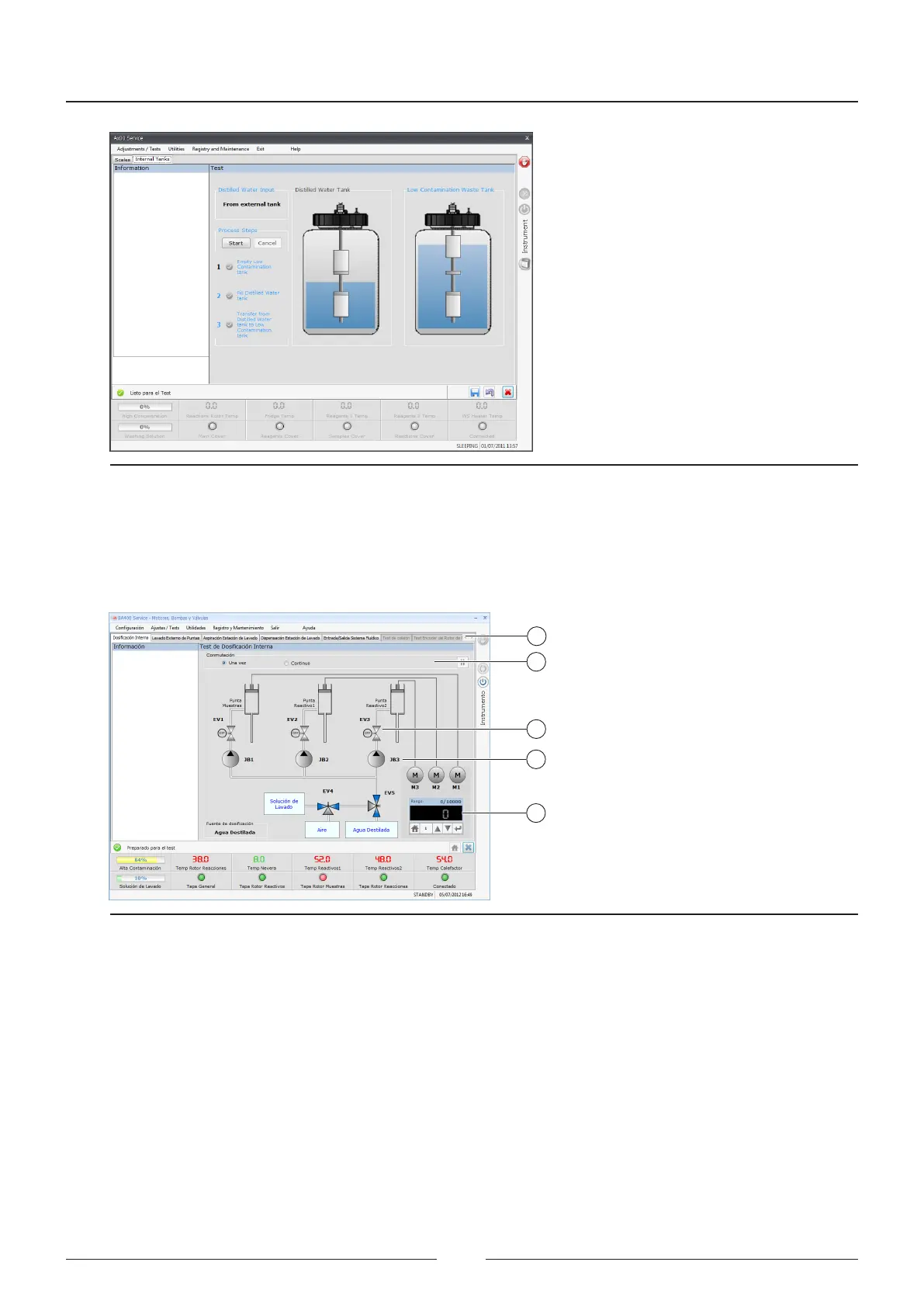
Figure 6.19 Screen for checking the internal bottles.
6.5.4. Verification of the dispensation pumps, pumps and valves.
is screen is used to verify the uidic status of the analyser. e entire uidic circuit is divided up into functional
parts. Each part can be checked with the same buttons.
1
2
3
4
4
Figure 6.20 Screen for checking the pumps and electro valves
1. Select one of the circuits to be checked (1):
• Internal dosing circuit
• External washing circuit
• Wash station aspiration
• Wash station tdispensation
• Fluid input/output
2. Select whether you want to perform one cycle or continuous cycles (2)
3. Press the electro valve you want to activate. It will change from grey to green, indicating it is active (3).
4. Press the pump you want to operate, it will change from grey to green (4)
5. Enter the number of steps you want the dispensation pumps to perform in the adjustment box .
Service Manual
82



 To Next Page