EasyManua.ls Logo

Biotek PowerWave - User Manual

Biotek PowerWave
176 pages
Print Icon
To Next Page IconTo Next Page
Loading...
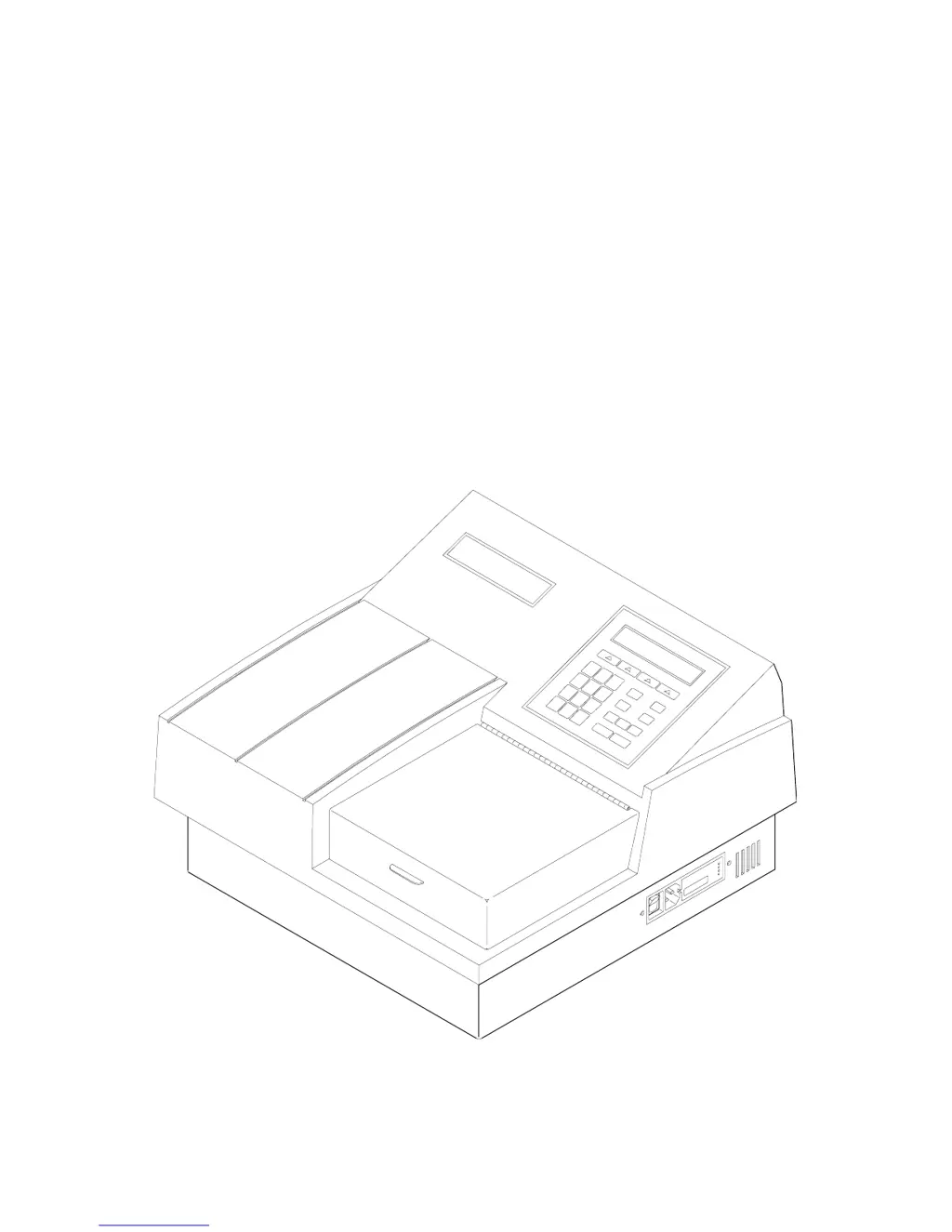
PowerWave
TM
Microplate Scanning Spectrophotometer
Operator’s Manual

Table of Contents

Questions and Answers

  • O
    omillerAug 18, 2025
    Why does Biotek Measuring Instruments channel fail noise test during optics test?
    • J
      Jennifer PittsAug 18, 2025
      If the Biotek Measuring Instruments channel fails a noise test (greater than 20 counts) during an optics test, it could be due to several reasons: * Electrical noise penetrating the measurement chamber (check bottom and top shrouds for proper electrical shielding). * A floating or disconnected coaxial cable ground. * Ambient light leak (ensure the plate carrier door is properly closed). * A faulty analog PCB or noisy photo-detector. * Faulty internal grounding.
  • R
    Ronald CoxAug 20, 2025
    Why is channel out of range prior to a read on Biotek Measuring Instruments?
    • J
      Jeffery BestAug 20, 2025
      If a channel is out of range prior to a read in your Biotek Measuring Instruments, possible causes include: * Misaligned flash lamp. * Degraded order sorting (bandpass) filter. * Damaged reference channel optic spray. * Defective reference channel photodiode detection circuit.
  • J
    James GreerAug 23, 2025
    What causes monochromator failed to find zero order position in Biotek PowerWave?
    • K
      Kyle JohnsonAug 23, 2025
      If the monochromator on your Biotek Measuring Instruments fails to find the zero order position (white light), it could be due to: * A flash lamp that is missing flashes or not flashing. * The optic system not detecting saturation. * A defective monochromator.
  • J
    Joel SimmonsAug 25, 2025
    How to fix kinetic interval too short error on Biotek Measuring Instruments?
    • S
      Savannah AdamsAug 26, 2025
      If the kinetic interval is too short for selected options, or the kinetic interval is 0 on your Biotek Measuring Instruments, increase the kinetic interval.
  • T
    Tina GordonAug 27, 2025
    Why is measurement channel dark range too low on Biotek PowerWave?
    • M
      Michael ParsonsAug 27, 2025
      If the measurement channel dark range is less than 100 during a read in enhanced mode (64 flashes), or prior to a read or optics test on your Biotek Measuring Instruments, it could be caused by: * The photo-detector being more sensitive to temperature changes. * Ambient light leakage during the read.
  • N
    Nichole ThomasAug 29, 2025
    Why order sorting filter wheel did not home on Biotek PowerWave Measuring Instruments?
    • R
      Rebecca WilliamsAug 30, 2025
      If the order sorting (bandpass) filter wheel on your Biotek Measuring Instruments did not home, it could be due to: * A loose filter wheel. * The filter wheel being obstructed by too close proximity to the motor gear. * A defective or broken optical sensor. * A defective motor, motor controller PCB, or cable.
  • H
    hrichardsonSep 1, 2025
    What causes X-axis opto sensor failure on Biotek PowerWave?
    • C
      chandleramySep 1, 2025
      If the X-axis opto sensor failed to transition on your Biotek Measuring Instruments, it could be due to: * A dirty x-axis rail or dry bearings causing too much friction. * A defective or broken optical sensor. * A defective motor controller PCB.
  • A
    adam14Sep 3, 2025
    Why Y-axis opto sensor failed to transition in Biotek PowerWave?
    • S
      Stephanie HowellSep 3, 2025
      If the Y-axis opto sensor failed to transition on your Biotek Measuring Instruments, it may be due to: * A dirty y-axis rail or dry bearings causing too much friction. * A defective or broken optical sensor. * A defective motor controller PCB.
  • S
    Sarah CrawfordSep 5, 2025
    What to do if Biotek Measuring Instruments configuration checksum test failed?
    • C
      clarkkennethSep 6, 2025
      If the Biotek Measuring Instruments fails the configuration checksum test for reader protocol or system configuration prior to a read or optics test, it may be because the flash memory on the PCB is defective or corrupt. The basecode software and/or assays may need to be re-downloaded.
  • M
    Michael RojasSep 8, 2025
    Why is gain out of range for air readings on Biotek PowerWave Measuring Instruments?
    • K
      Kathy AguilarSep 8, 2025
      If the gain is out of range for the target air readings on your Biotek Measuring Instruments, the issue may be with the flash lamp, monochromator, or lamp power supply.

Summary

Chapter 1: Introduction

Introducing the PowerWave

Overview of the PowerWave reader-assay system for research and development use.

Hardware Features

Details on the physical and functional components of the PowerWave reader.

Specifications

Technical specifications including optical performance, display, and dimensions.

Technical Support

Information on how to contact Bio-Tek for technical assistance and support.

Chapter 2: Installation

Unpacking and Repackaging the Instrument

Instructions for safely unpacking and preparing the instrument for use.

Adjusting the Reader’s Wavelength Table Setting

Procedure to check or change the software wavelength settings.

Lamp Replacement

Guidance on replacing the reader's lamp bulb when necessary.

Adjusting the Line Voltage Input Range

Instructions for configuring the instrument for different voltage ranges.

Other Utility Options

Configuration settings for setup, output, and read preferences.

Chapter 3: Operation

The Main Menu Screen

Description of the main interface and soft key options.

Define (Method, Map, Formula and Curve)

Setting up assay parameters including method, map, formula, and curve fit.

Reading a Microplate

Step-by-step guide for performing a microplate read.

Printing Reports and Assay Lists

Options for generating and printing various reports and assay lists.

Chapter 4: Performance Verification

Installation and Operational Qualification Procedures

Tests to confirm initial and ongoing instrument performance.

Accessing Tests and Calibration Using the Utility Option

Navigating the utility menu to access performance tests and calibration.

Calibration Plate Test

Procedure to confirm instrument alignment, repeatability, and accuracy.

Linearity Test

Method for testing the instrument's linearity with varying absorbances.

Appendix A: Decontamination

Decontamination Procedure

Steps for decontaminating the instrument before shipping or servicing.

Appendix B: Computer Control

Controlling the Reader with Bio-Tek Software

Using Bio-Tek software packages to control the reader's functions.

COMPUTER CONTROL PROGRAMMING

Details on programming the computer to control the reader via serial port.

Appendix C: Error Codes

Error Codes

List of error codes, their potential causes, and troubleshooting guidance.

Biotek PowerWave Specifications

General IconGeneral
BrandBiotek
ModelPowerWave
CategoryMeasuring Instruments
LanguageEnglish

Related product manuals