IQC 5000B Operation Manual
85
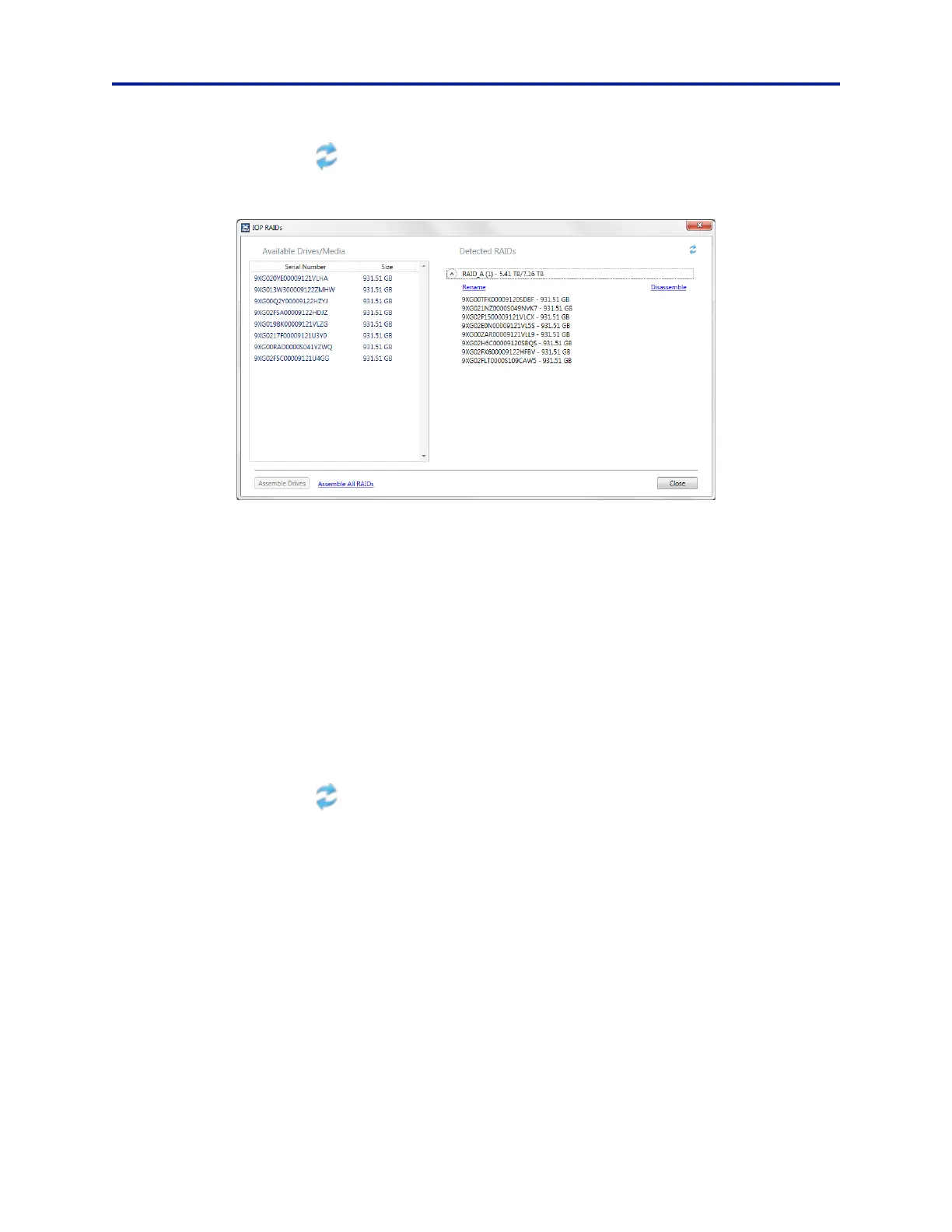
7. Click on the refresh button to update the Available Media in the IOP RAIDs Dialog. See Figure 71.
Figure 71 IOP RAIDs Dialog Box
8. Select all of the remaining drives in Available Media.
Select the first drive, hold down Shift, and click on the last driv
e.
9. Select Create new RAID with Selected Media.
10. Click Yes at the warning to commence formatting.
This step will take about 2 minutes to complete.
11. When the formatting process has finished, name the newly crea
t
ed RAID with an “I” in the name, such as nam-
ing it “I-RAID”.
Use the pull-down arrow to bring up the dialog “Enter Volume Name”.
Assemble Q
RAID
12. Reconnect Secondary memory modules:
a. If using internal ME2 memory with
IQC-MEM, Insert the ME2 memory module on the right-hand side
of the unit.
b. If using external storage units with IQC-MEM(RIF), Reconnect ex
ternal storage unit #2.
13. Click on the refresh button
to update the Available Media in the IOP RAIDs Dialog. See Figure 71.
14. Select all of the remaining drives in Available Media.
Select the first drive, hold down Shift, and click on the last driv
e.
15. Select Create new RAID with Selected Media.
16. Click Yes at the warning to commence formatting.
This step will take about 2 minutes to complete.
17. When the formatting process has finished, name the newly crea
t
ed RAID with an “Q” in the name, such as nam-
ing it “Q-RAID”.
Use the pull-down arrow to bring up the dialog “Enter Volume Name”.
18
. Close the IOP RAIDs Dialog Box.
19. Under Select RAIDs in the Syst
em
tab, select the I RAID and Q RAID as they were named in steps 11 and 17. See
Figure 72.



 To Next Page