2 Technical Features Page 17
Caution
If the amplifier doesn’t have a switch, the operation mode has to be set up by the wiring of the
inputs and loudspeaker outputs.
2.9.1 Stereo Mode
For stereo operation set the mode select switch to STEREO (factory default). Models without a switch
are automatically working in stereo mode. Please connect the input signals for both channels to the input
connectors of CH1 AND CH2.
The input signals are available on the corresponding output channel.
2.9.2 Parallel Mode
In PARALLEL mode both amplifier channels get the same input signal.
In case of a mode switch set it to PARALLEL. Connect the input signal to input CH1 (Channel 2 is disabled).
The input signal of channel 1 is available on both output channels.
In case of no mode switch simply connect both inputs to the same audio source.
2.9.3 Bridged Operation
Both amplifiers may be bridged together to create a powerful single-channel mono amplifier.
Caution
This operation mode is not available for the amplifiers with 100V outputs.
In case of a mode switch it needs to be set to the BRIDGE position. Connect the input signal to CH1 (Channel
2 is not active). The amplified signal is now available on both positive (+) pins of the output terminals.
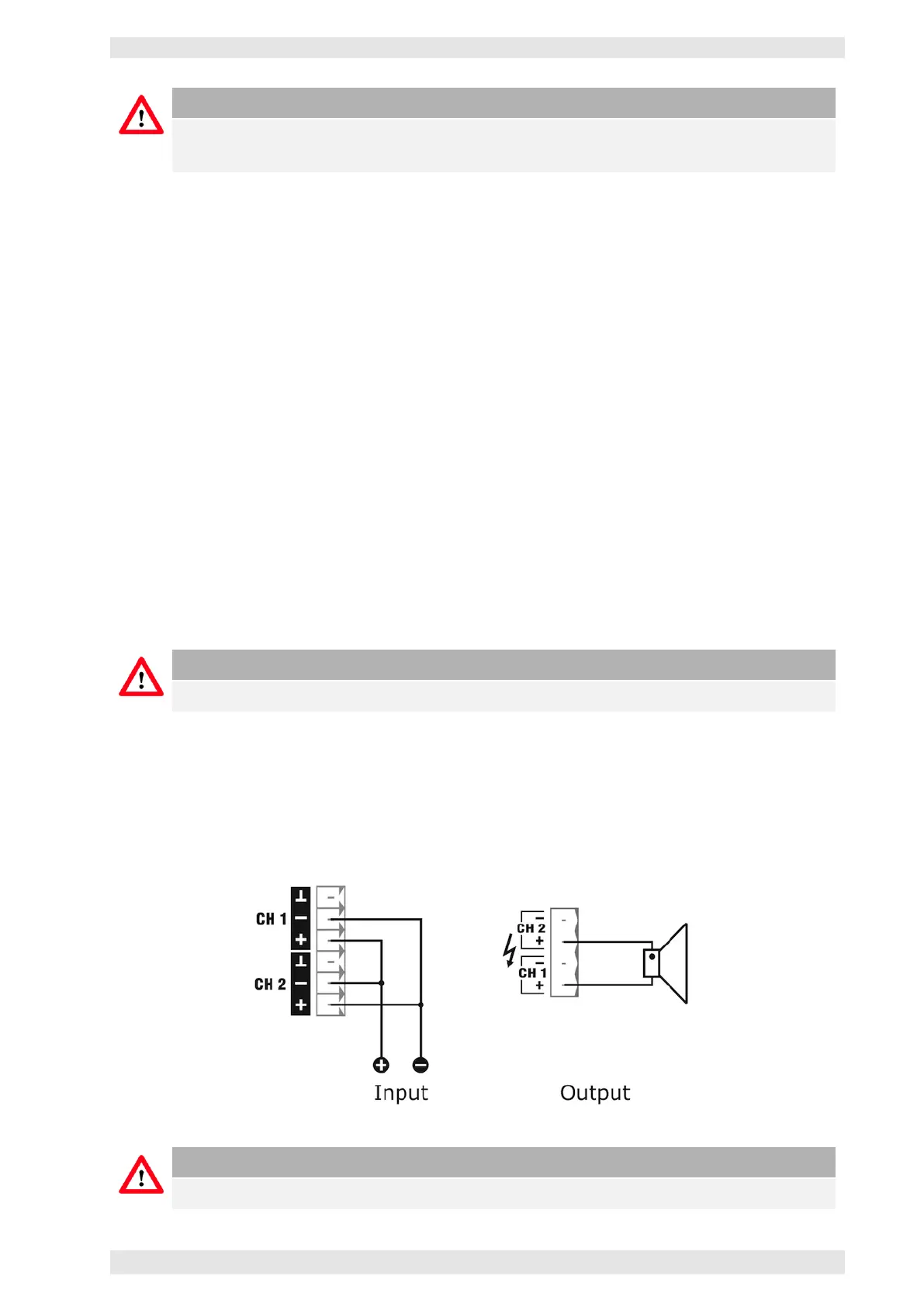
Even in case of no mode switch each pair of channels can operate in bridge mode. This is achieved by using
a reversed polarity of the channels to each other. The second channel gets the same input signal, but the
plus and minus pins are connected the other way round.
Figure 2.9: Wiring in Bridge Mode with no mode switch
Caution
Both potentiometers remain active and should be set to the same value.
c
2016 Bittner Audio Int. GmbH



 To Next Page