Modules & Options
Wireless LAN Module (Windows 8) 7 - 15
7
Control Panel
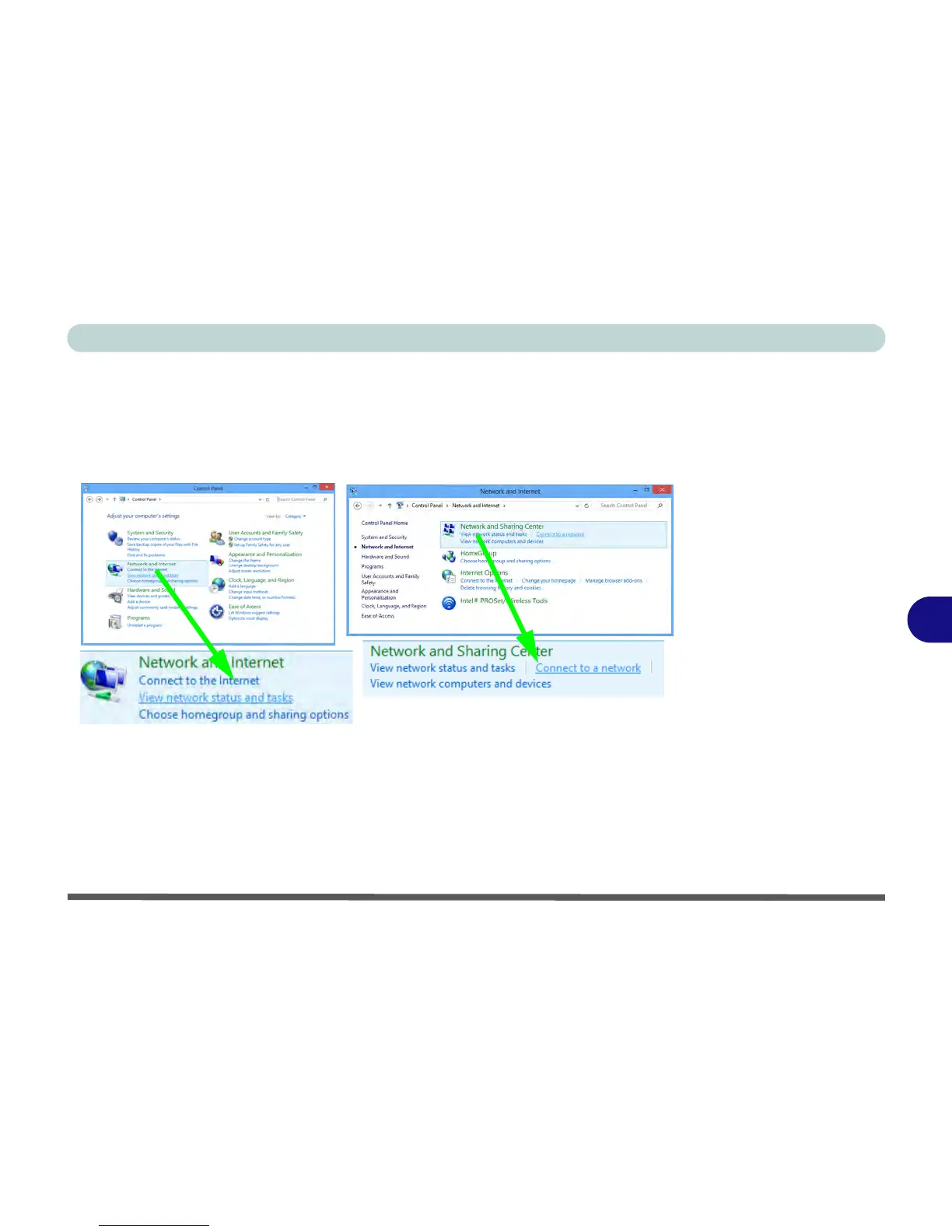
If you are in Category View do the following (see over for Icon View):
1. Open the Control Panel.
2. Click/tap the Network and Internet control panel.
3. Click/tap Connect to a network.
4. A list of available access points will appear.
5. Double-click/tap an access point to connect to it (or click/tap it and click/tap
Connect).
6. Enter a network security key (password) if required, and click/tap Next.
7. You can choose to share or connect to devices or not.
8. Select any connected network and click/tap Disconnect to disconnect from a
connected access point.



 To Next Page