D - 64 Bluetooth & WLAN Combo Module (Windows 7)
Windows 7
Windows 7
6. Right-click Bluetooth Peripheral Device and click/tap on Update Driver Software.
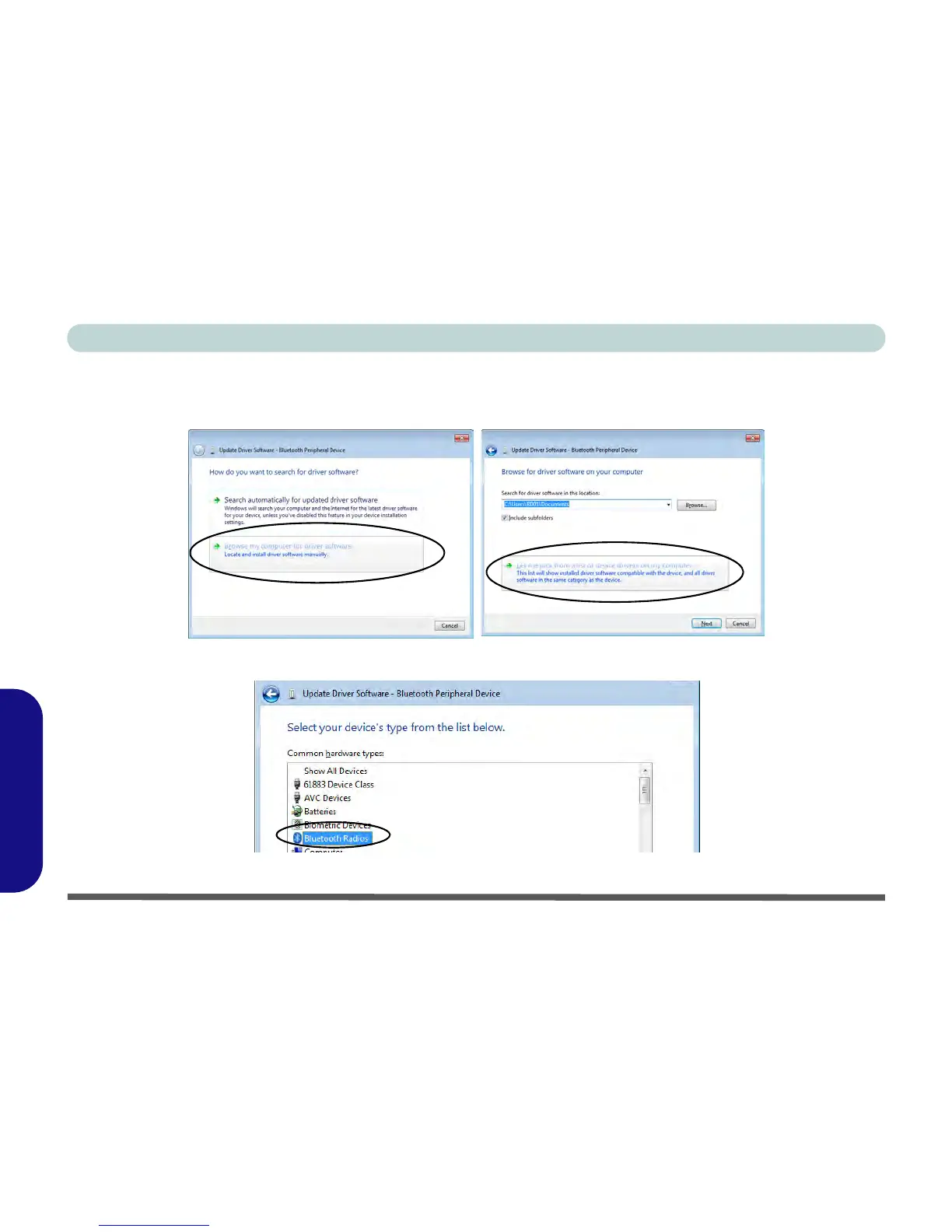
7. Click/tap Browse my computer for driver software.
8. Click/tap Let Me pick from a list of device drivers on my computer.
Figure D - 39 - Browse my computer.../Let me pick from...
9. Select Bluetooth Radios from the list.
Figure D - 40 - Select Bluetooth Radios



 To Next Page