BBP™31 Sign & Label Printer
User Guide
2-3
Unpacking and Setting up Printer
Setting up the Printer
Setting up the Printer
Connect Printer Power
To setup the printer:
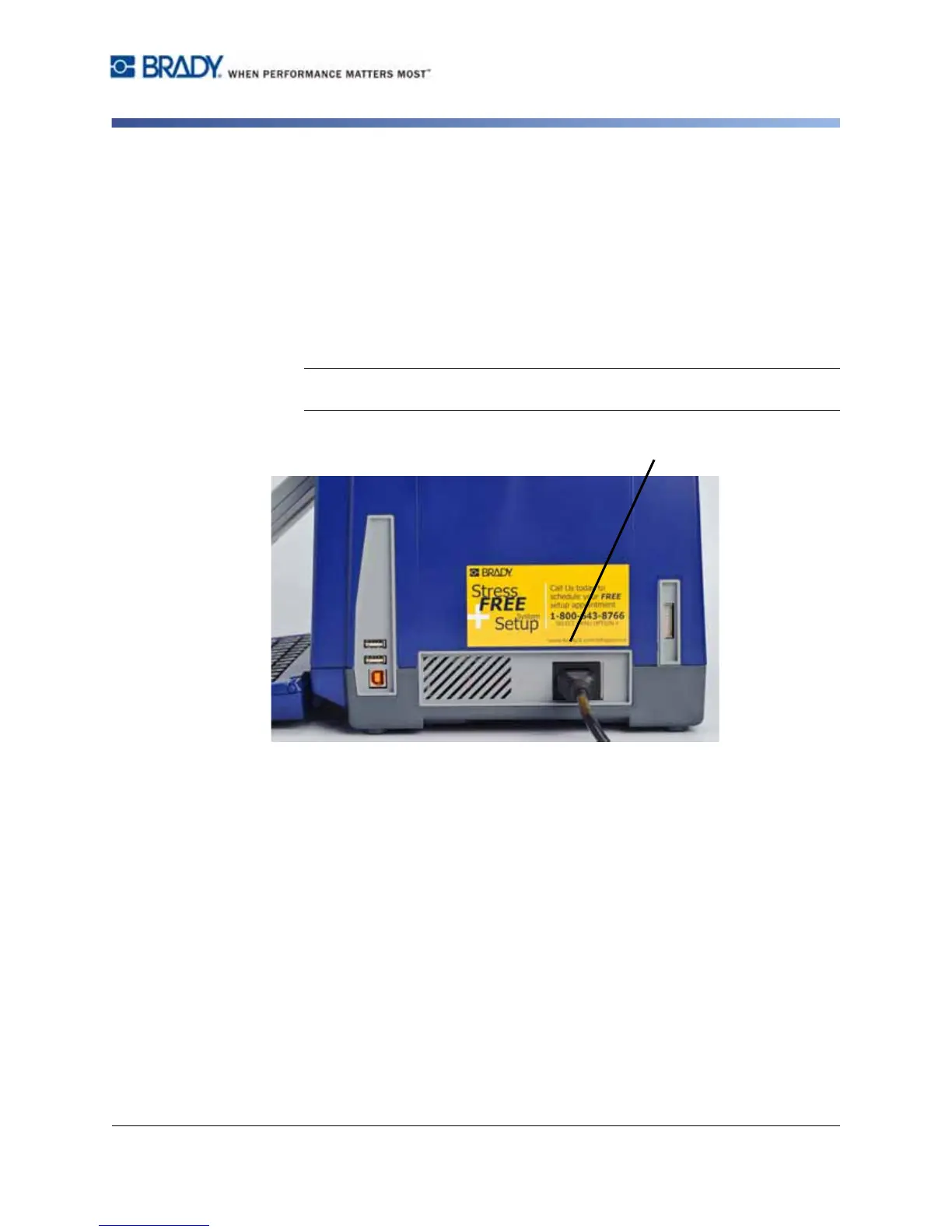
1. Plug the power cord into the printer at the location shown.
2. Plug the other end of the power cord into an AC power outlet. The printer
automatically comes on and displays the primary Home Page. The size and
color of the currently installed media and other status indicators are shown.
Note: If there is no ribbon or media installed, the system defaults to black
ribbon and 4 in. [101.6 mm] wide continuous white media.



 To Next Page