BBP™31 Sign & Label Printer
User Guide
4-31
Handling Objects
Converting Text or Barcode to Variable Data
Converting Text or Barcode to Variable Data
Use these procedures to convert an existing text or barcode object into a serial or
date/time object on the label. This applies to both template or freeform objects.
Note: You cannot add serial data to a graphic.
Convert to Serial Data
To convert text or barcode to serial data:
1. In the Editor, select the text or barcode object that you want to use for the
serial data.
2. Text: Select More Options and go to Set Data Source.
- or -
Barcode: Select Change Barcode .
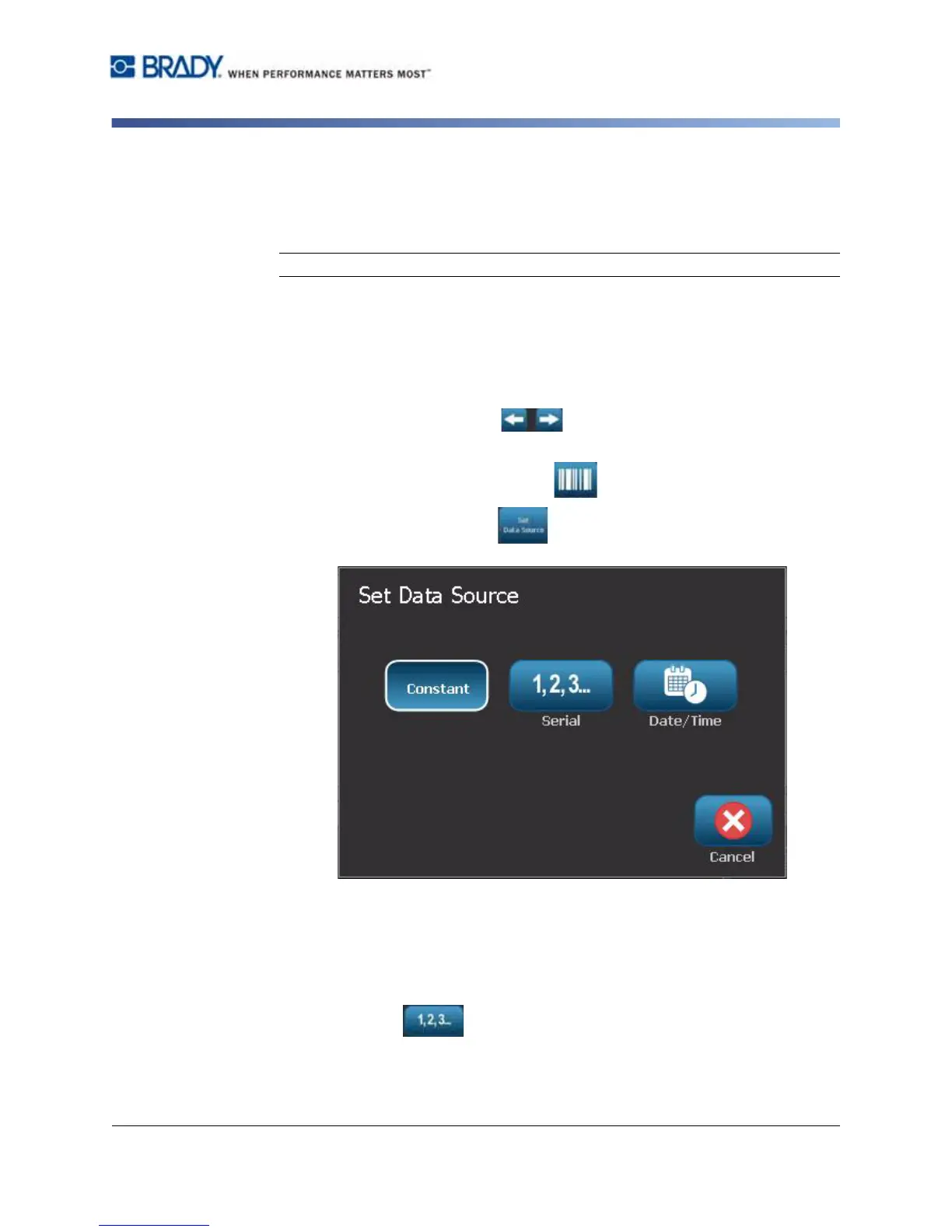
3. Select to Set Data Source .
4. In the Set Data Source dialog box, select from the following options to choose
the data source and change the format options:
•
Constant
: Fixed (non-variable) object.
•
Serial
•
Date/Time
: Places a date/time object on your label.
5. Select Serial .
Displays the
Serial & Date/Time
dialog box
. See
“Serial Objects” on page 4-6
for details.



 To Next Page