4-24 BBP™31 Sign & Label Printer
User Guide
Handling Objects
Moving Objects
Set Object Position
Use this procedure if you want to move an item on the label to a specific position
by setting the specific x- and y-coordinates.
To move an object using object position coordinates:
1. In the Editor, select the object you want to move.
2. In the Control Panel, select More Options to navigate to
the Exact Size & Position option.
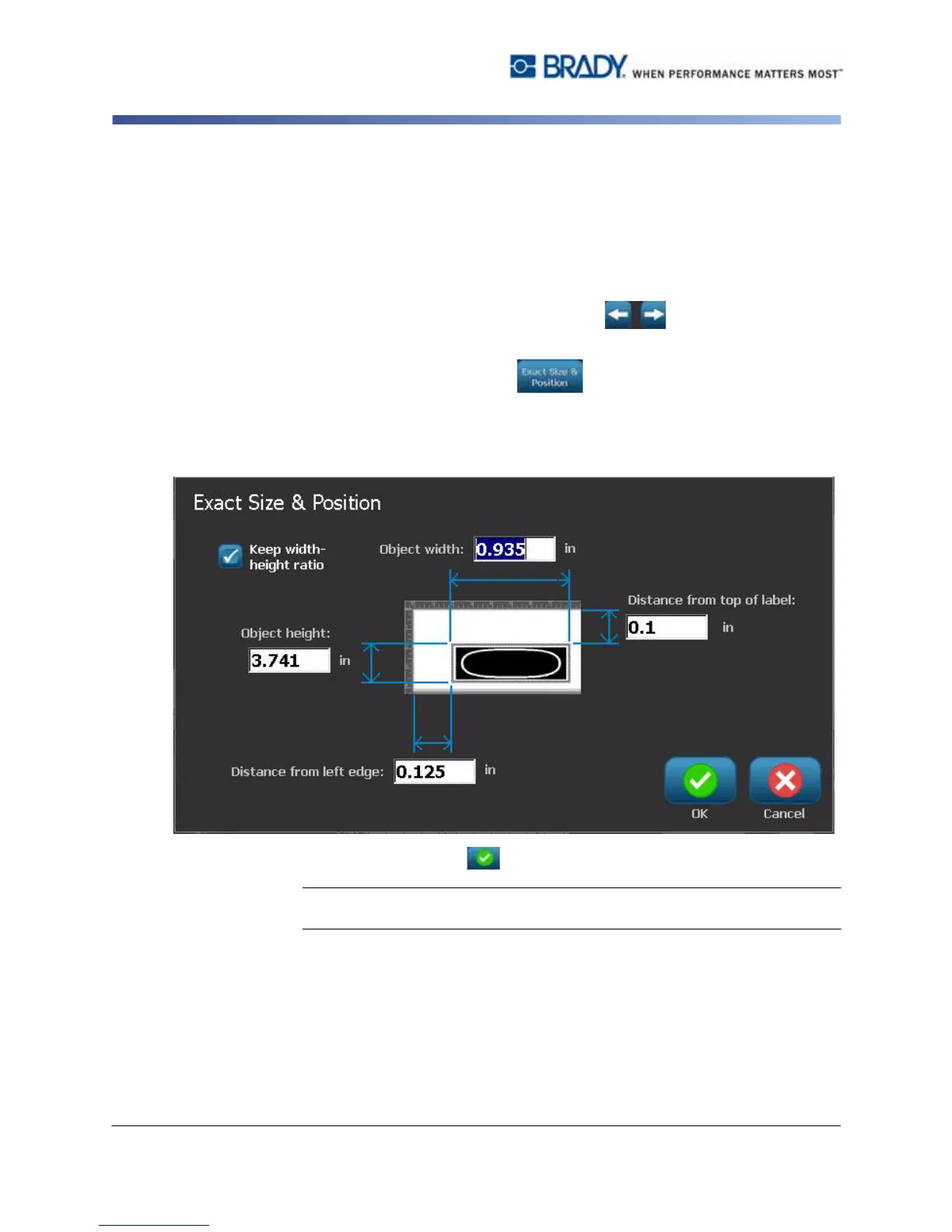
3. Select Exact Size & Position .
4. Type a value for:
•
Distance from the top of label
(Y coordinate).
•
Distance from left edge
(X coordinate).
5. When done, select OK . The object is displayed at the specified position.
Note: If the values entered result in the object being positioned outside the
printable area, the system resizes and repositions the object to fit on the label.



 To Next Page