4-8 BBP™31 Sign & Label Printer
User Guide
Adding Objects
Date/Time Objects
Date/Time Objects
The Date/Time option lets you place a time stamp on your label (text or barcode).
Depending on the options you choose, you can add a date, time or date and time.
You can change the clock settings at any time by selecting Clock Settings (see
“Set Clock” on page 2-15, starting at Step 4 for more details).
Note: With power removed (i.e., printer disconnected from power source), the
system clock retains its settings for about 30 days.
To add a date/time object:
1. To add a date/time object:
• Touch anywhere in the
Editor
.
- or -
• If you are already in a label, select
Add Object
,
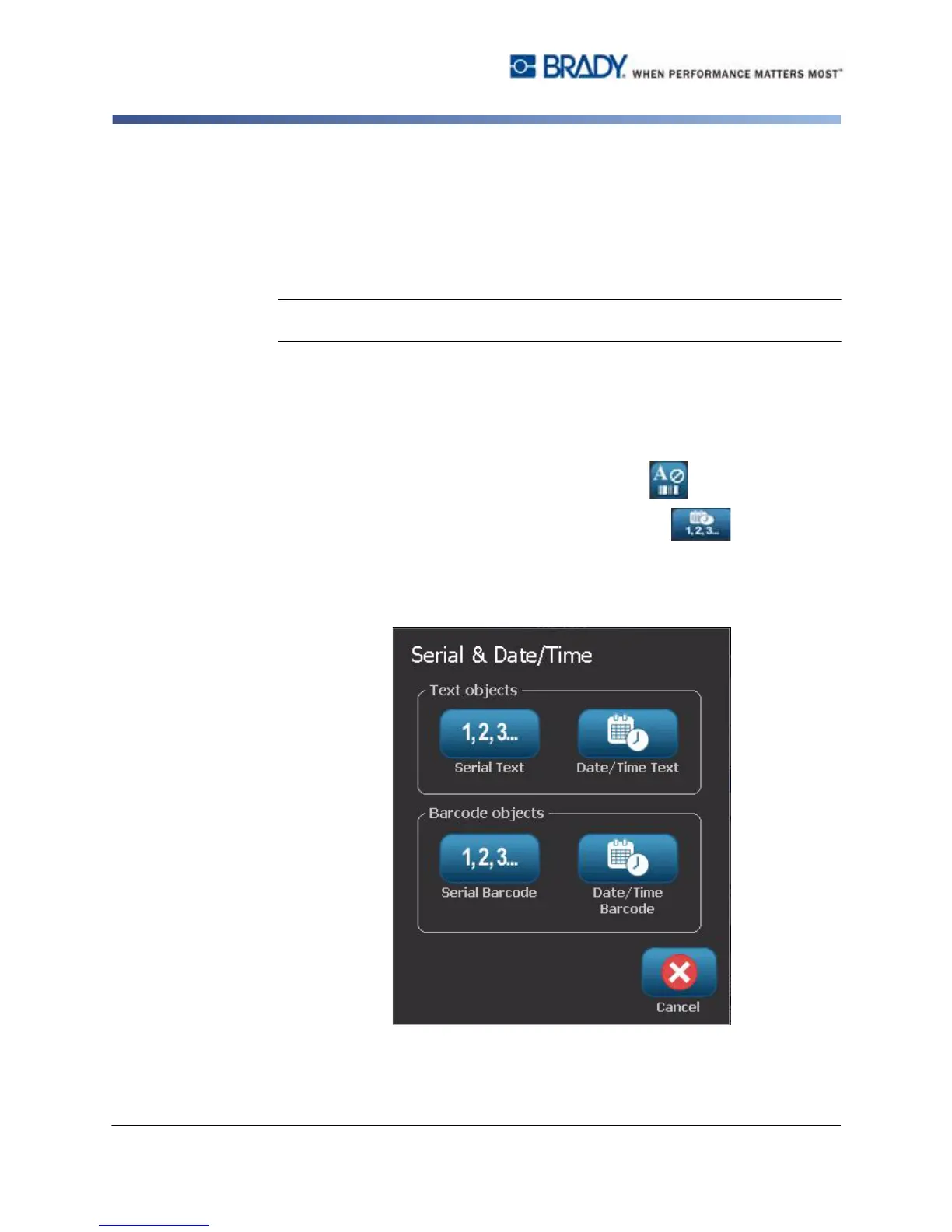
2. In the Add Objects panel, select Serial & Date/Time .
3. In the Serial & Date/Time dialog box, select:
•
Date/Time
Text:
Places a date/time object on your label.
•
Date/Time Barcode
: Places a barcode object with date/time data.



 To Next Page