BBP™31 Sign & Label Printer
User Guide
4-9
Adding Objects
Date/Time Objects
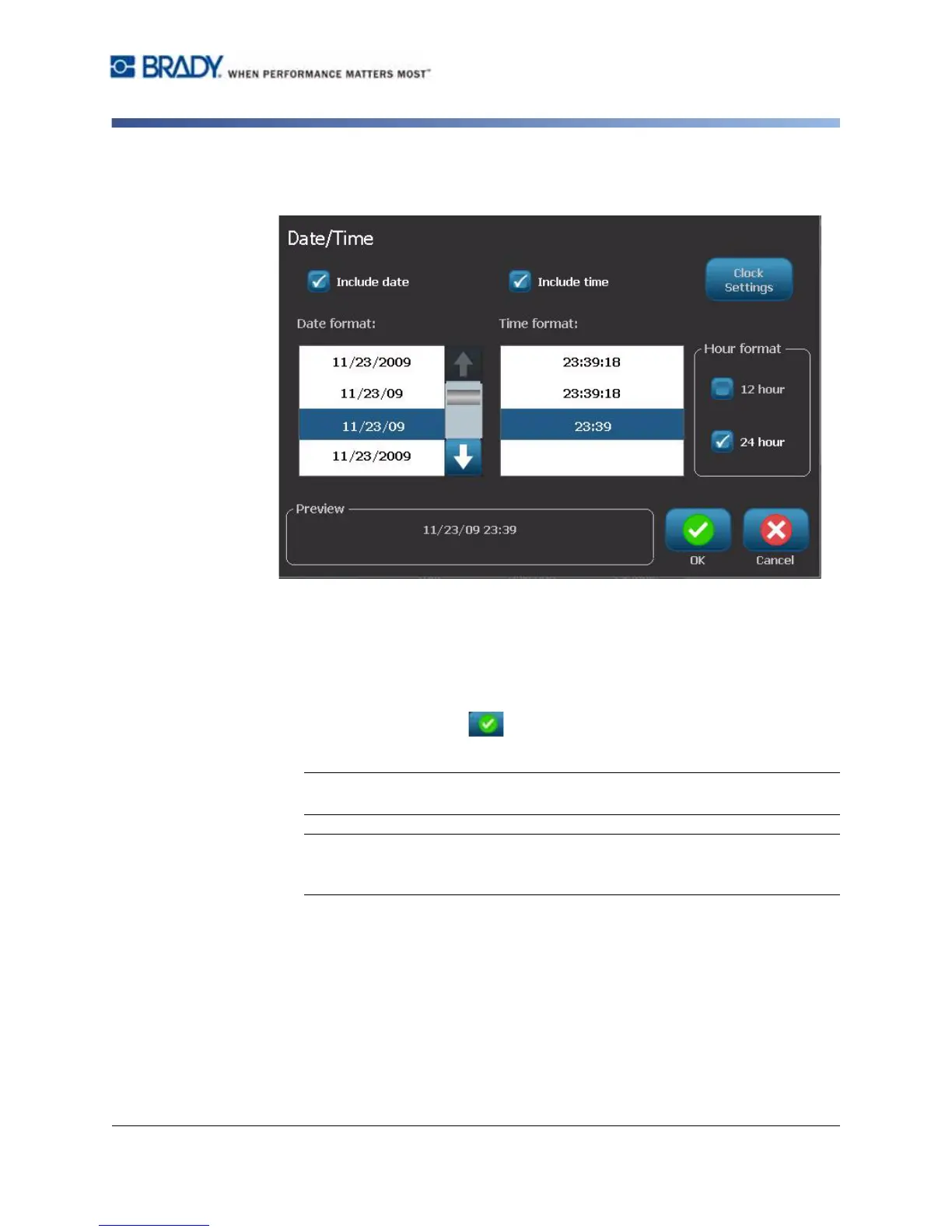
4. In the Date/Time menu, select the format(s) you want included on the label.
The Preview area immediately displays the changes.
•
Include date:
Toggles the date on or off.
•
Include time:
Toggles the time on or off.
•
Date Format:
Format for date printed on label(s).
•
Time Format:
Format for time printed on label(s).
•
Hour Format:
12-hour (AM or PM) or 24-hour time format
5. When done, select OK . An object with the current date/time value is
added to the label.
Note: When printed, the date/time value of each label will reflect the current
date and time of the printer.
Note: If the system clock has not been set, the system displays a message
requesting that you set the system clock. Selecting OK takes you to Clock
Settings. Selecting Cancel returns you to the Editor.



 To Next Page