BBP™31 Sign & Label Printer
User Guide
4-7
Adding Objects
Serial Objects
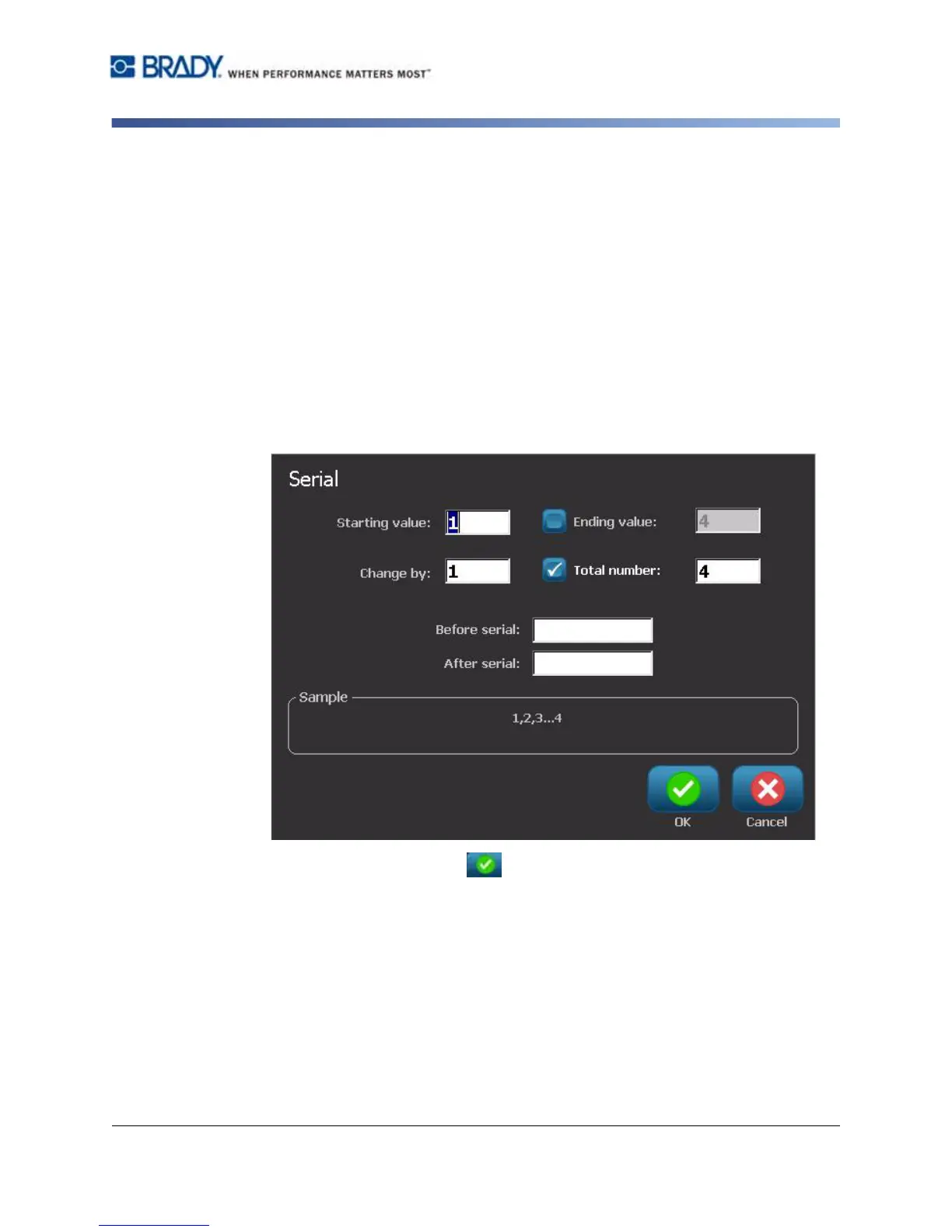
4. In the Serial dialog box, type or select values for setting the serial attributes
(the Sample area will immediately display an example of the selections):
•
Starting Value
: Starting label value for the serialization to begin. Can use
alpha or numeric (positive or negative) values.
•
Ending Value
: Ending label value for the serialization to stop (not used if Total
Number of labels is entered). Can use alpha or numeric (positive or negative)
values.
•
Change by
: Number that the serial value increments or decrements for each
label. Can use positive or negative values.
•
Total number
: Number of labels that will be printed (not used if Ending Value
is entered).
•
Before serial
: Prefix (text or spaces) before the serial value.
•
After serial
: Suffix (text or spaces) after the serial value.
5. When done, select OK . The system displays the initial (first) value of the
serialization on the label.



 To Next Page