7-2 BBP™31 Sign & Label Printer
User Guide
Import Graphics
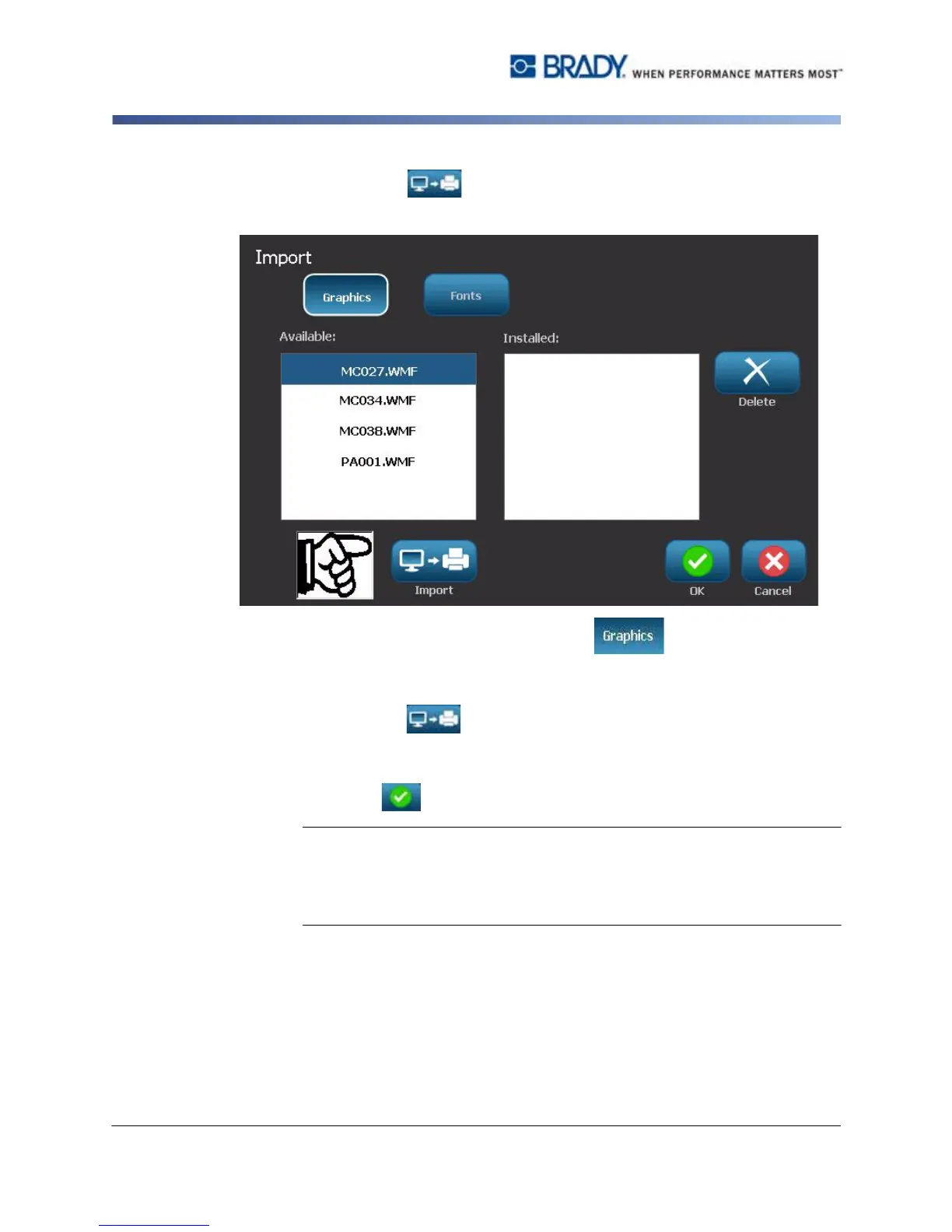
4. Select Import . The Import dialog box displays.
5. In the Import dialog box, select Graphics .
6. In the Available: list, select the graphic you want to import. A preview of the
selected graphic shows at the bottom of the dialog box.
7. Select Import . The graphic will be imported and the name will display
in the Installed list.
8. Repeat Step 5 until all of your graphics have been selected.
9. Select OK .
Note: If there is not enough space available to store the imported graphic(s),
you will have to clear some space by deleting saved files (“Delete a Label File”
on page 6-3) or deleting previously imported files (“Delete Imported Graphics”
on page 7-3) before you can import any new graphics. There is approximately
56MB of storage space available.



 To Next Page