2 Adjusting the Color Tone for the Light SourceN
120
With just one shot, three images having a different color balance can be
recorded simultaneously. Based on the color temperature of the current white
balance setting, the image will be bracketed with a blue/amber bias or
magenta/green bias. This is called white balance bracketing (WB-BKT). White
balance bracketing is possible up to ±3 levels in single-level increments.
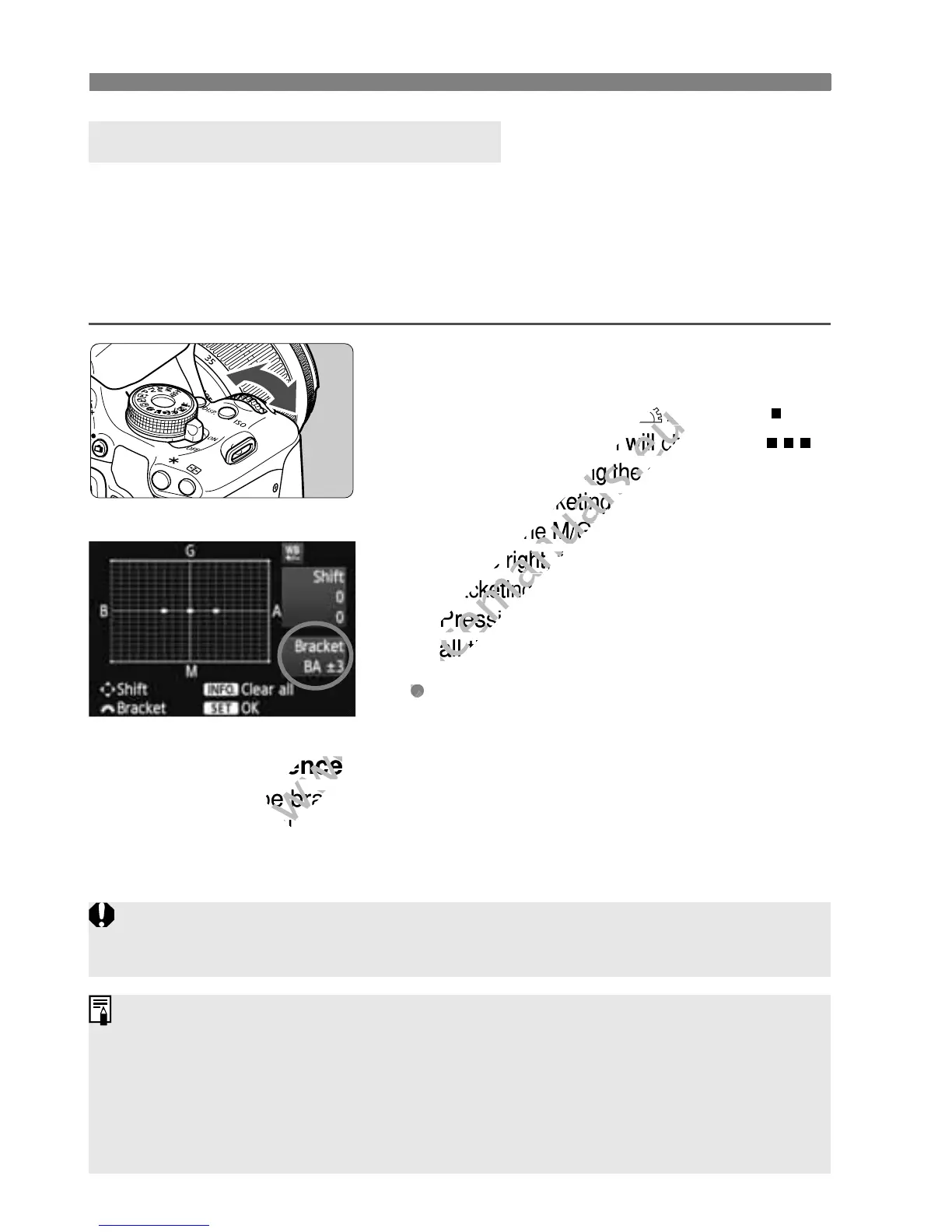
Set the white balance bracketing amount.
In step 2 for white balance correction,
when you turn the <
6
> dial, the “ ”
mark on the screen will change to “ ”
(3 points). Turning the dial to the right sets
the B/A bracketing, and turning it to the
left sets the M/G bracketing.
X
On the right, “
Bracket
” indicates the
bracketing direction and correction amount.
Pressing the <
C
> button will cancel
all the [
WB Shift/BKT
] settings.
Press <0> to exit the setting and
return to the menu.
Bracketing Sequence
The images will be bracketed in the following sequence: 1. Standard
white balance, 2. Blue (B) bias, and 3. Amber (A) bias, or 1. Standard
white balance, 2. Magenta (M) bias, and 3. Green (G) bias.
White Balance Auto Bracketing
B/A bias ±3 levels
During WB bracketing, the maximum burst for continuous shooting will be lower and
the number of possible shots will also decrease to one-third the normal number.
You can also set white balance correction and AEB (p.105) together with
white balance bracketing. If you set AEB in combination with white balance
bracketing, a total of nine images will be recorded for a single shot.
Since three images are recorded for one shot, the card will take longer to
record the shot.
“BKT” stands for Bracketing.
white balance, 2. Blue (B) bias, and 3. Amber (A) bias, or 1. Standard
www.devicemanuals.eu
white balance, 2. Blue (B) bias, and 3. Amber (A) bias, or 1. Standard



 To Next Page