Quick Reference Guide
314
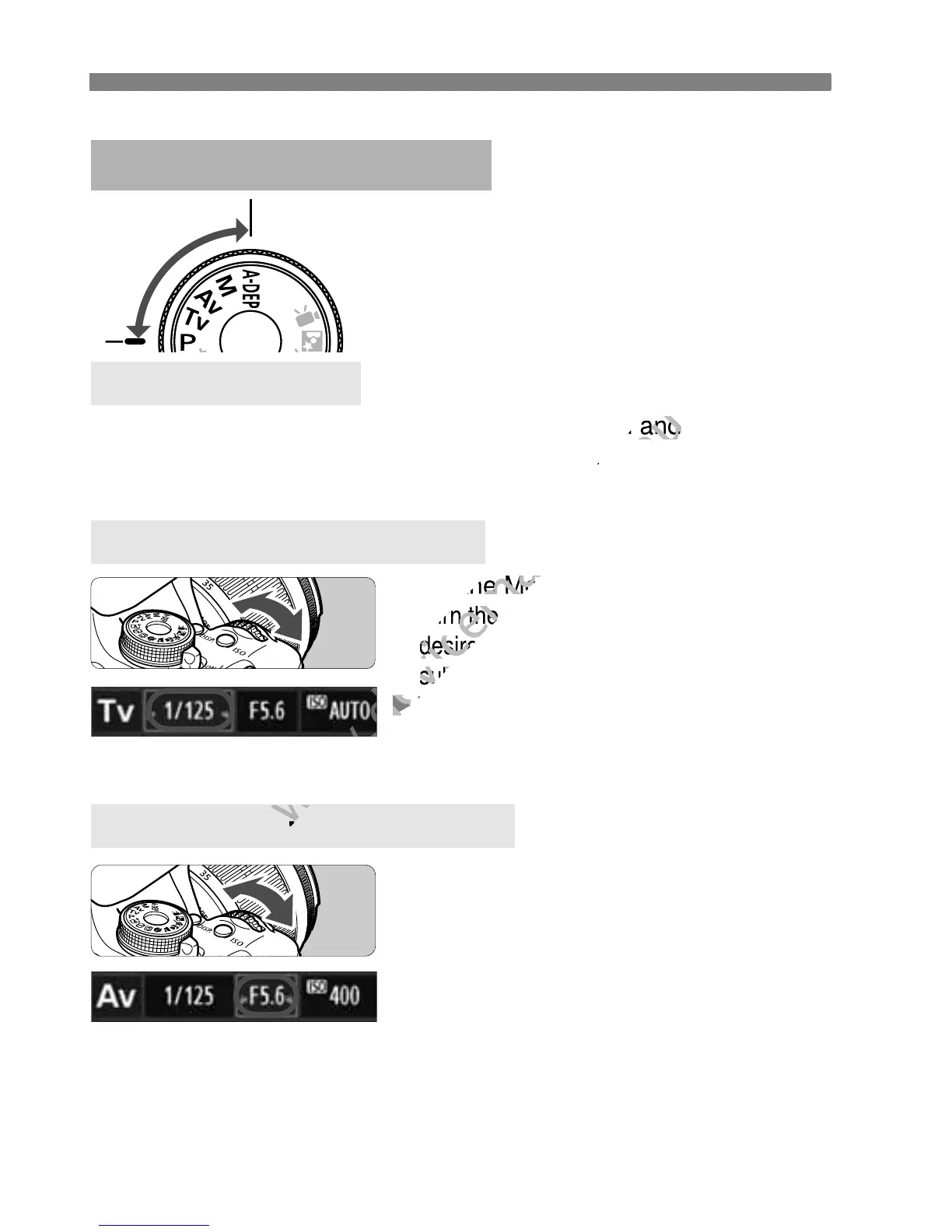
Set the Mode Dial to <d>.
You can change the camera
settings as desired to shoot in
various ways.
The camera automatically sets the shutter speed and
aperture in the same way as the <A> mode.
Creative Zone Modes
d: Program AE
Set the Mode Dial to <s>.
Turn the
<
6
>
dial to set the
desired shutter speed, then focus the
subject.
The aperture will be set automatically.
If the aperture display blinks, turn the
<
6
> dial until it stops blinking.
Set the Mode Dial to <f>.
Turn the
<
6
>
dial to set the desired
aperture, then focus the subject.
The shutter speed will be set
automatically.
If the shutter speed display blinks, turn
the <
6
>
dial until it stops blinking.
s: Shutter-priority AE
f: Aperture-priority AE
C
r
e
a
t
i
v
e
Z
o
n
e
The camera automatically sets the shutter speed and
www.devicemanuals.eu
The camera automatically sets the shutter speed and
desired shutter speed, then focus the
www.devicemanuals.eu
desired shutter speed, then focus the



 To Next Page