EasyManua.ls Logo

Canon EOS 600D - Z: ISO Speed

Canon EOS 600D
328 pages
Print Icon
To Next Page IconTo Next Page
To Previous Page IconTo Previous Page
Loading...
Quick Reference Guide
316
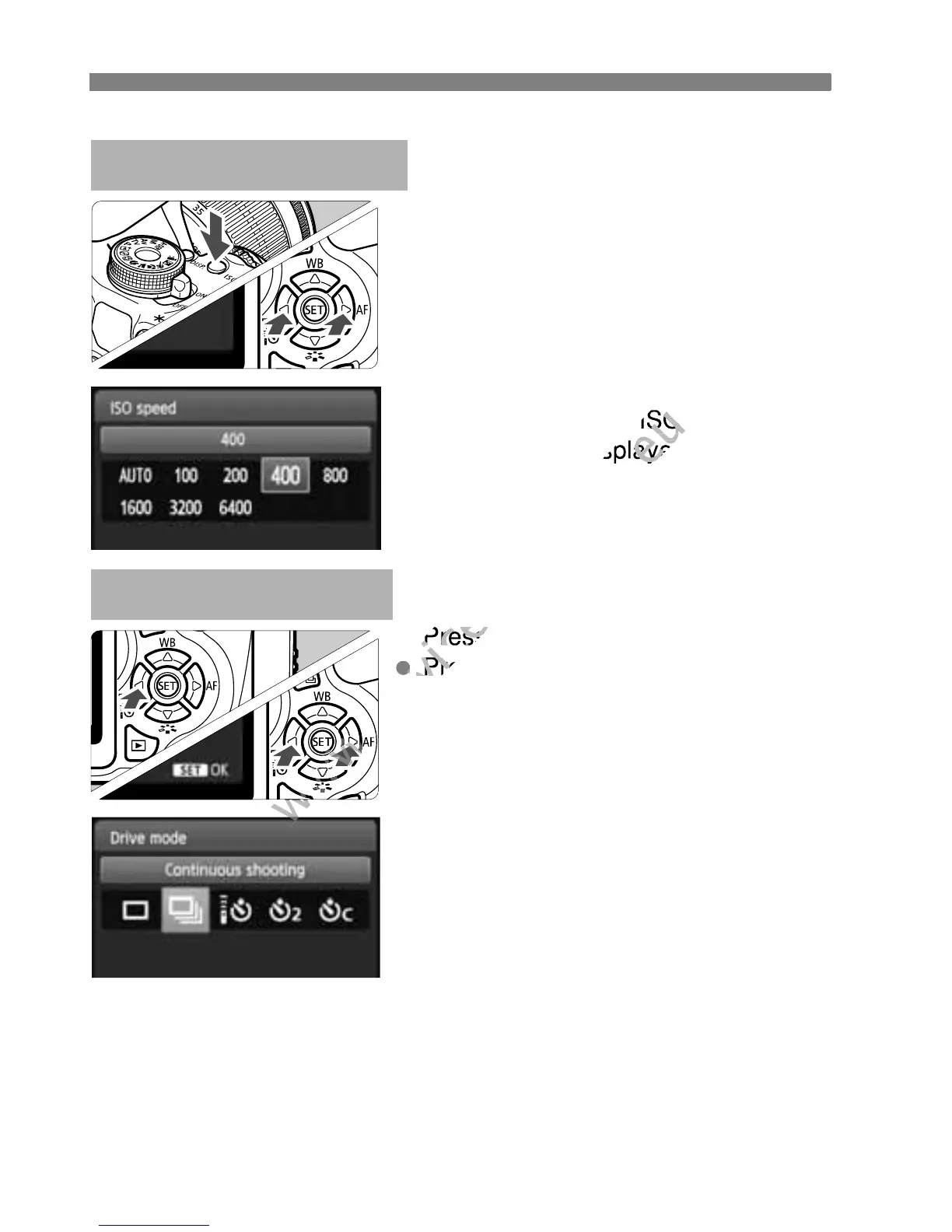
Press the <Z> button.
Press the <U> key or turn the
<6> dial to select the ISO
speed, then press <0>.
When [AUTO] is selected, the
ISO speed is set automatically.
When you press the shutter
button halfway, the ISO speed
setting will be displayed.
Z: ISO SpeedN
Press the <YiQ> button.
Press the <U> key or turn the
<6> dial to select the drive
mode, then press <0>.
u : Single shooting
i : Continuous shooting
Q : Self-timer:10 sec/Remote
control*
l : Self-timer:2 sec
q : Self-timer:Continuous*
* The <Q> and <q> drive
modes can be selected in all
shooting modes (except <k>).
i Drive ModeN
www.devicemanuals.eu
When you press the shutter
www.devicemanuals.eu
When you press the shutter
button halfway, the ISO speed
www.devicemanuals.eu
button halfway, the ISO speed

setting will be displayed.
www.devicemanuals.eu
setting will be displayed.
Press the <
www.devicemanuals.eu
Press the <
www.devicemanuals.eu
Press the <
www.devicemanuals.eu
Press the <
<
www.devicemanuals.eu
<

Table of Contents

Other manuals for Canon EOS 600D

Related product manuals