EasyManua.ls Logo

Canon EOS 600D - Tv: Shutter-priority AE

Canon EOS 600D
328 pages
Print Icon
To Next Page IconTo Next Page
To Previous Page IconTo Previous Page
Loading...
94
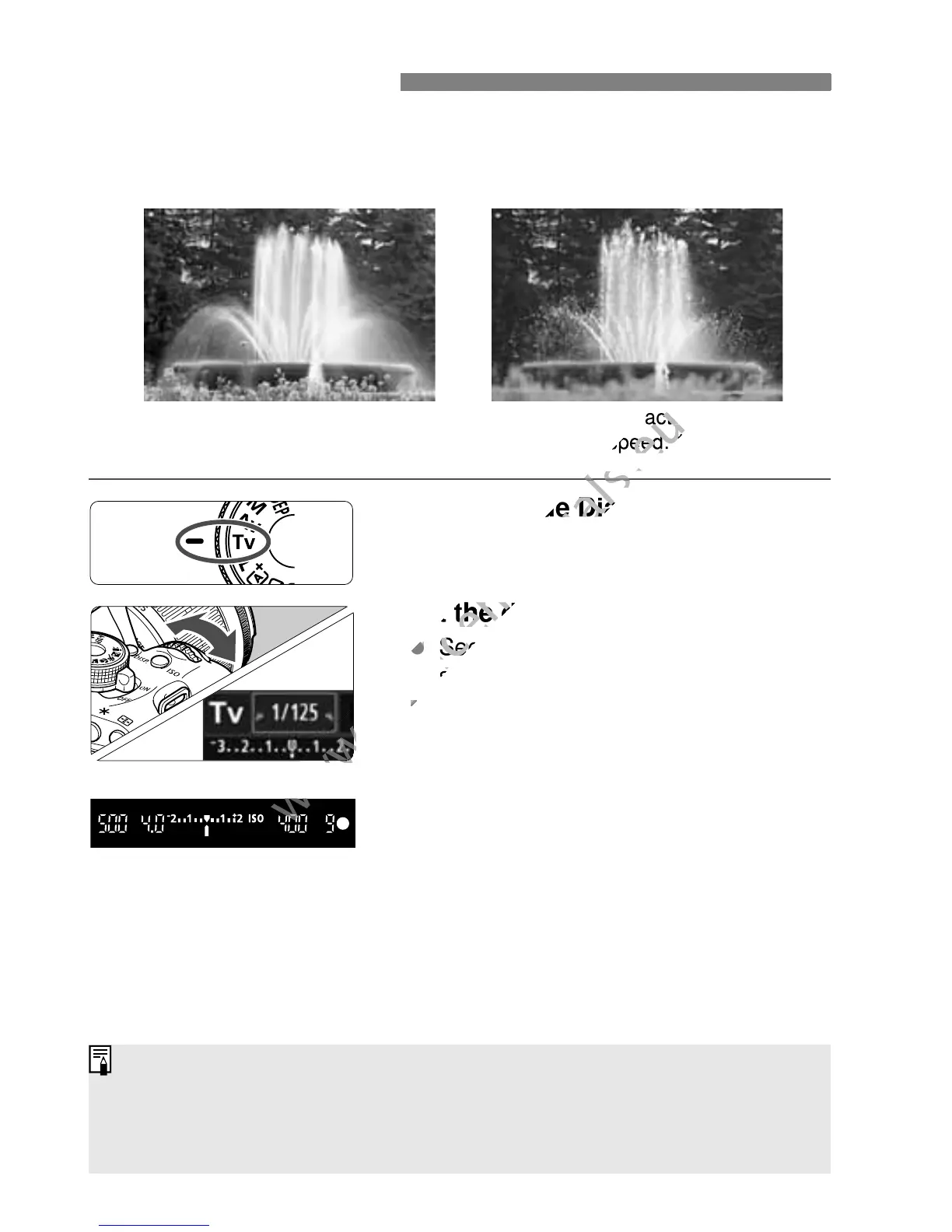
You can either freeze the action or create motion blur with the <s>
(Shutter-priority AE) mode on the Mode Dial.
* <s> stands for Time value.
1
Set the Mode Dial to <s>.
2
Set the desired shutter speed.
See “Shooting Tips” for advice on
setting the shutter speed.
Turning the <6> dial to the right
sets a faster shutter speed, and
turning it to the left sets a slower one.
3
Take the picture.
When you focus and press the
shutter button completely, the picture
will be taken at the selected shutter
speed.
s
:
Action Shots
Blurred motion
(Slow shutter speed: 1/30 sec.)
Frozen action
(Fast shutter speed: 1/2000 sec.)
Shutter Speed Display
The LCD monitor displays the shutter speed as a fraction. However, the
viewfinder displays only the denominator. Also, “0"5” indicates 0.5 sec. and
15"” is 15 sec.
www.devicemanuals.eu
Set the Mode Dial to <
www.devicemanuals.eu
Set the Mode Dial to <
Set the desired shutter speed.
www.devicemanuals.eu
Set the desired shutter speed.
www.devicemanuals.eu
See “Shooting Tipsfor advice on
www.devicemanuals.eu
See “Shooting Tipsfor advice on
setting the shutter speed.
www.devicemanuals.eu
setting the shutter speed.
www.devicemanuals.eu
Frozen action
www.devicemanuals.eu
Frozen action
(Fast shutter speed: 1/2000 sec.)
www.devicemanuals.eu
(Fast shutter speed: 1/2000 sec.)
www.devicemanuals.eu

Table of Contents

Other manuals for Canon EOS 600D

Related product manuals