247
W Digital Print Order Format (DPOF)
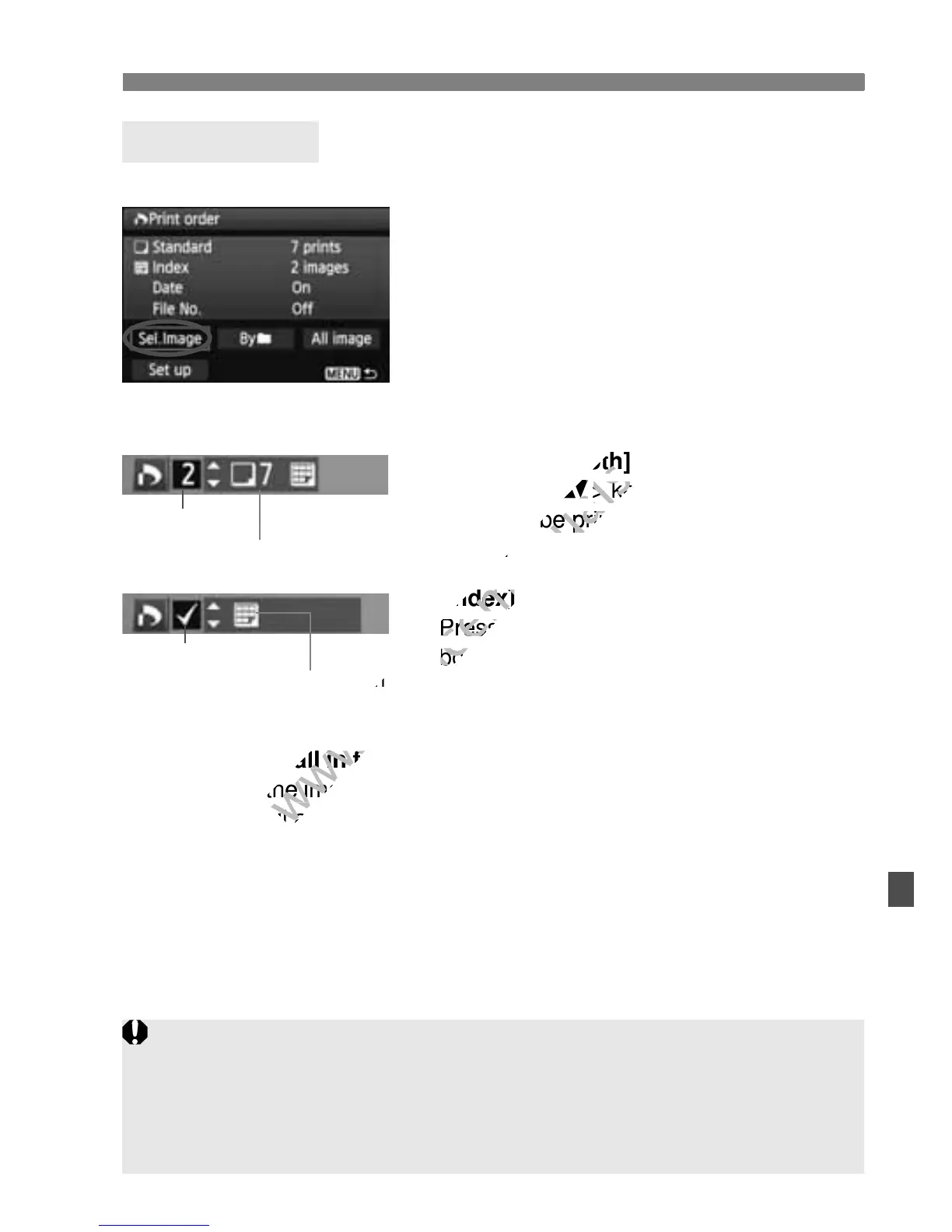
Sel.Image
Select and order images one by one.
To display the three-image display, press
the <I> button. To return to the
single-image display, press the <u>
button.
After completing the print order, press
the <M> button to save the print
order to the card.
[Standard] [Both]
Press the <V> key to set the number of
copies to be printed for the displayed
image.
[Index]
Press the <V> key to checkmark the
box <X> and the image will be included
in the index print.
Byn
Select [Mark all in folder] and select the folder. A print order for one
copy of all the images in the folder will be placed. If you select [Clear
all in folder] and select the folder, the print order for that folder will
all be canceled.
All image
If you select [Mark all on card], one copy of all the images in the
card will be set for printing. If you select [Clear all on card], the print
order will be cleared for all the images in the card.
Print Ordering
Quantity
Total images selected
Index icon
Check mark
Note that RAW images and movies will not be included in the print order
even if you set “Byn” or “All image.”
When using a PictBridge printer, print no more than 400 images for one
print order. If you specify more than this, all the images might not be
printed.



 To Next Page