EasyManua.ls Logo

Canon EOS 600D - Menu Function Settings

Canon EOS 600D
328 pages
Print Icon
To Next Page IconTo Next Page
To Previous Page IconTo Previous Page
Loading...
129
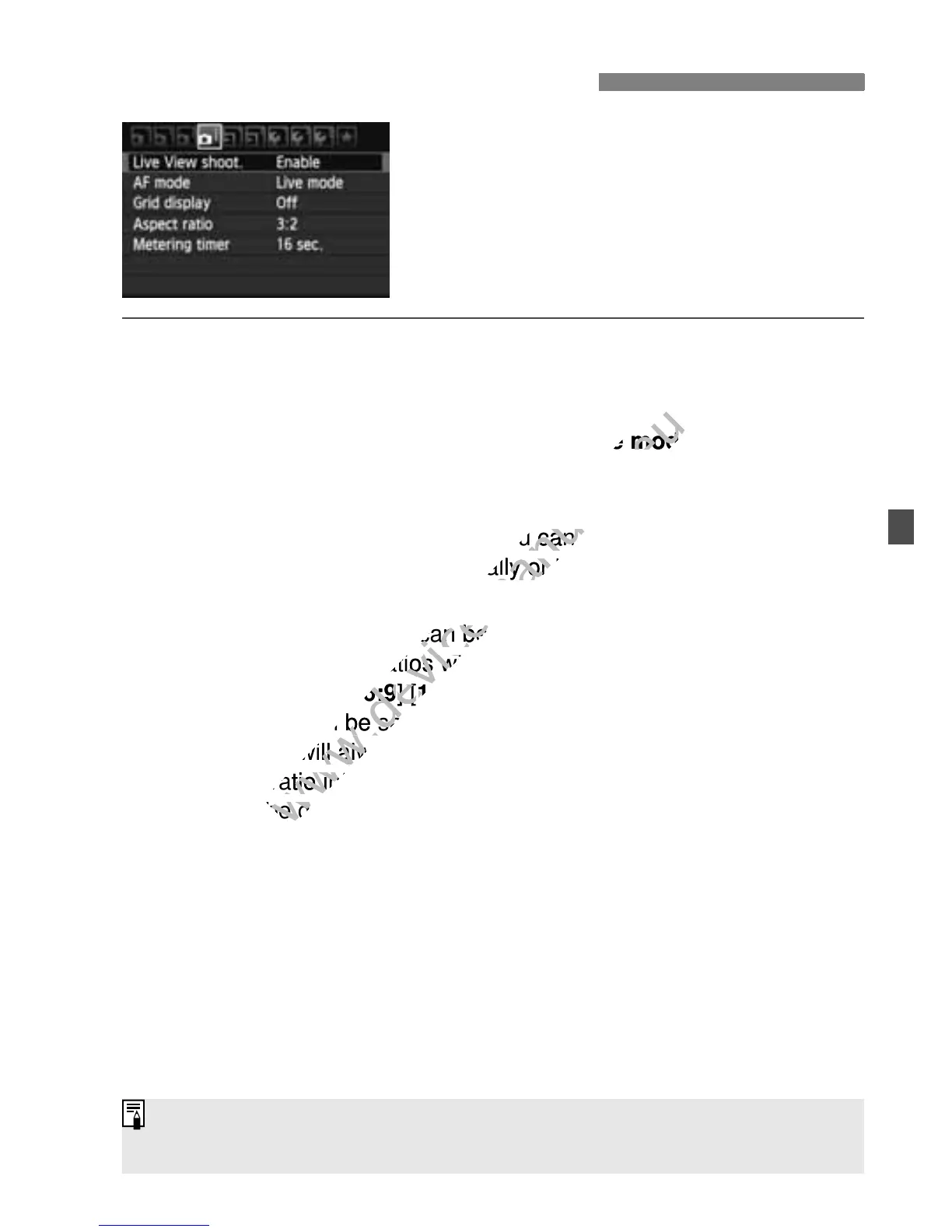
The menu options below are displayed.
In Basic Zone modes, the Live View
menu options will be displayed under
[2], and in Creative Zone modes, they
will be displayed under [z].
Live View shooting
You can set Live View shooting to [Enable] or [Disable].
AF mode
You can select [Live mode] (p.131), [u Live mode] (p.132), or
[Quick mode] (p.136).
Grid display
With [Grid 1l] or [Grid 2m], you can display grid lines. It can
help you level the camera vertically or horizontally.
Aspect ratioN
The image’s aspect ratio can be set to [3:2], [4:3], [16:9], or [1:1].
The following aspect ratios will be indicated with lines on the Live
View image: [4:3] [16:9] [1:1].
JPEG images will be saved with the set aspect ratio.
RAW images will always be saved with the [3:2] aspect ratio. Since
the aspect ratio information is appended to the RAW image, the
image will be generated in the respective aspect ratio when you
process the RAW image with the provided software. In the case of
the [4:3], [16:9], and [1:1] aspect ratios, the aspect-ratio lines will
appear during image playback, but the lines are not actually drawn
on the image.
z Menu Function Settings
The settings for these menu options will apply only to Live View
shooting. They do not take effect during viewfinder shooting.

www.devicemanuals.eu
Live mode
www.devicemanuals.eu
Live mode
], you can display grid lines. It can
www.devicemanuals.eu
], you can display grid lines. It can
help you level the camera vertically or horizontally.
www.devicemanuals.eu
help you level the camera vertically or horizontally.
The image’s aspect ratio can be set to [
www.devicemanuals.eu
The image’s aspect ratio can be set to [
The following aspect ratios will be indicated with lines on the Live
www.devicemanuals.eu
The following aspect ratios will be indicated with lines on the Live
16:9
www.devicemanuals.eu
16:9
] [
www.devicemanuals.eu
] [
1:1
www.devicemanuals.eu
1:1
www.devicemanuals.eu
JPEG images will be saved
www.devicemanuals.eu
JPEG images will be saved
RAW images will always be saved with the [
www.devicemanuals.eu
RAW images will always be saved with the [
the aspect ratio information is appended to the RAW image, the
www.devicemanuals.eu
the aspect ratio information is appended to the RAW image, the
image will be generated in the respective aspect ratio when you
www.devicemanuals.eu
image will be generated in the respective aspect ratio when you

Table of Contents

Other manuals for Canon EOS 600D

Related product manuals