EasyManua.ls Logo

Canon EOS 600D - Q Quick Control for Shooting Functions; Quick Control for Shooting Functions

Canon EOS 600D
328 pages
Print Icon
To Next Page IconTo Next Page
To Previous Page IconTo Previous Page
Loading...
41
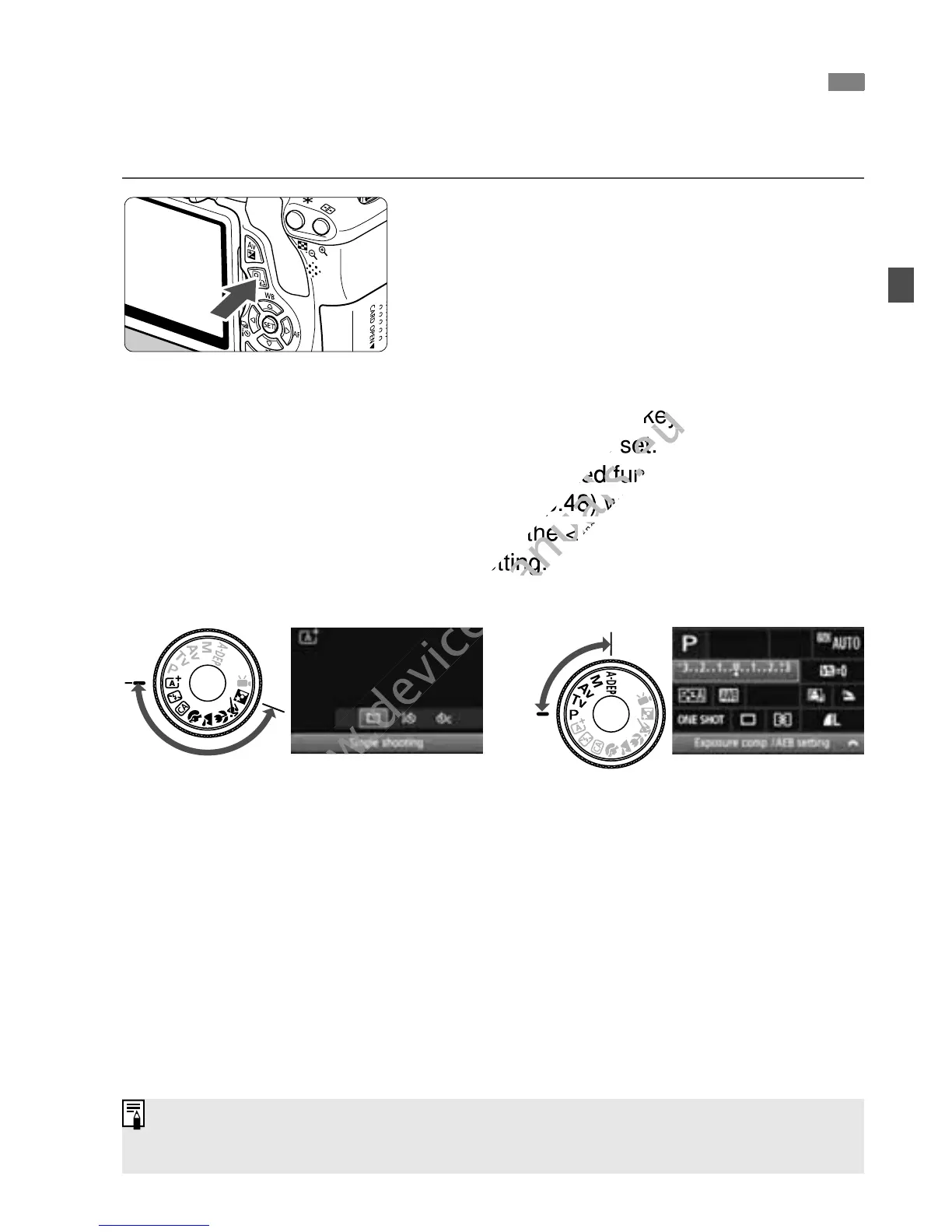
You can directly select and set the shooting functions displayed on the
LCD monitor. This is called the Quick Control screen.
1
Press the <Q> button.
X The Quick Control screen will appear
(7).
2
Set the desired function.
Press the <S> key to select the
function to be set.
X The selected function and Feature
guide (p.48) will appear.
Turn the <6> dial to change the
setting.
3
Take the picture.
Press the shutter button completely to
take the picture.
X The captured image will be displayed.
Q Quick Control for Shooting Functions
Basic Zone modes Creative Zone modes
For the functions settable in Basic Zone modes and the setting procedure,
see page 64.

www.devicemanuals.eu
> key to select the
www.devicemanuals.eu
> key to select the
function to be set.
www.devicemanuals.eu
function to be set.
The selected function and Feature
www.devicemanuals.eu
The selected function and Feature
guide (p.48) will appear.
www.devicemanuals.eu
guide (p.48) will appear.
Turn the <
www.devicemanuals.eu
Turn the <
6
www.devicemanuals.eu
6
setting.
www.devicemanuals.eu
setting.
www.devicemanuals.eu

Table of Contents

Other manuals for Canon EOS 600D

Related product manuals